Insignia™ - Bluetooth 3-Button Mouse - Wireless - Black - Open Box - fair
Insignia™ - Bluetooth 3-Button Mouse - Wireless - Black - Open Box - fair
- Works like new.
- May have larger dents or scratches.
- May be missing parts, accessories, or packaging.
More Buying Options
Related Item

About This Item
About Open Box
Reviews
Customers are saying
Customers commend the Bluetooth 3-Button Mouse for its ease of use, overall performance, and reliable Bluetooth connectivity. The mouse is also appreciated for its compact size, exceptional battery life, and reasonable price. Users find the ergonomics and lightweight design comfortable, and they value the adjustable DPI settings and broad compatibility.
Customer Images
The vast majority of our reviews come from verified purchases. Reviews from customers may include My Best Buy members, employees, and Tech Insider Network members (as tagged). Select reviewers may receive discounted products, promotional considerations or entries into drawings for honest, helpful reviews.
Compare similar products
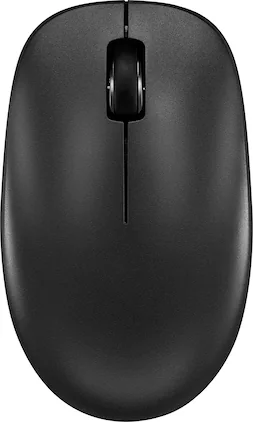
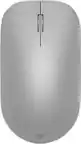
Whether you just got a new computer or simply upgrading your current setup, you can’t go wrong with this Insignia NS-PM3NK3B24 Bluetooth 3-Button Mouse. It uses reliable Bluetooth technology to easily connect to your Windows, macOS, ChromeOS, iPadOS and Android systems. A slim, ambidextrous design works for both right and left-handed users, and a timeless layout consists of 3 buttons. Finally, optical technology makes this mouse more than suitable for a variety of daily uses. Upgrade your setup with this easy-to-use Insignia mouse.

Logitech Wireless Mouse M317. The feel-good, reliable mouse that’s a smooth traveler. You can surf the Web with more comfort and ease—thanks to the contoured design with soft rubber grips. And your mouse is easy to slip into a bag when you want to take it with you.

Eliminate the most common computer mouse issue—the cord. With the Best Buy Essentials Bluetooth Optical 6-Button Mouse, you can navigate the web without the limitations of a cable. Compatible with both Windows and Mac computers, simply pair the mouse using wireless Bluetooth 5.1 connection. It has 6 buttons that grant you total control, including left, right, scroll, DPI adjustment, forward and back. An ambidextrous design allows you to use your left or right hand. Optical technology detects when the mouse moves to deliver an accurate 1600 DPI response. We also included two (2) AAA batteries, so you’re ready to go right out of the box. Let us improve your computer navigation by going wireless with this Best Buy-backed mouse.

Whether you just got a new computer or are simply upgrading your current setup, you can’t go wrong with this Insignia NS-PM2SK3B23 Wireless Optical 3-Button Mouse. Its plug-and-play technology easily connects to your Windows, macOS or ChromeOS system with a simple USB dongle. A simple design works for both right and left-handed users, and a timeless layout consists of 3 programmable buttons. Finally, optical technology makes this mouse more than suitable for a variety of daily uses. Upgrade your setup with this easy-to-use Insignia mouse.
| Pros for Insignia™ - Bluetooth 3-Button Mouse - Wireless - Black | |||
|---|---|---|---|
| Ease of use, Overall Performance, Bluetooth, Size, Battery Life | Overall Performance | Overall Performance, Bluetooth, Ease of use, Battery Life, Price | Size, Ease of use, Weight, Design, Responsiveness |
| Cons for Insignia™ - Bluetooth 3-Button Mouse - Wireless - Black | |||
| There were no cons for this product— | There were no cons for this product— | Scroll Wheel | Bluetooth |