Acer - Ergonomic Mouse Wireless, Vertical Computer Mouse for Office, Ergo Mice Rechargeable for Right Hand, 2.4GHz USB Rec - Wireless - Black
Customers are saying
Customers consistently note that the mouse offers excellent ergonomics, making it a highly comfortable choice for users. Additionally, many appreciate the solid build quality and the impressive battery life that the device provides. Overall, users are very satisfied with the performance and reliability of this product.
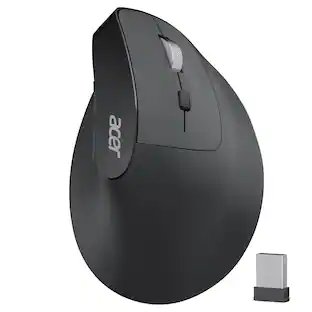
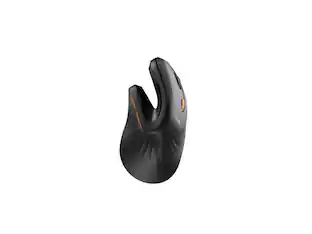
58° Ergonomic Vertical Design
The ergonomic mouse Features a vertical structure that naturally contours to your right hand. The 58° tilt angle effectively reduces wrist and arm pressure, decreasing muscle activity by up to 10% for greater comfort during extended use.To reduce fatigue, let your palm rest naturally against the mouse's contour.
2.4GHz Wireless Connection
Provides a fast and stable wireless connection via the included USB-A receiver. Plug-and-play setup requires no drivers, with a reliable range of up to 10 meters.NOT Bluetooth connection.
High-Capacity Rechargeable Battery
Equipped with a 500mAh rechargeable battery, this cordless mouse is designed for long-term convenience. Say goodbye to replacing batteries—it's the perfect, hassle-free wireless companion.
Precision Control with 3 DPI Settings
This mouse for laptop offers three customizable DPI levels (800/1200/1600) ensuring optimal precision for any task. An intuitive visual indicator flashes to confirm your selected DPI setting, making adjustments quick and effortless. If the mouse malfunctions, please press and hold the Left&Right Buttons, and Scroll Wheel simultaneously to re-pair it.
Quick Navigation Side Buttons
Equipped with dedicated forward and backward buttons, this USB mouse enables rapid browsing and folder navigation. Enhance your efficiency by seamlessly switching applications with a simple click.
- Connection TypeWireless
Reviews
Rating 4.3 out of 5 stars with 17 reviews
- Ergonomics (10)
- Battery Life (4)
- Build Quality (4)
Customer Images
The vast majority of our reviews come from verified purchases. Reviews from customers may include My Best Buy members, employees, and Tech Insider Network members (as tagged). Select reviewers may receive discounted products, promotional considerations or entries into drawings for honest, helpful reviews.





Compare similar products
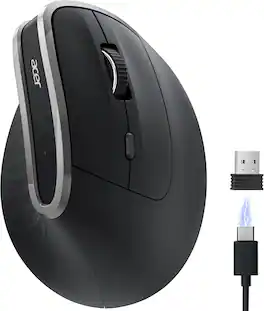
acer Ergonomic Mouse Wireless, Vertical Computer Mouse for Office, Ergo Mice Rechargeable for Right Hand, 2.4GHz USB Receiver, 800/1200/1600 DPI, 6 Buttons for Laptop, PC and Desktop
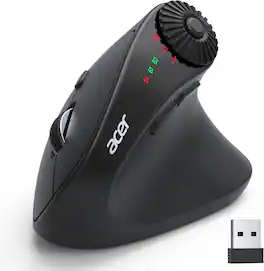
acer Ergonomic Mouse Wireless with Side Scroll Wheel, Bluetooth Mouse for Laptop(BT5.2+2.4GHz), Office Vertical Computer Mice, Right Hand Ergo Mice, 8 Buttons, 2.4GHz USB Receiver for PC and Desktop

acer Ergonomic Mouse Wireless, 1000/1200/1600 Adjustable DPI Vertical Mouse with 6 Buttons, Rechargeable Ergo Mice with 2.4GHz USB Receiver for Computer, Laptop, PC, iMac and Desktop

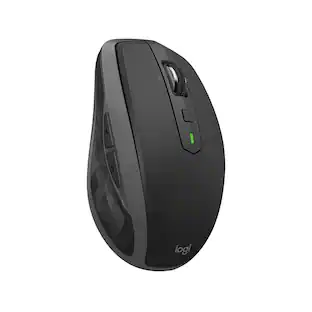
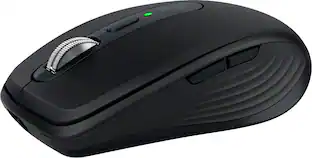
The advanced mobile mouse for power users. Harness the power of Logitech Flow and seamlessly move content between three devices. Scroll through documents and web pages faster and easier with the hyper-fast scroll wheel. Powers up for an entire day in just three minutes. A compact, sculpted shape crafted to fit your hand and provide the control you need anywhere.
| Pros for Acer - Ergonomic Mouse Wireless, Vertical Computer Mouse for Office, Ergo Mice Rechargeable for Right Hand, 2.4GHz USB Rec - Wireless - Black | |||
|---|---|---|---|
| Ergonomics, Battery Life, Build Quality | Ergonomics, Connection Stability, Scroll Wheel | Design, Battery Life, Comfort, Weight | Battery Life, Design, Overall Performance, Connectivity, Portability |
| Cons for Acer - Ergonomic Mouse Wireless, Vertical Computer Mouse for Office, Ergo Mice Rechargeable for Right Hand, 2.4GHz USB Rec - Wireless - Black | |||
| There were no cons for this product— | There were no cons for this product— | There were no cons for this product— | Click Sound |
Specs
Customers often buy these together
Computer Keyboards
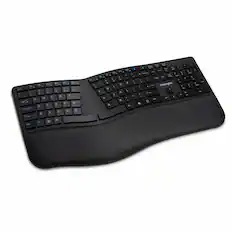
Kensington - Pro Fit K75401US Ergonomic,Full-size Wireless Keyboard - Black
$64.99The price was $65.99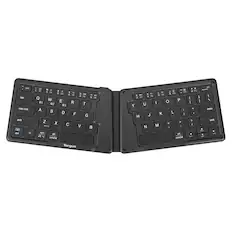
Targus - Ergonomic Foldable Bluetooth Antimicrobial Keyboard - Black
$34.99The price was $54.99

![esc ~ ! 1 tab caps lock shift ctrl F2 Fl # 2 3 Q W A S Z start opt L F3 $ 4 E D X alt cmd3 ) FS F4 A % 5 6 R T F G V C logi 44 HI & F9 FID FB F7 F6 * ) - - & 0 8 9 7 O P U I Y K L H J > < N M 1 B PM + = { [ : I ; ? I alt cmd D 2 4 300 3 1 F12 . * page I insert home up clear backspace 8 9 + 7 page A pg up end down home } I delete ] / 6 4 5 4 enter 2 3 enter 1 dn Pg end shift = 0 del ins etrl fn opt](https://pisces.bbystatic.com/image2/BestBuy_US/images/products/6539/6539505_sd.jpg;maxHeight=232;maxWidth=233?format=webp)
![Esc F1 F2 F3 F4 F5 F6 F7 F8 F9 F10 F11 F12 Print Screen Scroll Lock Pause Break 1 2 3 4 5 6 7 8 9 0 - + = Backspace Insert Home H Page Up A Num Look 1 I Tab Q W E R T Y U I o P { [ } ] I I Delete End IN Page Down 7 Home 8 9 Pg Up Caps A Lock A S D F G H J K L ; : DE g Enter 4 5 6 Shift Z X C V N M < > ? I Shift 1 End 2 3 Pp Dn Enter Ctrl Alt Alt Ctrl 0 Ins Del](https://pisces.bbystatic.com/image2/BestBuy_US/images/products/a588d446-5678-40ae-86b8-1f15e0026e66.jpg;maxHeight=232;maxWidth=233?format=webp)





Mouse Pads




Laptop Docking Stations
Customers ultimately bought
 $77.99The price was $119.99
 $49.99The price was $59.99
 $74.99The price was $79.99
Explore tech essentials Sponsored
 $129.99The price was $159.99
 $129.99The price was $159.99
 $164.99The price was $169.99
Keep exploring
 $32.49The price was $39.94
 $119.95The price was $199.95