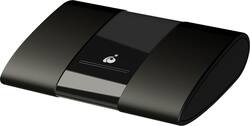
IOGEAR - Wireless Mobile and PC to HDTV Screen Sharing Receiver - Black
- Key Specs
- Adapter Type: Wireless
- Form Factor: External (The size, arrangement, and physical configuration of the product.)
- Antenna Type: Internal
- Frequency: 2.4GHz Analog, 2.4GHz Digital, 5.0 GHz (A measurement of the electromagnetic radio waves a device emits.)
- General
- Brand: IOGEAR
- Model Number: GWAVRC
- Product Name: Wireless Mobile and PC to HDTV Screen Sharing Receiver
- Color: Black
- Network
- Attached Antenna: true
- Data Link Protocol: HDMI, WiFi (The protocol used for transferring data between network nodes within the data link layer of computer networking.)
- Compatibility
- System Requirements: Windows 10, Android 4.2 or later (The software that a product must have for it to be able to integrate with another product.)
- Dimensions
- Product Height: 2.6 inches (The out of box height of the item. Height is measured as the vertical distance from the bottom of the item to the top as it would be primarily used or placed.)
- Product Length: 0.6 inches (The out of box length of the item. Length is measured as the longest dimension of the item.)
- Product Width: 3.4 inches (The out of box width of the item. Width is measured as the horizontal distance from one side of the item to the other as it would be primarily used or placed.)
- Product Weight: 0.2 pounds (The out of box weight of the item.)
- Warranty
- Warranty - Parts: 1 year
- Warranty - Labor: 1 year
- Other
- UPC: 881317518880
Extend the display of your Android or Windows devices with this IOGEAR wireless mobile and PC to HDTV screen-sharing receiver. Compatibility with Miracast enables direct content streaming to HD displays. This IOGEAR wireless mobile and PC to HDTV screen-sharing receiver supports Full HD playback to provide an immersive audiovisual experience and connects to devices up to 50 feet away for convenience.
- Up to a 49' range: For uninterrupted use.
- External wireless video/audio extender for wireless devices: So you can connect additional devices.
- USB and HDMI interfaces: Make it easy to connect your compatible HDTV or monitor.
- Supports 1080p video: For impressive picture quality.
- Indicator lights for link and activity: To show you when and how the card is operating.
Whats Included
- IOGEAR Wireless Mobile and PC to HDTV Screen Sharing Receiver
A: Yes. I bought this because I only had data from my phone and no internet in my home. It shows what ever is on your phone screen and mirrors it to your tv screen wirelessly with Smart View/Screen Mirroring. Hooks up to the tv with the included hdmi cable and power cord.
Q: How do I find this device with my phone once installed.
A: You first need to check if your phone is compatible with it. Your phone should be running on a specific version higher. The people at best buy can help you figure this out. The connection is through Bluetooth. Your phone should have a type of mirror screening or screen sharing or view sharing in order for it to work. Once you turn this on it will automatically show up on your Bluetooth list and click on the device name and you are done.
Q: Can you use this with an iPhone? Thank you.
A: If your fone has the mirror screen option, it will.
A: No it doesnt. It is a plug & play. You dont need internet to connect to it. If you are connecting a laptop, you can connect it like a bluetooth. If you are using your phone, you can use smartview for android. However you will be using your data if you stream online
A: Yes it uses Miracast and uses your wifi antenna to set up a direct connection rather than across the network. It doesn't have a way to enter in your wifi information for it to connect and offer screen sharing through your network. That means that it should work while you are on a VPN, assuming your VPN client does not lock down the Miracast functions. Corporate VPNs often come other fun "features" that could interfere. Some VPNs don't like your device "sharing" your wifi antenna to do a direct Miracast connection while on the VPN. This will really be a factor of your laptop or phone, not the reciever. Go into a store with your laptop or phone and test the screensharing with one of their display smart tvs. If it works there, it should work with this.
Q: Does this device have an on/off switch or is it always on once you connect it.
A: The IOGEAR GWAVRC wireless A/V receiver (i.e., the hardware) is always on once you connect it. However, the software application (which you can access in Windows 10 by holding down the Windows key and simultaneously pressing the letter "p" and then clicking "Connect to a wireless display") has buttons you can click to connect and disconnect the device.