iVANKY - FusionDock 14-in-1 Docking Station with 180W Power Adapter, Triple 4K@60Hz Monitor For Macbook
About this product
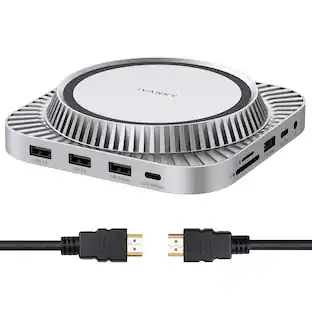
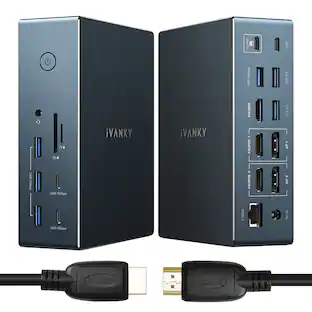
iVANKY 14-in-1 FusionDock Pro 1+ for M1/ M2/ M3/M4 MacBook DisplayLink Docking Station with 180W Power Adapter, Triple 4K@60Hz Monitor Mac mini Air Dock 3HDMI 2.0, 96W PD, 10Gbps, 2.5GbE, SD/TF 4.0
Features
Ultra-Speed Data Transmission
Equipped with 1*PD 20W 10Gbps USB-C, 1*7.5W 10Gbps USB-C, 4*10Gbps USB-A 3.2 ports, our dock can support up a full-speed data transfer and allow you connect massive external equipment. The dock’s SD/TF 4.0 card slot also supports up to 312MB/s while its RJ45 Gigabit Ethernet port can keep a smooth and stable 2.5Gbps connection
Triple 4K@60Hz Displays
After installing the proper driver for the dock, you enjoy a wonderful triple monitors experience. All the three HDMI ports support up to 4K@60Hz and can be converted into VGA and DVI output by using an appropriate adapter or cable
DisplayLink DRIVER NOTE
For the normal operation of this 14-in-1 docking station, please install the corresponding DisplayLink driver version before running your devices; the HDMI 2 & 3 ports only work when the proper driver is installed for your dock
Lightning-Fast Charging
This dock features three USB-C ports that can all be used for charging. One 150W power adapter enables this docking station to efficiently charge laptops up to 100W via its upstream USB-C port and USB-C devices up to 20W via its PD port
Product Guarantee
After buying our iVANKY FusionDock Pro 1+ (14-in-1, triple 4K@60Hz displays), you can receive a 24-month warranty and responsive customer service. If you meet any problems with the dock, we will be glad to replace you with a new one
Specifications
- Maximum Number of Displays Supported3Maximum Supported Resolution4K (2160p)Number of DisplayPort Outputs (Total)3
Reviews
Rating 5 out of 5 stars with 1 review
The vast majority of our reviews come from verified purchases. Reviews from customers may include My Best Buy members, employees, and Tech Insider Network members (as tagged). Select reviewers may receive discounted products, promotional considerations or entries into drawings for honest, helpful reviews.





Compare similar products

iVANKY 14-in-1 FusionDock Pro 1+ for M1/ M2/ M3/M4 MacBook DisplayLink Docking Station with 180W Power Adapter, Triple 4K@60Hz Monitor Mac mini Air Dock 3HDMI 2.0, 96W PD, 10Gbps, 2.5GbE, SD/TF 4.0
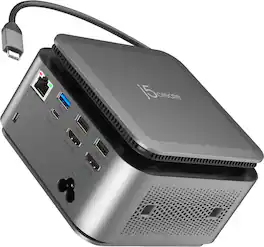
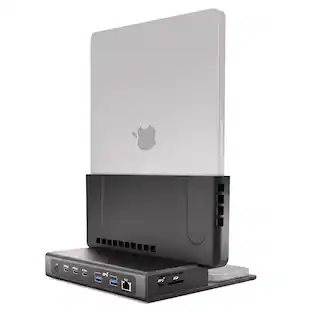
The JCDP4140 14-in-1 USB-C® Powerbase Docking Station is designed to streamline your setup, it features a built-in GaN power adapter and a smart cable storage compartment with a 69.5cm USB-C® cable, delivering up to 100W of power directly to your laptop. With two dedicated USB-C® charging ports (18W and 27W), you can easily power another laptop or fast-charge your tablets, smartphones, and other essential devices. Plus, enjoy seamless connectivity with additional USB™ Type-A, HDMI™, and Ethernet ports, making this your ultimate hub for productivity.
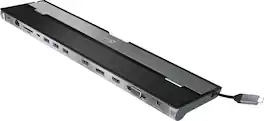
This triple display docking station turns your Mac or Windows laptop into a full workstation with a DisplayPort output, two HDMI outputs, and a VGA output, with resolution support up to 4K (3840 x 2160) on two displays and 1080p on the other one. You can also use your laptop screen for four displays in total, making it easy to access multiple applications at once. With 100W Power Delivery, three USB 3.0 ports, and a USB-C port, this docking station is perfect for your MacBook, Dell XPS, or other USB-C laptop requiring additional ports. This USB 3.0 docking station is also equipped with a RJ45 Gigabit Ethernet port, memory card reader/writer, and combo audio jack for maximum productivity. The elevated design assists with heat dissipation and, with its double-sided cable storage compartment, ensures an easy connection regardless of your USB-C port’s location. All 13 ports are combined into one slim docking station, so you’ll have all the connections you need to stay productive!

The iVANKY FusionDock Ultra is a premium 26-in-1 Thunderbolt 5 (TB5) docking station designed for Apple Silicon Macs. Featuring dual high-bandwidth controllers, this powerful TB5 dock supports up to four external 6K displays on compatible Macs, up to 120Gbps bandwidth in asymmetric mode, and 10Gb Ethernet for professional workflows. Enjoy 140W MacBook charging, 45W USB-C PD charging for accessories, and versatile connectivity through USB-C, USB-A, HDMI, DisplayPort 2.1, SD/microSD, and audio ports. An advanced cooling system helps maintain stable performance. Compatible with supported Apple Silicon Macs running macOS 15.1 or later; not compatible with Windows PCs or Intel-based Macs. Display support varies by Mac model and chip.
| Pros for iVANKY - FusionDock 14-in-1 Docking Station with 180W Power Adapter, Triple 4K@60Hz Monitor For Macbook | |||
|---|---|---|---|
| There were no pros for this product— | There were no pros for this product— | Ease of use, USB-C, Overall Performance, Ports, Connectivity | There were no pros for this product— |
| Cons for iVANKY - FusionDock 14-in-1 Docking Station with 180W Power Adapter, Triple 4K@60Hz Monitor For Macbook | |||
| There were no cons for this product— | There were no cons for this product— | Compatibility, Power Supply | There were no cons for this product— |
Specs
Be the first to ask a question.
We’ll try to get your question answered within 24 hours by a Best Buy customer or brand representative.
Customers often buy these together
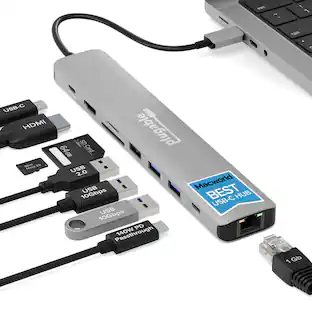
iVANKY 8-in-1 Steam Deck Dock for ASUS ROG Ally X/Legion Go/MSI Claw, 4K@144Hz Docking Station
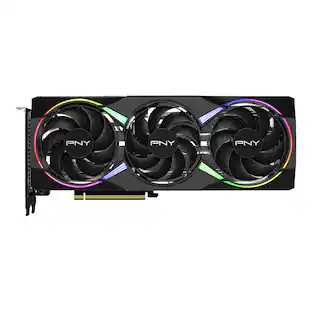
$32.99The price was $34.99PNY NVIDIA GeForce RTX 5060 Ti Epic-X RGB Overclocked 8GB GDDR7 PCI Express 5.0 Graphics Card with Triple Fan
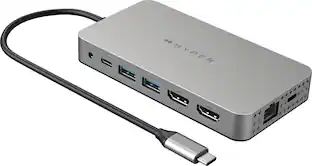
$514.99The price was $529.99Hyper HyperDrive Dual 10 Port USB-C Hub, 4K HDMI, Ethernet, 1 USB-C, 2 USB-A, microSD/SD, travel dock for M1/M2/M3 MacBook
Clearance$119.99The price was $199.99







More to consider
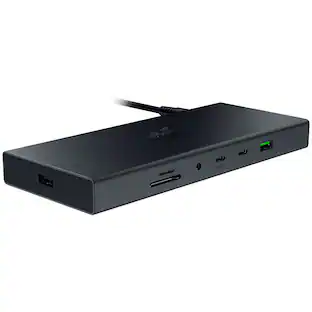
Razer USB 4 Dock Station with 14 Ports for Windows 10 or later (PC with USB‑C); macOS 10.13 or later (Mac)
$198.00The price was $259.99



Explore tech essentials Sponsored
Anker Prime Docking Station (DL7400), 14-Port Triple Display with DisplayLink, 140W Max USB-C Port
$259.99The price was $299.99







Discover related products
Acer USB C to HDMI Cable for Home Office 6.6FT (4K@60Hz), High-Speed Type C to HDMI 2.0 Braided Cord
$12.99The price was $13.99Logitech X56 HOTAS Microsoft Flight Simulator RGB Dual-Throttle and Joystick
$247.00The price was $275.00Epson EcoTank ET-2988 Wireless All-in-One Color Supertank Inkjet Printer
$149.99The price was $169.99












Keep exploring
Acer USB C Docking Station With 2 HDMI, 9-IN-1 Docking Hub with USB A&C 3.0, SD/Micro SD, 100W Charging
$40.99The price was $47.99