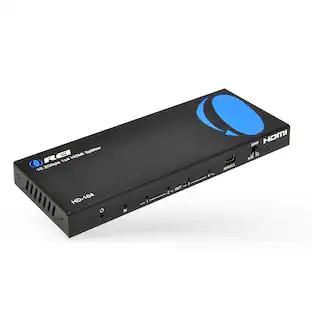
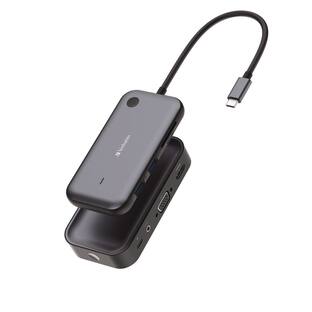
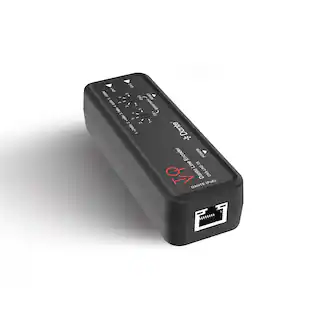
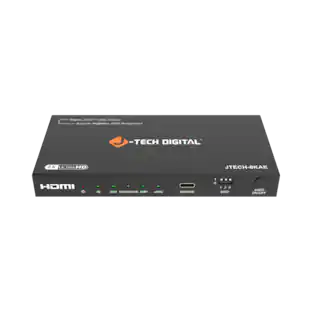
J-Tech Digital - 4K 30Hz HDMI Audio Extractor with SPDIF Optical and RCA L/R Outputs - Black
Reviews coming soon
About this product
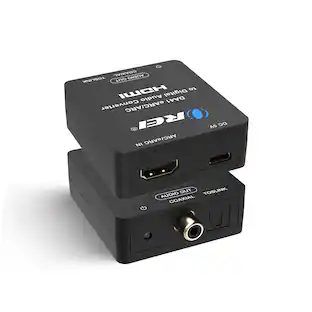
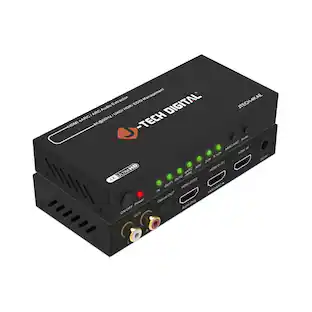
The J-Tech Digital JTECH-AT5CH-V2 UHD 4K@30Hz audio extractor allows you to extract audio via an incoming HDMI signal, and send it to an external sound system. The unit will pass the video to the intended display as desired. This device is perfect for users trying to use TV speakers along with headphones, or trying to send an audio signal to a legacy sound system that doesn't have the newer connection. Use the SPDIF Optical to send either 2CH or 5CH audio signal, or the RCA outputs to send 2CH audio signal to your sound system.
HDMI Audio Extractor
Extract audio from an incoming HDMI audio / video signal, and send it to an external sound system via SPDIF Optical and/or RCA L/R
Features HDMI ARC Audio Extractor Function
Take audio from a smart display and send it to an external sound system using this audio extractor’s ARC function. Please Note: While using ARC function, audio can only be extracted via this audio extractors Optical output. Does not support eARC
Supports Up To 4K@60Hz (4:2:0) Resolution
Enjoy your content in crystal clear quality with this audio extractors 4K resolution support. Also supported are 1080P and 720P resolutions
Audio EDID Modes
Say goodbye to incompatibility issues between the source device and display using this HDMI audio extractor’s EDID functionality. Features a toggle switch with 3 EDID modes; TV, 2CH, and 5CH
Digital Audio Formats Supported
Supports stereo audio format while using the RCA audio output and Stereo + 5.1CH for Optical SPDIF output. Please ensure that your source device is outputting the correct audio format based on the audio output that is being used
- BrandJ-Tech DigitalModel NumberJTECH-AT5CH-V2Product NameJ-Tech Digital 4K 30Hz HDMI Audio Extractor with SPDIF Optical and RCA L/R OutputsColorBlackInput(s)HDMIOutput(s)Optical, S/PDIF, HDMI
Reviews
This product doesn't have any reviews yet.


Compare similar products

The J-Tech Digital JTECH-AT5CH-V2 UHD 4K@30Hz audio extractor allows you to extract audio via an incoming HDMI signal, and send it to an external sound system. The unit will pass the video to the intended display as desired. This device is perfect for users trying to use TV speakers along with headphones, or trying to send an audio signal to a legacy sound system that doesn't have the newer connection. Use the SPDIF Optical to send either 2CH or 5CH audio signal, or the RCA outputs to send 2CH audio signal to your sound system.
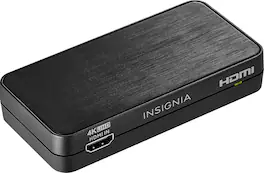
Convert the sound signals from HDMI to analog or optical output with this Insignia HDMI audio extractor. The 3.5mm jack makes connecting headphones or a speaker system as needed simple. This Insignia HDMI audio extractor lets you choose between stereo sound or 5.1 channels with the flip of a switch, providing a variety of audio options for different media.

The HDMI 18Gbps Audio Extractor could extract audio signals from any HDMI compliant source to digital optical or analog stereo L/R audio outputs. Further, both input and output HDMI support video resolution up to 4K2K@50/60Hz (YUV444). It supports 10bits HDR (High Dynamic Range) pass through and HDMI high resolution digital audio formats bypass, LPCM 2CH, Dolby TrueHD, Dolby Atmos and DTS-HD Master Audio, audio sampling rate up to 192 kHz. HDCP 2.2 and CEC bypass are supported.

Easily pass up to 4K@60Hz video signal to your display, while extracting the audio and sending it to an external sound system via SPDIF Optical and/or RCA. Please note that for simultaneous audio via Optical and RCA, the incoming audio format must be set to Stereo.
| Pros for J-Tech Digital - 4K 30Hz HDMI Audio Extractor with SPDIF Optical and RCA L/R Outputs - Black | |||
|---|---|---|---|
| There were no pros for this product— | Audio Quality, Ease of use, HDR Support, Compatibility, Price | There were no pros for this product— | There were no pros for this product— |
| Cons for J-Tech Digital - 4K 30Hz HDMI Audio Extractor with SPDIF Optical and RCA L/R Outputs - Black | |||
| There were no cons for this product— | Resolution | There were no cons for this product— | There were no cons for this product— |
Specs
Be the first to ask a question.
We’ll try to get your question answered within 24 hours by a Best Buy customer or brand representative.
Find more like this



More to consider


Elevate your entertainment Sponsored


Discover related products
 60th Anniversary Deal$51.19The price was $56.90