JBL - PartyBox 1000 Portable Bluetooth Speaker - Black
About this product
Stream music and amplify instruments with this JBL PartyBox 1000 portable speaker system. Bluetooth and USB connectivity support playback from smartphones, and the mic and guitar inputs let you amplify your sound. This JBL PartyBox 1000 portable speaker system has built-in drivers that get the party started with up to 1100W of accurate audio.
Connect wirelessly from across the room
Pair this speaker with virtually any Bluetooth-enabled device, including phones, tablets and laptops.
1100W peak power handling
Helps ensure rich, dynamic sound.
Light shows
The full panel lighting effect creates a captivating light show to astound your crowd with a lasting visual experience.
Integrated DJ Pad
DJ launchpad allows you to play drums, keyboard and piano, record and loop on the fly.
3-way speaker system
Sounds like 1 source rather than several separate sources.
Built-in Bluetooth
Offers easy connectivity to your compatible device.
6.3mm jack
Enables easy connection of a microphone.
30Hz - 20kHz frequency response
Ensures a wide range of accurately reproduced sound.
True Wireless Stereo compatible
Link up to two compatible party speakers with ease.
- Speaker PairingYesWirelessYesRechargeableNoUSB Device ChargingYes
Reviews
Rating 4.8 out of 5 stars with 409 reviews
Customer Images
The vast majority of our reviews come from verified purchases. Reviews from customers may include My Best Buy members, employees, and Tech Insider Network members (as tagged). Select reviewers may receive discounted products, promotional considerations or entries into drawings for honest, helpful reviews.
From the manufacturer
Compare similar products
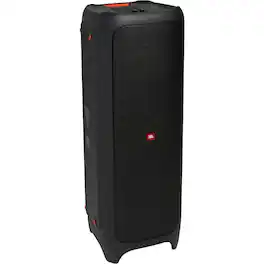
Stream music and amplify instruments with this JBL PartyBox 1000 portable speaker system. Bluetooth and USB connectivity support playback from smartphones, and the mic and guitar inputs let you amplify your sound. This JBL PartyBox 1000 portable speaker system has built-in drivers that get the party started with up to 1100W of accurate audio.
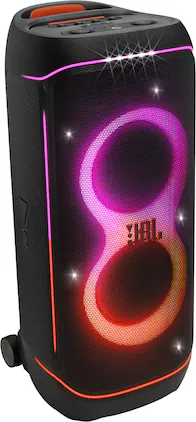
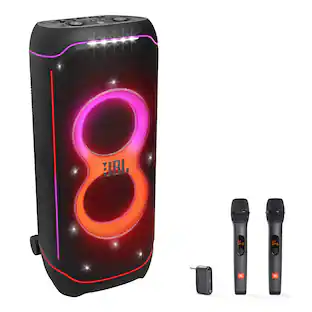
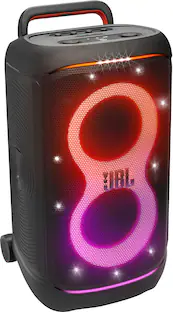
The life of every party. We bring peak party energy wherever we go with the JBL PartyBox 720. Superior JBL Pro Sound, deep precise bass that hits just right, and a lightshow that goes all in—starry lights, flowing trails, and pulsing strobes. It may be big, but it’s built to roll, with a comfy handle, smooth wide wheels, and a splashproof design that can handle a little poolside action. The swappable batteries (sold separately) gives us up to 15 hours of playtime— perfect for off-the-grid parties. Still going strong? Swap in a fresh battery and keep the music alive. We can stereo pair two 720s or wirelessly link up multiple JBL Auracast-enabled speakers for even more sound. And whether we’re streaming, singing karaoke, or plugging in mics and gear, the USB port and dual XLR inputs have us covered.
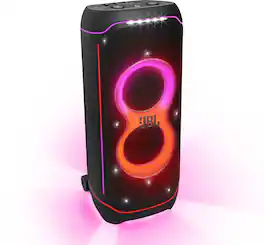
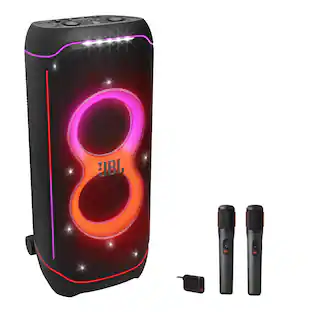
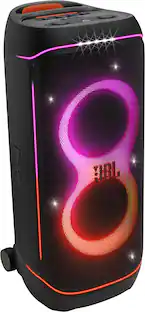
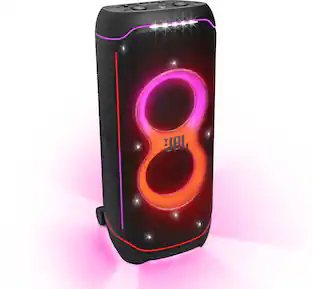
The JBL PartyBox Ultimate fills as much space as you’ve got with superior Original JBL Pro Sound, boosted with an immersive Dolby Atmos experience over Wi-Fi. Because everyone at a party loves powerful sound whether they're showing out on the dance floor or vibing on the sidelines. Along with sound that's crystal clear even at its loudest, your guests will thrill to a huge, breathtaking lightshow of captivating starry lights, cool light trails, and strobe effects, all moving in sync with your beat. Make it simple by streaming your favorite party playlist. Even take the stage, with inputs for two mics and a guitar. No matter how things unfold, you can create your own party flow using the fun interactive effects of the JBL PartyPad. Planning something even bigger? Turn your party into a full-on event. Wireless pairing and multi-speaker connection are easy to set up and customize using the JBL One app. The splash-proof JBL PartyBox Ultimate is self-tuning, it's going to sound its best no matter where you set it up. Think of the most supreme party ever—and then go bigger. That's what the JBL PartyBox Ultimate was made for.
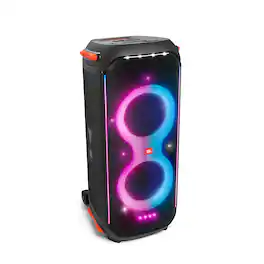
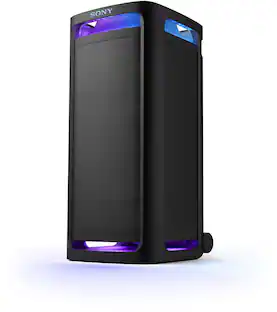
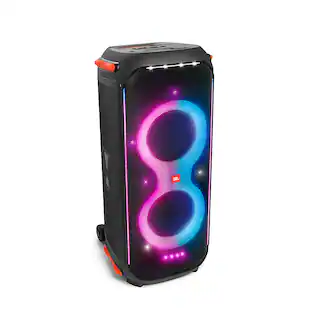
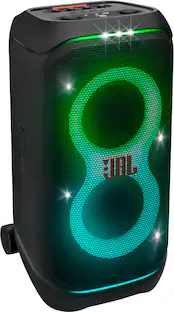
The splashproof PartyBox 710 transforms your next event into a real party, concert or nightclub. With its unique and colorful light show synced to JBL Original Pro Sound. Top panel controls and the PartyBox App let you create next-level musical and visual experiences. Customizing both the flashing, strobe lights and the amazing sound from the dual set of tweeters and bass-rich woofers. One-button True Wireless Sound instantly pairs two PartyBox 710s for an even bigger crowd. And with an easy-to-grip handle and robust wheels, you can keep the good times rolling wherever the party goes.
| Pros for JBL - PartyBox 1000 Portable Bluetooth Speaker - Black | |||
|---|---|---|---|
| There were no pros for this product— | Sound Quality, Portability, Volume, Battery Life, Connectivity | Sound Quality, Bass, Portability, Volume, Light Show | Sound Quality, Bass, Volume, Portability, Lights |
| Cons for JBL - PartyBox 1000 Portable Bluetooth Speaker - Black | |||
| There were no cons for this product— | Weight | There were no cons for this product— | Weight, Battery Life |
Specs
The DJ pad isn't working. There is no sound coming from the speaker when I press any key on the pad.
Answered by JBL SupportWe'd like to work with you directly to troubleshoot this issue you're experiencing with our JBL Partybox 1000. We'd also like to get more information from you in the event that we need to check your options. Please contact customer service at. https://bit.ly/2WocMfi

Can you pair the party box 1000 with the party box 300 through wireless connection?
Answered by JBL SupportOur PartyBox 1000 can only connect to another PartyBox 1000 through TWS feature (wireless). You could use the RCA inputs and outputs of both speakers so you could connect them through cables.
Why is the Jbl Partybox 1000 not turning on? Does it need to reset? If so how to reset.
Answered by JBL SupportThanks for reaching out. Check if the power cord is properly plugged into the outlet and to the PartyBox. For “Air Gesture Wristband” replace the battery with a new one and reattempt powering it on. Once you've powered on the unit, you may perform a factory reset by pressing and holding "Play/Pause" and "Volume +" down for > 10 seconds. The JBL Partybox will power off and back on and is now reset. If you need further assistance, please contact Customer Service at https://bit.ly/3xrWFhC
Can you connect the party box 1000 to a tv?
Answered by JBL SupportYes, our JBL PartyBox 1000 cab be connected to a TV via the aux port.
Is this product splash proof and dirt resistant? Any info on durability?
Answered by JBL SupportOur JBL PartyBox 1000 is not waterproof or dustproof. Please note that the unit isn't recommended to be used under direct sunlight.

Customers often buy these together
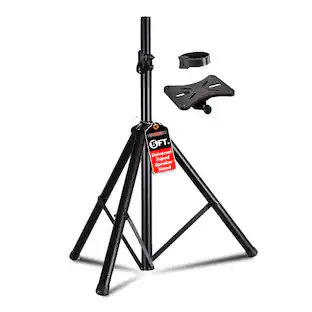 $25.99The price was $40.00
 $649.00The price was $1,449.00
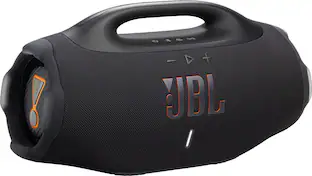 Black Friday in July Deal$449.95The price was $549.95

More to consider
 Black Friday in July Deal$748.00The price was $899.99
- Black Friday in July Deal$449.95The price was $549.95
Discover related products
 Black Friday in July Deal$229.99The price was $499.99
 $47.45The price was $48.99
 $82.99The price was $103.95
 Black Friday in July Deal$34.99The price was $69.99
 $24.49The price was $48.00
 $35.00The price was $40.99
Keep exploring
 $167.95The price was $209.95
 $167.95The price was $209.95
 $29.99The price was $44.99
 $89.99The price was $99.99
 $472.45The price was $563.70