Rating 4.4 out of 5 stars with 298 reviews
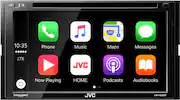
4.4- Apple CarPlay (39)
- Sound Quality (28)
- Ease of use (15)
- Touch Screen (10)
- Features (5)
Customer Images
The vast majority of our reviews come from verified purchases. Reviews from customers may include My Best Buy members, employees, and Tech Insider Network members (as tagged). Select reviewers may receive discounted products, promotional considerations or entries into drawings for honest, helpful reviews.
- Rated 4 out of 5 stars
Excellent after market car radio
This is one hella of a car receiver. There is a lot of options and the BT works out great. My only gripe is the unstable CarPlay with my IPhone. Not sure if the problem is from the IPhone X, or the receiver. I read some reviews about a similar issue when the system occasionlly shuts down and reboots during CarPlay. This is not an issue playing the radio or BT. I uploaded the new firmware, which was not difficult and hope this resolves the issue. Other then that, it is one great unit.
Posted by Ch4p
- Rated 5 out of 5 stars
Very please
I've had this product for about 2 months and I have no complaints. It's pretty awesome because it's connected to Sync which comes with my ford car. I get tons of compliments
Posted by Ricky
- Rated 5 out of 5 stars
Great
It has everything I was looking for, I really like it
Posted by Jafan16
- Rated 4 out of 5 stars
Great Stereo
I love it,...I really think I made a good purchase
This review is from JVC - 6.8" - Android Auto/Apple® CarPlay™ - Built-in Bluetooth - In-Dash CD/DVD/DM Receiver - Black
Posted by Wally
- Rated 1 out of 5 stars
Kept shutting off
It was a product that was recommended to me from an audio tech and I had it for maybe 2 1/2 weeks and it started shutting off and restarting while I was driving, playing music or using google maps or even making a call. Then it started to get worst where it would just stay off and give me a msg to pull the car over and turn it on and off. I took it to bestbuy and they told me it might be the firmware that is not compatible with my iPhone XS. So I got a better one. I recommend the alpine ILXF309, if you really want something nice. I love mine!
This review is from JVC - 6.8" - Android Auto/Apple® CarPlay™ - Built-in Bluetooth - In-Dash CD/DVD/DM Receiver - Black
Posted by Karlean