Appreciation EventEnds Sunday. Limited quantities. No rainchecks.Shop now

Skip to contentGo to Product Search
Main Content

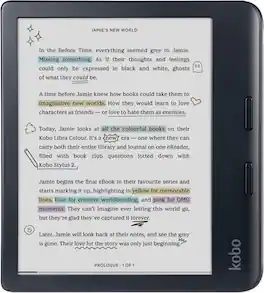
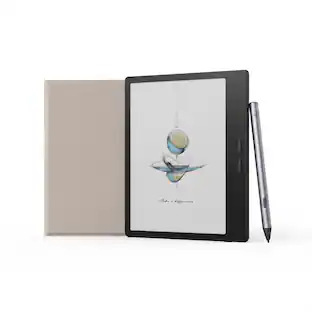
Kobo - Libra Color | eReader | 7" Glare-Free Colour E Ink Kaleido 3 Display | Dark Mode Option | Waterproof | 32GB - 2024 - Black

Model: N428-TP-BK-S-CK
SKU: 6680801
Sold byBest Buy

Customers are saying

Customers find value in the product's overall performance and impressive battery life. Many users appreciate its reliability for daily use, with some noting that they can expect at least two weeks of general usage on a single charge.

Generated by AI based on customer reviews.
Features
  • Browse & read books in full color

    Book covers, comics, graphic novels, illustrations, note-taking and more come to life. No glare in sunlight, no notifications - just you and your eBooks in full-color

  • Your journal, daily planner and more

    Dive into your stories with colorful markups. With Kobo Stylus 2* compatibility (*sold separately), annotate, highlight, and note take your eBooks in color

  • Read comfortably, always

    Ergonomically designed with page-turn buttons, left/right screen rotation, full font size and margin customization, and landscape mode

  • IPX8 waterproof ereader

    Full waterproof protection and meets requirements of IPX8 rating - waterproof for up to 60 minutes in up to 2 meters of water

  • Better by design

    Thoughtfully made with recycled and ocean-bound plastic and repairability to waterproof protection

See all features
Specifications
  • Screen Size
    7 inches
    Total Storage Capacity
    32 gigabytes
    Battery Chemistry
    Lithium-ion
    Waterproof
    Yes
Sponsored

Reviews

Rating 4.7 out of 5 stars with 24 reviews

92% would recommend to a friend
Customers are sayingCustomers find value in the product's overall performance and impressive battery life. Many users appreciate its reliability for daily use, with some noting that they can expect at least two weeks of general usage on a single charge.
This summary was generated by AI based on customer reviews.
  • Overall Performance (6)
  • Battery Life (3)

Customer Images

The vast majority of our reviews come from verified purchases. Reviews from customers may include My Best Buy members, employees, and Tech Insider Network members (as tagged). Select reviewers may receive discounted products, promotional considerations or entries into drawings for honest, helpful reviews.

  • Rated 5 out of 5 stars

    Great Color E-Reader

    The Libra Colour is a great e-reader that’s comfortable to hold and easy to read. The color screen is not going to touch an LCD or OLED, but for an e-ink display it looks good and makes reading comics and graphic novels a lot better. It’s also got OverDrive integration so you can get books from your local library. The Libra Colour has a 7” display surrounded by a plastic case. The right edge has a generous grip and 2 physical buttons for turning pages, while the back has a nice textured finish with a power/sleep button. It’s very lightweight and just a joy to hold. Even when I’m not reading anything I find myself just wanting to have it in my hand and it kind of reminds me of the PADDs from Star Trek. It feels solidly built and I had no concerns throwing it into my bag with everything else I carry around. I do plan on getting a case for it, but so far the screen and the case seem to be holding up well with no noticeable scratches. The Libra Colour also has IPX8 water resistance. The initial setup involved setting up a Kobo account and getting connected to WiFi, both pretty straightforward. I was also able to connect to my local library via the OverDrive integration. The interface is easy to navigate and the physical buttons for page turning keep the screen from being obstructed by your hands, though you can also tap the left and right edges of the page to turn it as well. Getting around is fast enough, though the low refresh rate nature of e-ink means there’s always going to be a little delay between each action that changes the screen. One area where I did struggle was actually finding books on the Libra Colour. I have been reading the Invincible comics and found that they were offered via the Kobo Plus subscription service, though the first result I found was in German and I ended up having to resort to the Kobo app on my phone to find the correct version. In the end, this sort of felt like the better way to do it, as navigating the many results on the device itself is tough with the slower display, but it feels like an area that could be improved. It could also be something that gets better the more you use it. The display on the Libra Colour looks great for reading. Text looks natural and is easy to read both in the dark and in bright sunlight. Colors on the display are more muted compared to what you would see on a printed page or an LCD, but they still display well enough and I was happy to read comics on it. One thing in particular that I enjoyed, and maybe other e-readers do this too, was that the cover of the last book you read remains on the display while it is sleeping or powered off. It’s a small thing, but it makes the device feel a little closer to the physical object it’s replacing. The Libra Colour also has audio playback capabilities but it is limited to Bluetooth only. There is no headphone jack and the USB-C port does not deliver audio either. For audiobooks though, you’re probably better off listening to those on your phone anyway. I signed up for the Kobo Plus trial, which offers access to a selection of books for $7.99 a month. I haven’t yet really plumbed the depths of what it offers, but it looks like a decent selection. Having the OverDrive library integration is great as well, though the book you are looking for does need to be available at your local library and not be checked out to someone else, so many popular books will not always be available. The battery life is going to depend somewhat on the content you are looking at. I did find that I drained it by a few percentage points while trying to navigate a lot of color pages quickly. After 5 days I’ve drained the battery a total of 27%, so I’d expect at least 2 weeks of general usage before having to worry about charging. And the battery drains so slowly that you’ll have plenty of warning. The Libra Colour does also support pen input via an optional stylus for note-taking and markups/highlighting, but I don’t have the pen, so I haven’t tried this yet. You can highlight text via touch, though I found this to be a little cumbersome on the e-ink display. I suspect it’s a much better reader than a note-taker. Overall I’m very happy with the Libra Colour. It’s a great e-reader and a great alternative to consider especially if you are not interested in a Kindle.

    This review is from Kobo - Libra Color | eReader | 7" Glare-Free Colour E Ink Kaleido 3 Display | Dark Mode Option | Waterproof | 32GB - 2024 - White

    Posted by SamG

  • Rated 2 out of 5 stars

    Came falling out of the packing

    I wanted this device so bad! I couldn’t even give it a chance because it came so poorly packaged. I really wanted to keep it, but I didn’t want to get attached to it, if something went wrong to the device due to the shipping. I returned it immediately. This was unacceptable, and I didn’t even get a chance to turn it on.

    This review is from Kobo - Libra Color | eReader | 7" Glare-Free Colour E Ink Kaleido 3 Display | Dark Mode Option | Waterproof | 32GB - 2024 - White

    Posted by AlexandraH

  • Rated 5 out of 5 stars

    A Premium and Flexible Reader for Book Enthusiasts

    The Kobo Libra Colour is my new favorite ereader. I love how lightweight and ergonomic it is. The extra border on one side makes it effortless to hold sitting up or lying in bed and the page turn buttons allow you to use it one handed. The screen automatically rotates so you can use it with either the left or right hand. The 7-inch matte display is crisp for text and full color support makes book covers, comics, or cookbooks much more enjoyable. If you’ve used a color e-ink display before, you already know that colors aren’t vivid, they are muted but so much easier on your eyes than reading on an LCD tablet. The display is easy to read in the daylight and includes an adjustable backlight so you can also read at night. One of my favorite features is the “Natural Light” function which slowly adjusts the color of the backlight throughout the day to reduce blue light as it gets closer to bedtime. Page turns are quick, and full screen refreshes and ghosting are minimal compared to older e-ink readers. I think the primary reason I prefer this reader is that it isn’t tied to a closed ecosystem. Unlike some other competitors that I’ve used, Kobo still lets me download my purchased books, and I can buy books from other retailers. I love that I can easily borrow books from my local library by simply entering my library card number and pin with built-in Libby/Overdrive support. For anyone with a collection of ebooks, you can use Calibre to directly manage your books and it supports Adobe Digital Editions for books from other storefronts that use Adobe DRM. Kobo Plus is a subscription service that I think offers excellent value for avid readers. I signed up for the free trial and was pleasantly surprised by how many bestselling titles and books from my reading list were included. It's also convenient to browse, borrow, and start reading directly from the device without needing to use a computer or phone. One feature I really appreciate and haven’t seen on many devices is Rakuten’s support for do-it-yourself repairs. They have partnered with iFixit, which sells the official replacement kits for the battery, motherboard, front and back covers, and screen. All of these kits are much more affordable and better for the environment than buying a new device. Pros: - Lightweight and ergonomic - Physical page turn buttons - Sharp color e-ink display - Fast page turns - Excellent battery life - Bluetooth for audiobooks - Built-in Overdrive/Libby support - Kobo Plus value - Works with Calibre - Supports optional stylus for notes and annotations - Supports DIY repair Cons: - Does not come with stylus Overall – For readers who want a premium device but not to be locked into a single ecosystem, I’ve been really impressed with the Rakuten Kobo Libra Colour (even if they spell “colour” the Canadian way) and highly recommend it.

    This review is from Kobo - Libra Color | eReader | 7" Glare-Free Colour E Ink Kaleido 3 Display | Dark Mode Option | Waterproof | 32GB - 2024 - White

    Posted by Titan5178

  • Rated 5 out of 5 stars

    Great little color reader

    My wife is going to end up using this a lot more than I am but I got a chance to give it a good try and am genuinely impressed with it. One positive right off the bat for me is it's just not a Kindle. No need to be tied down by Amazon and having device capabilities removed willy-nilly. Setup was pretty painless. Open it up and the device walks you through making an account or signing in and then you're pretty much ready to go after a quick update. Ready to go, as in you now have an eReader but you'll still need to get something to read on it. You have a lot of options there and it's one of my favorite things about the Kobo. Your first obvious choice is just browsing the Kobo store which lets your buy ebooks and sync them with your device straight from Kobo. I didn't do any extensive browsing but I did see a lot of books I recognized as being fairly popular so you probably won't have much of a problem finding most of the things you want to read this way. You can also opt for the Kobo Plus plan which is akin to Amazon Unlimited in that you just have access to a large portion of their book library for a small monthly charge (It's $8/mo at the time of writing this review). Those are probably going to be the two easiest ways to get books on your device. Buy, Sync, Read. But you're not limited to their store! In fact, you'll probably find that you can get books from basically anywhere and load them on your Kobo, unless they're Kindle books (or have similar DRM). The number of formats that are just natively supported are crazy to me. You have your basics like epub, mobi and pdf for books. But you also have most image formats, text/html formats and even straight cbr and cbz support for comics. Oddly, this reader supports audiobooks but you need to jump through a couple hoops to effectively load them onto the device if they aren't from the Kobo store. But even then, it's not that difficult. Getting books onto your device is crazy simple with native (!) support for Google Drive and DropBox. Google Drive is free with any gmail account so you probably already have one. Just link your Kobo account to it and transferring books is as easy as putting them in the Kobo folder and downloading them to your device. After watching my wife jump through some hoops trying to get books onto her Kindle, it's a breath of fresh air for it to be so quick and simple. I'm not done with getting books on your device yet! Another big one is OverDrive. This is essentially Kobo's link to Libby where you can link your library cards and borrow books straight from your library. Straight from your device! You don't need to juggle your phone to check in and out books, you can just borrow and return straight from the Kobo OverDrive app. I'm just relieved to have a device that doesn't feel completely locked down (because it isn't!). I haven't even scratched the surface of side-loading actual apps and other tweaks onto it because things are working fine for now. I'm sure I'll tinker with that stuff later on since I know it's not really a hassle to try out. Screen quality is quite good. Colors do feel a bit muted but I would expect that from an e-ink display and it's really not that bad. You aren't getting vivid, bright graphics of an actual tablet but for en e-reader display, it's pretty good. Text is crisp and easy and read. There's a night mode for those of you who don't like to go blind at night. You don't even really need the backlight brightness on if your room is decently lit. But you have a lot you to do to tweak the brightness and color temperature of the display all within a single menu. Refresh rate suffers the same as any e-ink display I've seen. It takes a second to refresh the screen after switching pages or zooming in on a panel of a comic. It's fairly quick and doesn't take away from too much but it's worth mentioning that you're getting a regular color e-ink display without a 60hz refresh rate or anything. The notebooks feature is pretty nice if you get yourself a pen. You can go all out for an official Kobo branded pen but you can also get other pens that are compatible, from what I hear. I don't currently have a pen but it's something we want to get fairly soon. Without the pen, you can still highlight text in your books and write notes if you're into that kind of thing. All in all, I really liked the Kobo Libra Colour and I'm sure my wife will enjoy it even more (since she reads a lot more than I do). A device that feels open and capable and extensible. If you're looking for something to load your massive Kindle library on, this isn't the one. But for literally anything else, you might want to give this a good look.

    This review is from Kobo - Libra Color | eReader | 7" Glare-Free Colour E Ink Kaleido 3 Display | Dark Mode Option | Waterproof | 32GB - 2024 - White

    Posted by swemoney

  • Rated 5 out of 5 stars

    A fantastic e-reader!

    It has been some time since I had a dedicated e-reader, as I typically use my tablet, phone, or PC for general e-reading. Switching back to an e-ink screen really does have its benefits, and the Kobo Libra Color takes full advantage of them. Out of the box, I was powered up in two minutes with half a battery. After connecting to Wi-Fi, setting up my OverDrive account, connecting my Google Drive account, downloading a few books, and doing a couple of hours of reading, the battery was barely touched. That is a major plus compared with the other devices I mentioned earlier. I get plenty of reading time without worrying about rapidly draining the battery. Even with consistent usage, I find myself charging it only to top it off, not because I am out of power. So far, the battery life has been absolutely stellar. As for the screen, the first thing I noticed about the e-ink display is how easy it is on my eyes. I can read consistently without the fatigue that usually sets in when reading books on my tablet or phone. Even with blue-light limitations on those devices, there comes a point where I can only read so much before I have to put them down and take an extended break. That is not the case here. I'm definitely enjoying making connotations, highlights and the touch screen dictionary. Dictionary. It really helps when I'm reading my scripture references to keep track and quick glance at the definition of words. The fact that it keeps track of all of my notes is an amazing bonus. This is great for keeping track and for studying. The colors provided by the Libra Color make comics, graphic novels, and children’s books really come to life. When I hand it to my daughter, the illustrations look vibrant and clear on the e-ink screen. Using the Kobo before bed also helps me wind down in a way that feels much closer to reading a physical book. I do not experience the same restlessness that comes from scrolling on my phone while lying in bed. I also appreciate the automatic brightness and color-temperature adjustment based on the time of day and ambient lighting. It works well most of the time, and when it does not, it is easy to override the settings and choose a backlight level that better supports my vision. So far, I have enjoyed using the auto setting because it helps keep my reading sessions comfortable and uninterrupted. In terms of design, the device is very sleek. The buttons are easy to access and press, whether I am reading with one hand or two. The shell is plastic, but it feels durable. Although I have not tested it myself, the waterproofing is a welcome feature because it adds peace of mind when taking the e-reader on the go. Charging is also convenient; the Kobo uses USB-C and draws very little power, so it can charge from almost any USB-C power source. When it comes to digital integration, Kobo makes it easy to use the device with a variety of reading materials. Connecting to Google Drive was very simple, and adding documents is as easy as dragging files into a folder and syncing the device. I do appreciate the OverDrive integration, but there is one limitation I do not like: you can only actively browse one library at a time. I have library cards for two neighboring cities and regularly use both systems, so it is disappointing that I cannot browse both libraries simultaneously on the device. Since I can do this on my PC, I hope Kobo eventually finds a way to bring the same flexibility to the Libra Color. That is the one significant negative I have encountered so far. The Rakuten Kobo store is extremely robust. It is easily comparable to the Kindle store, with a large selection of ebooks, audiobooks, and long-form novels. Sales are frequent, and it is easy to find something new to read within minutes. As for audiobooks, I am particularly looking forward to the text-to-speech feature that will reportedly allow any ebook to be read aloud. The feature appears to be available in some regions already, so I hope it arrives in the United States soon. In summary, the Kobo Libra Color is sleek, durable, easy to use, and exceptionally comfortable to read on. The screen feels responsive and fast, and the overall experience has been excellent. I would absolutely recommend it to anyone looking for a modern e-reader.

    This review is from Kobo - Libra Color | eReader | 7" Glare-Free Colour E Ink Kaleido 3 Display | Dark Mode Option | Waterproof | 32GB - 2024 - White

    Posted by JKhan

Compare similar products

Kobo - Libra Color | eReader | 7" Glare-Free Colour E Ink Kaleido 3 Display | Dark Mode Option | Waterproof | 32GB - 2024 - Black
4.7(24)

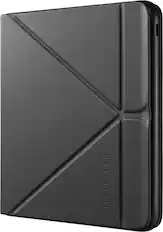
Introducing our most inspiring eReader yet: the new Kobo Libra Colour. Bring magic to your margins by annotating your pages, organizing your thoughts, and highlighting inspiring lines, all in color. With Kobo Stylus 2 compatibility, you can dive deeper into your favorite stories by marking up meaningful moments and highlighting powerful passages in the eBooks you love. (Stylus 2, AC adapter, and SleepCovers are optional accessories, sold separately.) Includes USB-C sync/charge cable.
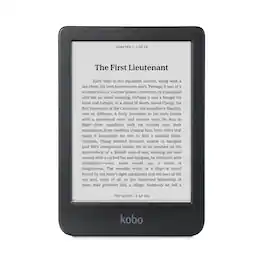
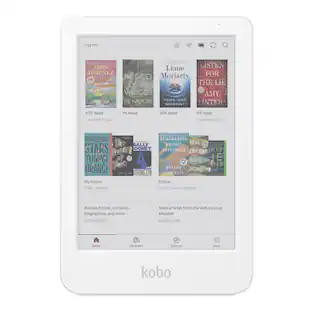
Kobo - Libra Color | eReader | 7" Glare-Free Colour E Ink Kaleido 3 Display | Dark Mode Option | Waterproof | 32GB - 2024 - White
4.7(24)

Introducing our most inspiring eReader yet: the new Kobo Libra Colour. Bring magic to your margins by annotating your pages, organizing your thoughts, and highlighting inspiring lines, all in color. With Kobo Stylus 2 compatibility, you can dive deeper into your favorite stories by marking up meaningful moments and highlighting powerful passages in the eBooks you love. (Stylus 2, AC adapter, and SleepCovers are optional accessories, sold separately.) Includes USB-C sync/charge cable.

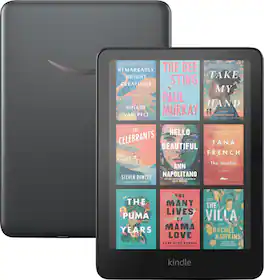
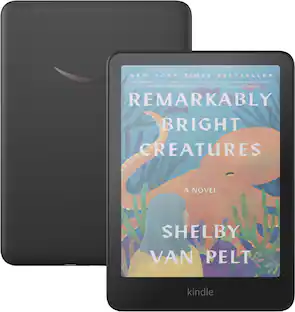
Amazon - Kindle Colorsoft Signature Edition (32 GB) - 2024 - Metallic Black

Read in color – The new 7" Colorsoft display is high-contrast and easy on the eyes, with paper-like color that brings covers and content to life.

Amazon - Kindle Colorsoft 16 GB – With color display and adjustable warm light– - 2025 - Black

Read in color – The new 7" Colorsoft display is high-contrast and easy on the eyes, with paper-like color that brings covers and content to life.

Pros for Kobo - Libra Color | eReader | 7" Glare-Free Colour E Ink Kaleido 3 Display | Dark Mode Option | Waterproof | 32GB - 2024 - Black
Overall Performance, Battery LifeOverall Performance, Battery LifePortability, Battery Life, Color Quality, Speed, WeightOverall Performance, Portability, Battery Life, Size, Storage Capacity
Cons for Kobo - Libra Color | eReader | 7" Glare-Free Colour E Ink Kaleido 3 Display | Dark Mode Option | Waterproof | 32GB - 2024 - Black
There were no cons for this productThere were no cons for this productThere were no cons for this productProcessor Speed

Specs

Questions & Answers
Ask a question
No content
Sponsored

Similar products from outside of Best Buy

sponsored
Ask BlueAI

Finance Options

My Best Buy® Credit Card
Choose a benefit:Or
Buy Now, Pay Later
Lease to own

Finance Options

My Best Buy® Credit Card
Choose a benefit:Or
Buy Now, Pay Later
Lease to own