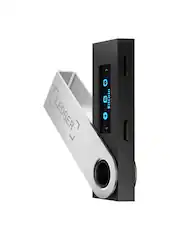
Rating 4.4 out of 5 stars with 104 reviews
4.4- Ease of use (28)
- Security (25)
- Setup (8)
- Price (6)
- Size (3)
- Storage (14)
- Compatibility (3)
- Software (3)
Customer Images
The vast majority of our reviews come from verified purchases. Reviews from customers may include My Best Buy members, employees, and Tech Insider Network members (as tagged). Select reviewers may receive discounted products, promotional considerations or entries into drawings for honest, helpful reviews.
- Rated 4 out of 5 stars
The Most Secure Way to Store Your Crypto
This has been a smooth and seamless experience. Just the way any crypto wallet should be. Up until now, I've been using multiple software wallets to manage my coins. I've known that as long as I keep my cell phone or computer secure, and as long as they're not compromised, I'm fine. However, it's no secret that the most secure wallet to own is a hardware/cold storage wallet. As my crypto portfolio has continued to diversify and grow in the last couple years, this couldnt have come at a better time. Ledger provides everything you need to get the wallet setup. You get a lanyard cable, keychain, USB cable, and these really handy recovery sheet cards that you can use to store your 24 word recovery phrase. You simply visit the URL on the included card and download the Ledger Live application. Ledger live will walk you through all the steps to get your wallet setup. I love the very easy and well written instructions. Ledger really makes sure that you follow every step to a tee. A bit of advice: Make sure you don't "hold" down both buttons when you are making your selections. Just PRESS both of them down at the same time for about a second and it should register. I had some issues with this initally and it's because I was holding down the buttons too long. Once you've setup your wallet and your recovery phrase, you simply install apps for the crypto assets you want to manage and add their respective accounts so you can begin sending/receiving assets. Everything on the ledger live application is snappy and fluid. The dashboard is thoughtfully designed and you also get some extra features like buying and selling crypto through Coinify. Another huge plus is that practically every exchange or crypto asset websites have well written documentation on how to transfer crypto to the Nano S ledger. I was also extremely impressed by Ledger's website. Really good documention and useful FAQ section that helped answer some of my initial questions. One thing that I do wish Ledger would emphasize more is that even though it seems like you can only install around 4 or 5 apps for your crypto assets before your Nano S is out of space, you can certainly manage much much more than that. At first, as seen by my attached screenshot, I thought I was only limited to managing the 4 crypto assets for which I could install apps. This is isn't the case at all. You can simply uninstall an app that you're currently not using to install a different app. This won't affect your crypto. Remember, your coins aren't actually stored in your hardware wallet. The Nano S essentially only stores and protects your private keys that are used to manage your crypto assets. Your coins are stored on the blockchain. I could see this being confusing though especially for beginners...AND it would also still be nice to have more storage so you don't have to uninstall/reinstall apps as frequently. There are some small caveats I'd like to point out. For example, as I managed my Avalanche crypto assets I noticed that while you can install the Avalanche (AVAX) app on ledger live to interact with your software based Avalance wallet, you can't actually add an avalanche account to ledger live. So I wouldn't exactly call this a "one stop shop". However, the fact that you can use the Nano S to have the AVAX wallet prompt you to confirm access to the keys on your ledger device, still gives you the added benefit of securing your transaction as much as possible. Another thing to note is that you won't be able to directly manage ERC20 tokens. Instead you'll have to send them to your Ethereum account which is fine. Do note though that while the major/popular ERC20 tokens are supported, not all are (e.g. $SAND, WSCRT). Overall, this is a simple to use hardware wallet with a great interface in terms of software. It's also backed by a very well known and reputable company in the crypto space. They are the originators of what's now been dubbed "the original hardware wallet". For as long as I can remember, they were the first in the crypto space to come out with a reliable and trustworthy cold storage solution. If you want the most secure way to store your crypto, this is the easiest money you'll ever spend.
Posted by k1zit
- Rated 4 out of 5 stars
Solid First Cold/Hardware Wallet
Ledger does a very good job at informing and educating you during the 30-40 minute process you’ll take to set the device up for the first time. The hardware itself if fairly well made, rigid plastic body and buttons with a metal cover. User experience for me in moving Bitcoin off of exchanges was pretty straightforward. The most important part of utilizing a Ledger or similar hardware wallet is protecting your 24-word seed phrase…this specifically ordered string of words is your key to your assets on the blockchain — nothing is stored on the device or the app. Overall a very good value as this product essentially allows you to operate as your own bank with how you store your wealth in crypto form. Get educated and take custody of your coins ASAP.
Posted by xxTxx
- Rated 5 out of 5 stars
A crypto currency must-have!
Verdict: the Ledger Nano S is simple, intuitive, and affordable. It appears to be a great solution to secure your crypto currency in cold storage. Initial impressions. It looks like a regular USB stick but with a small screen and two buttons. It comes with a lanyard and a Micro USB cable to connect to a computer. Setup. Upon opening the package, the “getting started” card provides a website to download a desktop app, and it provides an overview of the setup. By pressing the buttons on the Nano, you can navigate through the setup in about 15 minutes. Once the Nano is setup, you can use the desktop app to receive, manage, and/or send your crypto. App. The app is well designed. There are quite a lot of crypto currencies available, but not all. There are a few alt coins I own that I could not find. After setup, the app opens right up without a password, which is strange at first, because you can see your balances… but that is the beauty of the Nano; the keys are stored on the device, wherever you keep it (in a safe or safety deposit box), so no one can do anything with your crypto from the desktop app. The app can be password locked to safeguard your personal information if you wish. Password phrase. If you lose your Nano, you can restore your private keys to a new Nano by using your secret pass phrase. The Nano is a great solution to get your crypto off of exchanges that can be hacked, and to secure your own keys. But beware! If you lose your secret phrase, your crypto is gone FOREVER. Things I love: - Simple and easy to use - Nice desktop app - Pass phrase back-up - Good price for a cold storage solution Things I don’t love: - A lot of crypto currencies are supported, but not all - Ledger needs to develop compatibility for non-ETH NFTs please! The NFT movement is getting more and more serious - It takes a bit of time to setup a wallet for each crypto you want to hold; hopefully you only need to store a dozen. I believe you can store as many as you want, but it will take time Conclusion. This is a great solution to get your crypto off of exchanges and into cold storage. The interface with the Nano and the desktop app are well done. I recommend the Ledger Nano S for the crypto currencies you want to secure offline for the long-term.
Posted by AllAboutTech
- Rated 4 out of 5 stars
Cold Storage for your Crypto
I’ve been in the Bitcoin and cryptocurrency scene for a few years, but have always primarily used online wallets to store my crypto. When I saw this Ledger Nano S available to review I just had to give it a try. Lots of people that are serious into the crypto scene love their hardware wallets, so why not try one, right? Quality and Accessories: First off, this thing looks just like a USB drive, except it only has a micro-usb output to connect the micro usb cord it comes with to the unit and then to your computer. The unit is solid and comes with a few different accessories, like a lanyard, to help you keep it on you securely if you so wish. It also comes with some recovery cards, which we’ll get into later. It’s built well and seems like it would fair well in day to day use. Ease of setup: Before plugging in the unit you have to download the Ledger Live software, which is a pretty easy download and guides you through setting up the unit. You’ll go through setting up a PIN code on the device and making sure it syncs up to the Ledger Live software. Be prepared to write down the recovery phrases and store them in a safe place, you’ll need these in case you lose or damage your Ledger. The software will remind you about how there is no way to recover your Bitcoin without your recovery phrases, so be sure to follow the directions and heed all the warnings. Functionality: The Ledger Live software is pretty decent, but it’s centered around security, so be prepared to enter your PIN on your Ledger if you leave the software idle for too long. The software helps facilitate sending and receiving your cryptocurrency into the device. For my test I was able to pretty easily send $50 worth of Bitcoin from my online wallet to the device. The transfer took about 20 minutes or so. The Bitcoin is now “on” my device, but really it’s all stored cryptographically so there’s nothing on the ledger. If you were to lose it, all you would need to do is purchase another one and enter your recovery phrases into it to recover your cryptocurrency. That's really the beauty of this device. Your money is stored offline, but still available to you in case of theft or loss via recovery phrases based on an open source method of recovery. The only downside I noticed on this device was the limited amount of room for applications. For each coin/currency type you have to load an application. I was only able to load the Bitcoin and Ethereum applications before I was almost out of room on the device. I’m not sure why the device doesn’t come with the ability to load more applications, but I’m sure their full fledged unit offers this. Overall Impressions: This device is definitely in a niche category. It’s not for your average dabbler in cryptocurrency, as most people would opt for an online wallet. This is for the more security minded individual that doesn’t want to entrust all their crypto to an online entity and wants to have a little more control over it. If you hold a lot of different cryptocurrencies I would suggest going for a unit with more space to load the corresponding applications as this one won’t suffice for more than 3 or 4 currency types. Overall I like this device and will begin using it to secure some of the currency that I don’t trade with on a daily basis as I enjoy the ease of use that comes with buying/selling and trading currency online more than I like working with the Ledger Live application on my desktop.
Posted by KMed
- Rated 4 out of 5 stars
Cold wallet for your hard earned Crypto
If you are reading this it means that you have some assets that you want to protect and have access to without worrying about hackers, or failing crypto platforms. well congratulations you are in the right place. The Nano S crypto wallet is a budget friendly- hard wallet to save your private keys to access your crypto thats on the block chain. the wallet does accept most crypto and tokens, you can save up to 3 different accounts on it at once. it has a dashboard that allows you to add, send, receive, or trade your crypto all in one place. Setup is straight forward, if you can read English, you can setup this wallet. it will take you 20 to 30 minutes so be prepared to do it all in one sitting. I have no issues at all with this wallet except that I wish it was UCB type C instead of Micro USB. this will be out in a few years and an upgrade will be needed. Other than that, this is a safe, flawless way to guard your Crypto at a very reasonable price.
Posted by AKK1