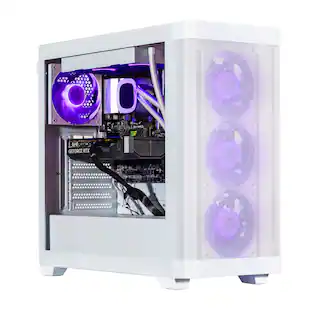
Lenovo - ThinkCentre M70q Gen 6 Desktop, Intel Core Ultra 5 235T, 32GB RAM, 1TB SSD, Win 11 Pro, Tiny - Black
Reviews coming soon
About this product
Lenovo ThinkCentre M70q Gen 6 13A4002AUS Desktop Computer - Intel Core Ultra 5 235T - vPro Technology - 32 GB - 1 TB SSD - Tiny - Black - Intel Q870 Chip - Windows 11 Pro - Intel DDR5 SDRAM - English
Processor Model
Intel Core Ultra 5 Series 1Highlights
Processor
Intel Core Ultra 5 235T
High-Speed Memory
vPro Technology
Ample Storage
32 GB
Compact Design
1 TB SSD
Advanced Connectivity
Tiny
- Processor ModelIntel Core Ultra 5 Series 1Storage TypeSSDTotal Storage Capacity1000 gigabytesSystem Memory (RAM)32 gigabytesGraphics TypeIntegrated
Reviews
This product doesn't have any reviews yet.
Compare similar products
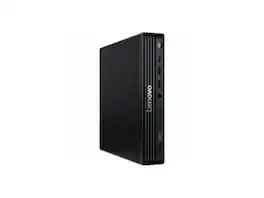
Lenovo ThinkCentre M70q Gen 6 13A4002AUS Desktop Computer - Intel Core Ultra 5 235T - vPro Technology - 32 GB - 1 TB SSD - Tiny - Black - Intel Q870 Chip - Windows 11 Pro - Intel DDR5 SDRAM - English
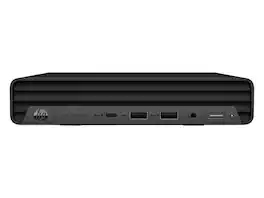
HP Elite Mini 800 G9 Desktop Intel Core i5-12500T 2.0GHz, 32GB Memory, 1TB NVMe SSD, Windows 11 Pro 64-bit, Internal WiFi & Bluetooth

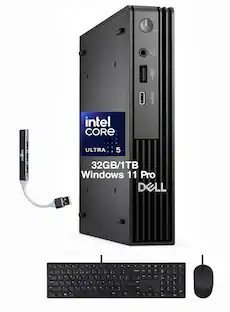
Dell Pro QBM1250 Desktop - Intel Core Ultra 7 265 - vPro Technology - 32GB - 1 TB SSD - Micro PC - Intel Chip - Windows 11 Pro - IEEE 802.11ax - 180W 1T9FW
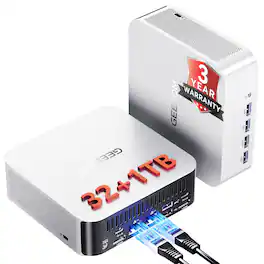
𝗣𝗿𝗼𝗱𝘂𝗰𝘁𝗶𝘃𝗶𝘁𝘆 𝗔𝗜 𝗖𝗼𝗺𝗽𝗮𝗻𝗶𝗼𝗻 | 𝗗𝗲𝘀𝗶𝗴𝗻𝗲𝗿 𝗙𝗼𝗰𝘂𝘀𝗲𝗱 𝗖𝗹𝗼𝘂𝗱 𝗟𝗼𝗰𝗮𝗹 𝗛𝘆𝗯𝗿𝗶𝗱 𝗪𝗼𝗿𝗸𝘀𝘁𝗮𝘁𝗶𝗼𝗻 (𝗖𝗹𝗼𝘂𝗱 𝗜𝗱𝗲𝗮 𝗚𝗲𝗻𝗲𝗿𝗮𝘁𝗶𝗼𝗻 + 𝗡𝗣𝗨 𝗣𝗼𝘄𝗲𝗿𝗲𝗱 𝗟𝗼𝗰𝗮𝗹 𝗔𝗜 𝗣𝗹𝘂𝗴𝗶𝗻 𝗔𝗰𝗰𝗲𝗹𝗲𝗿𝗮𝘁𝗶𝗼𝗻) CPUs in this tier come with a dedicated built-in NPU. Made for creators just like you, they fit your real work flows: brainstorm ideas in the cloud, then finish all your outputs locally. The dedicated NPU scheduling easily takes on computing tasks from AI plugins in creative software, turning this into a handy hybrid-AI machine built around creators’ daily habits. 𝗤𝗨𝗜𝗖𝗞 𝗖𝗔𝗣𝗔𝗕𝗜𝗟𝗜𝗧𝗬 𝗛𝗘𝗔𝗗𝗦-𝗨𝗣: This tier isn’t built to run those ultra-big large parameter local models. It’s optimized for the lightweight local AI jobs creators rely on day-to-day. Powered by its dedicated NPU plus smart CPU scheduling, it speeds up AI plugins inside Photoshop and video editing tools. You’ll see faster photo retouching, matting, image outpainting, style transfer and much more. Everything runs locally — no need to upload your original files to the cloud, so you get better workflow speed without risking your asset privacy. 𝗪𝗛𝗔𝗧 𝗬𝗢𝗨 𝗖𝗔𝗡 𝗔𝗖𝗧𝗨𝗔𝗟𝗟𝗬 𝗨𝗦𝗘 𝗜𝗧 𝗙𝗢𝗥: Use cloud AI to whip up poster and short video creative drafts, then do local AI outpainting, defect repair, clean lossless matting, style transfer, batch color grading, bulk image retouching, and polish your short video scripts right on the device. 𝗤𝗨𝗜𝗖𝗞 𝗦𝗧𝗔𝗥𝗧 𝗚𝗨𝗜𝗗𝗘 𝗙𝗢𝗥 𝗡𝗘𝗪 𝗨𝗦𝗘𝗥𝗦: 𝟭. Brainstorm fast with cloud AI tools to generate multiple poster & short video drafts and lock in your creative direction. 𝟮. Keep all your design files and source images stored locally. Nothing gets uploaded externally, so you avoid copyright leaks and quality compression. 𝟯. Launch local AI plugins directly inside Photoshop or your video editor. Tap into the device’s computing power to handle heavy tasks like outpainting, matting, restoration and color grading. 𝟰. Import assets in batches. Run 24/7 background processing for images and text to cut down repetitive manual work and crank out more creative work faster. 𝗪𝗛𝗢 𝗧𝗛𝗜𝗦 𝗜𝗦 𝗙𝗢𝗥: Designers, video editors, self-media studios and creative pros. If you want to brainstorm creatively AND keep your files private, plus churn out bulk assets often, this is built for you.
Specs
Be the first to ask a question.
We’ll try to get your question answered within 24 hours by a Best Buy customer or brand representative.
More to consider
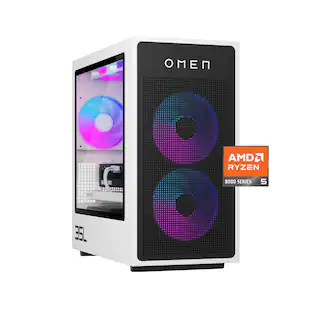 $1,534.99The price was $1,924.99
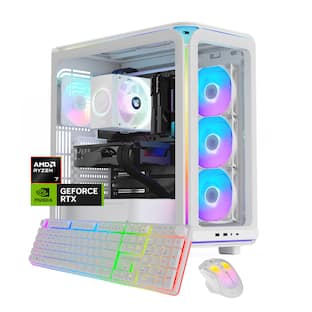 Top Deal$1,859.99The price was $1,999.99
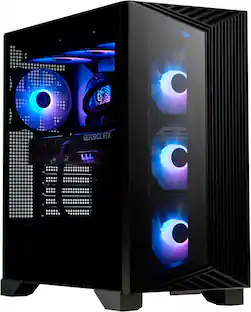 $1,739.99The price was $2,099.99

Explore tech essentials Sponsored
 $1,299.00The price was $1,399.00
 $1,369.99The price was $1,799.99

Keep exploring
 $479.00The price was $499.00
 $496.00The price was $499.00
 $369.00The price was $399.00
 $1,199.00The price was $1,599.00