Rating 4.6 out of 5 stars with 2523 reviews
4.6- Touch Screen (497)
- Speed (425)
- Ease of use (283)
- Battery Life (176)
- Performance (165)
- RAM (20)
- USB Ports (10)
Customer Images
The vast majority of our reviews come from verified purchases. Reviews from customers may include My Best Buy members, employees, and Tech Insider Network members (as tagged). Select reviewers may receive discounted products, promotional considerations or entries into drawings for honest, helpful reviews.
- Rated 5 out of 5 stars
Fantastic for work and entertainment
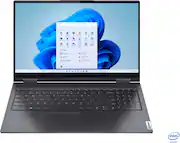
The Lenovo Yoga 7i 2-in-1 is a fantastic laptop for both work and entertainment. Its 15.6" touch screen is responsive and vibrant, perfect for streaming or multitasking. The Intel Core i5 processor ensures smooth performance, and the 8GB of memory handles everyday tasks with ease. I love the 2-in-1 flexibility, allowing me to switch between laptop and tablet mode effortlessly. The 256GB SSD provides quick load times and ample storage for my needs. Plus, the sleek Slate Grey design gives it a premium look. Highly recommended for anyone seeking versatility and performance!
Posted by GregB
- Rated 4 out of 5 stars
Versatility Meets Performance in Slate Grey
The Lenovo Yoga 7i 2-in-1 Laptop strikes a balance between performance and versatility, making it a strong contender in the convertible laptop market. Its sleek design, responsive touch screen, and comfortable keyboard enhance user experience, while the Intel Core i5 processor and 8GB of memory deliver solid performance for everyday tasks. Whether you're a student, professional, or creative, the Yoga 7i offers a compelling package that adapts to your needs. While the battery life and display resolution could be improved for some users, the overall value and functionality make the Yoga 7i a worthwhile choice.
Posted by EstefanyA
- Rated 5 out of 5 stars
My First Lenovo laptop
I have only had my laptop a weeks but so far I really like it. The back lite keyboard is nice and the screen size is perfect for me. The laptop is light weight . Anthony transfered my data from my old laptop to my new one and because I have the beta plan it was included. He did a great job and put everything where I wanted it. I am a happy senior right now.
Posted by Debeburks
- Rated 5 out of 5 stars
Nice Bang for the Buck
I needed a new work computer. Wanted a 15" to lessen the strain on my eyes from looking nat spreadsheets all day. This checked all the boxes USB-C charging, touchscreen, number keypad. A few days in I'm more than pleased with the resolution if the display. The keyboard is an adjustment but I'll benefit from the numberpad in the long run. Machine came with Windows 11 Home installed. Haven't had the opportunity to explore new features. Applications load fast and it wakes immediately using the fingerprint scanner. Speakers aren't that great but I have connected to an external display with speakers. I have not tweaked sound settings yet. Definitely not an Ultrabook, the heft is there. Not unwieldy but wouldn't want to transport daily. I considered the Samsung Galaxy Pro 360 but the Yoga 7i was a no brainer given it's almost half the price.
Posted by GingerbreadMan29
- Rated 5 out of 5 stars
Lenovo laptop
By far the best laptop I’ve ever owned. I’ve had hp, acer, Toshiba, and even Mac book. I’ve had issues with all of them. I’ve owned this one for 1 year about and have had not one single problem with it. The battery holds up really well too. Majority of the time I use my laptop on battery power and when I do charge it, it charges up quick.
Posted by DerrickB