Rating 4.8 out of 5 stars with 36 reviews
4.8- Picture Quality (21)
- Ease of use (4)
Customer Images
The vast majority of our reviews come from verified purchases. Reviews from customers may include My Best Buy members, employees, and Tech Insider Network members (as tagged). Select reviewers may receive discounted products, promotional considerations or entries into drawings for honest, helpful reviews.
- Rated 5 out of 5 stars
Perfect size Oled TV for a living room
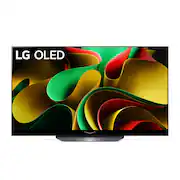
If you’re a looking an excellent TV with bright colors, don’t think that Qled and Oled are the same, Oled is the best with real colors and clear sound, This Size (55) is enough for a living room and have a lot settings for get the best quality image and sound plus PIP and Alexa, Get this TV in Bestbuy store ASAP , with a good warranty a good financial service before going to be sold out and out of stock.
Posted by ArmandoT
- Rated 5 out of 5 stars
Lg B3 55'
Excellent TV for Gaming and HDR content in general. Great OS and apps compatibility
Posted by PabloS
- Rated 5 out of 5 stars
I love this LG tv
Nice tv, I love the color, brilliant, real black, the best tv in movies 4k, wifi and bluetooth conect fast, I'm happy, thank best buy for my new tv.
Posted by CosmeT
- Rated 5 out of 5 stars
Recommendation for buy
An amazing TV. Picture is great. Sound is more than okay. But I bought 5.1.1 system and enjoy the movies.
Posted by NikolayC
- Rated 5 out of 5 stars
Great TV
Bought this tv to add to my collection of OLED's. I have to say that ever since I switched to OLED im never going back. I currently have 2 65 LG OLEDS and now this model in 55. It holds up quiet well and looks just as good as the C2 model. Great to game and watch movies on. No regrets!
Posted by JacobF