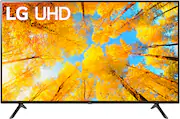
Dive into a world of free content, thanks to over 300+ free LG Channels¹ and personalized recommendations for everyone you share the remote with.
Q: Do I need a ROKU device for this TV?
A: No, it has the apps on it
A: Yes, this is a very glitchy set up with WebOS. Mine is very laggy too. I just got it a week ago. I’m taking it back since it has a remote with dozens of buttons and it’s easy to mash the wrong one when it’s so slow and menu routing is oddly designed. Set up has been incredibly frustrating (worse than ‘normal’). I watched a part of a movie for testing and used Bluetooth and sound seemed to sync ok. So perhaps that would work. They can do far better. And I’m not in the mood to waste more time with no LG support.
Q: Is there an app store? Will I be able to download the Xfinity stream App on this TV?
A: Hello, yes their is an app store on our television, we called Content Store. Try downloading the app from the LG Content Store (App Store). Press the Home button on the Remote control. Select the LG Content Store from the home page. Then choose the app you want to download to go to its dedicated screen. For a complete listing of available apps, please visit: https://us.lgappstv.com/main/tvapp. For further assistance, please reach out to our support team via private message on Facebook @LGUSSupport and use #VOC in your first message to our social media support team or call at 800-243-0000. ^Venette
Q: What is the distance between the legs?
A: Hello there. Product Height With Stand 30.4 inches Product Width 48.5 inches Product Depth With Stand 10.1 inches. For Stand,Stand Width is 41.6 inches, Stand Depth 10.1 inches included in the package but not Adjustable Stand Width. ^Vanessa
A: Hey, Buck! The 41.6" would be the distance between the widest parts of the TV stand. ^Ian
Q: where is this tv manufactured
A: Seoul, South Korea
A: Hi, Yes this TV support Wifi. ^Vanessa
Q: Do the onboard speakers mute when using an HDMI ARC for Audio device to enable headphone use ?
A: Hello helden159. The internal speaker of the LG 55 Inch Class UQ7570 PUJ series LED 4K UHD Smart webOS 22 TV, Model # 55UQ7570PUJ and a Bluetooth speaker can be used to output the sound at the same time. Up to two Bluetooth devices of the same model can be connected. Audio is played through the TV’s built-in speakers and the audio device connected to the digital optical audio output port simultaneously. You cannot play audio at the same time through the TV's internal speakers when you are outputting audio through the TV's HDMI eARC port. The TV's optical digital output and HDMI eARC will be deactivated when streaming audio to Bluetooth headphones or speaker. The Bluetooth audio output's volume is variable, so volume of your Bluetooth speaker will need to be controlled by both the TV and the Bluetooth speaker for adequate volume level...^Ivan