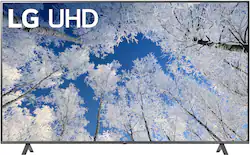
Dive into a world of free content and personalized recommendations for everyone you share the remote with. Enhance your picture and sound with AI from the α5 Gen5 AI Processor 4K that is engineered to amaze by transforming your regular content into 4K for sharper definition and detail, even on our biggest screens.¹ Take binge-watching further by customizing your viewing experience with separate accounts and personalized recommendations for every member of your family with webOS 22. And enjoy binge-worthy streaming with built-in access to Netflix, Prime Video, the Apple TV app, Disney+, HBO Max² and to over 300+ free LG Channels.³ with everything from comedy to movies to sports. For gamers, you can make it the best gaming experience by quickly adjusting all your game settings in one location with the LG Game Optimizer and Dashboard. Bring your content to life with LG UHD. See a vivid picture every time with LG UHD’s 4K resolution.
A: Thank you for your interest in the LG 75UQ7050ZUD.AUS model. Yes, The LG 75UQ7050ZUD TV supports wireless screen mirroring through Miracast. You can project your laptop screen wirelessly onto this TV using the Miracast feature. Here are the general steps to do this: 1. Make sure your laptop supports Miracast. Most Windows laptops support Miracast, while MacBooks may require a third-party app for screen mirroring. 2. Ensure that your laptop and the LG TV are connected to the same wireless network. 3. On your LG TV, go to the settings and enable the Miracast or Screen Share feature. 4. On your laptop, press the Windows key + P to open the Project menu. 5. Select "Connect to a wireless display" and choose your LG TV from the list of available devices. 6. If prompted on the TV, allow the connection. 7. Your laptop screen should now be wirelessly mirrored on the LG TV. You can download its owner's manual through this link for more information: https://www.lg.com/us/support/product/lg-75UQ7050ZUD.AUS. ^Cris
A: Thank you for your interest in the LG 75UQ7050ZUD.AUS model. Most modern TVs, including the LG 75UQ7050ZUD, are designed to be compatible with multiple video standards and can work in different countries, including India. While it is true that the U.S. uses the NTSC video standard and many Asian countries use the PAL system, most new TVs, including the LG 75UQ7050ZUD, are equipped with multi-system tuners that can support various video standards. You can download its owner's manual through this link for more information: https://www.lg.com/us/support/product/lg-75UQ7050ZUD.AUS. ^Cris
Q: Does this tv have picture in picture?
A: Awesome !!
A: Yea it does ... there's one on Amazon I'll have to get back with you on model number....
A: Thank you for your interest in the LG 75UQ7050ZUD.AUS model. The refresh rate of a TV can significantly impact picture quality, not just for gaming and sports, but for all content. A higher refresh rate results in smoother motion and reduced motion blur, enhancing the viewing experience for fast-paced scenes, action movies, and sports. You can download its owner's manual through this link for more information: https://www.lg.com/us/support/product/lg-75UQ7050ZUD.AUS. ^Cris
A: Hello there, JT. The LG 75UQ7050ZUD 4K UHD TV does come with a remote control, but it is not specified as the LG Magic Remote. For the UQ series, the standard remote is typically included, not the Magic Remote. As for the differences between the UQ70 and UT series models: Design and Features: The UQ70 may offer a more basic set of features, while the UT series tends to have a more premium design and advanced features like a higher refresh rate or enhanced sound systems. Processor: The UT series often features a more powerful processor for better picture processing and upscaling compared to the UQ series. If you're looking for a Magic Remote, it would need to be purchased separately, and for the 2022 LG Smart TVs, the correct Magic Remote model is MR22GA or MR22GN. https://www.lg.com/us/tvs/lg-75uq7070zud-4k-uhd-tv#pdp_specs We hope this helps! Please send us a private message on Social Media @LGUSSupport if you have further questions, and our team will be happy to assist you. —Renzo
Q: Can it be delivered to my address?
A: Hello there, Kay! Thank you for your question about the delivery options for the 75UQ7050ZUD. Delivery availability can vary based on your location and the retailer from which you are purchasing the TV. We recommend checking directly with the retailer or contacting their customer service for the most accurate information regarding delivery to your address. You may contact Best Buy's Customer service 1 (888) 237-8289. If you need further assistance, please send us a private message on Social Media @LGUSSupport, and we’ll be glad to help! —Avril
Q: Why is this item unavailable
A: When I bought it, it was on clearance. A Samsung that I had settled on was similarly sold out and unavailable when I bought this one. Check to see if it is unavailable in your area. Mine was, but I bought it online and had it delivered for free. If you can find this TV, I recommend it.