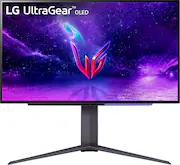
Rating 4.5 out of 5 stars with 856 reviews
4.5- Picture Quality (170)
- Refresh Rate (101)
- OLED (79)
- HDR (52)
- Blacks (17)
- Brightness (161)
- Price (21)
- Burn-in (14)
- Remote (11)
- Matte Coating (10)
Customer Images
The vast majority of our reviews come from verified purchases. Reviews from customers may include My Best Buy members, employees, and Tech Insider Network members (as tagged). Select reviewers may receive discounted products, promotional considerations or entries into drawings for honest, helpful reviews.
- Rated 5 out of 5 stars
The “Supercar” among gaming monitors
The specs speak for themselves, those who can understand the technical aspects of monitors will surely appreciate how far the limits were stretched to bring this display to the market. For those who do not, all you really need to know is that the “bar” is set here. Beyond that though, the next question to be answered is “Is it worth my money?” To play off the car analogy a bit, I’d say that in order to power a “Supercar,” you need a powerful engine. If you have bare minimum computer hardware, you wont get anywhere near the best performance out of this monitor. And you’ll have spent the equivalent of 3 “good” monitors on something you’ll never fully appreciate. For those of you that do have a few horses to play around with though, I can’t recommend this monitor any more highly. OLED is just so much nicer to look at than LED or LCD, and the refresh rate and response time make it a joy to game on. One of the more understated points of the entire package is the remote thats included. Instead of messing around with integrated buttons like in the past, sitting back in a chair with a remote in hand allows you to easily navigate the menu. And inside that menu, one of the most important features in my opinion is the “Game Mode” preset menu. 6 different display setting that change the color tone, contrast, and brightness of the monitor. My favorite is the “Vivid” preset, because it perfectly leverages the OLED panel and the underlying “High Dynamic Range” features. Another notable preset is “Reader” which increases contrast as well as reducing blue tones, which is perfect for late night browsing as well as, well, reading. All in all, the current pinnacle of display technology in its class, and frequently on sale too so if you have your eye on it but have a bit of sticker shock, keep an eye on it for a few weeks or look for an open box deal.
Posted by newbster728
- Rated 5 out of 5 stars
Insanely Smooth and Stunning – Perfect for Gamers!
This LG UltraGear 27" OLED is an absolute game-changer! The OLED screen makes everything look crisp, with deep blacks and super vibrant colors—seriously, once you see it, regular monitors just don’t compare. The 240Hz refresh rate and 0.03ms response time make gameplay ridiculously smooth, with zero motion blur. Whether you're playing fast-paced shooters or immersive RPGs, everything just feels and looks amazing. Having both FreeSync and G-SYNC compatibility is a huge plus—no screen tearing, just buttery-smooth visuals. HDR10 support also adds extra depth, making games pop even more. The only real concern is potential OLED burn-in, but as long as you use the built-in screen protection features, it shouldn't be a problem. If you’re serious about gaming and want one of the best monitors out there, this one is absolutely worth it!
Posted by AgentHines
- Rated 5 out of 5 stars
Beautiful 27 Oled with a few caveats
Honestly, I would like to start by saying that this is a beautiful display, and amazing to look at it. This isn't my first time owning an OLED panel before but I wanted a smaller competitive size which this monitor fits for me. I'm not trying to hype this monitor up whatsoever but an OLED panel should've been implemented as standard years ago in a monitor this size or smaller but only up til now they wanna start producing these calibers. The thing that was interesting to me was the HDMI 2.1 port that is able to support up to 12-bit color! Most modern specs out there use DP 1.4 but are only limited to 32.4 GBS of bandwidth, while HDMI 2.1 is 48 GBS of bandwidth, which is far superior. I hear people complain about the matte finish and the brightness and let me tell you that it's good enough. People are just so spoiled by an OLED or Gloss that they would think this monitor needs a glossy finish, which would be nice but not necessary. I can presumably see why people would want such as oily display coming from matte but it doesn't affect you at all unless you are OCD or just a nit-picky person. The only problem I see when I use HDR on HDMI is it looks washed out but switching DP, it looks better. Can anyone tell me why is this even though HDMI is capable of handling higher bandwidth? Also, I know many people fear of Burn-Ins on a monitor, yet even with these protective cleaning such as OLED Care they are still susceptible. You might as well buy a 4-year warranty here at best buy because the 2 years warranty that it has from LG only covers defects but not Burn-Ins. I've also manually overclocked my monitor through the Nvidia control panel and you can see it hits above 240hz if you were wondering if it's true or not, do be wary it will probably void your warranty. Though it's probably not worth much to overclock it anyways since DAS is completely disabled and there is no way to achieve that unless you revert it back to regular 240hz which takes full advantage of DAS in Gamer 1, Gamer 2, FPS, and RTS mode. Overall, it's decent but not a mind-blower, maybe first timers would be shocked if it's your first OLED but yeah that's all there is for now I will keep updating this review on this monitor and let you guys know. ALSO, NOTE THAT DON'T BUY THIS RIGHT NOW AND WAIT FOR IT TO BE ON SALE UNLESS YOU HAVE THE URGE TO PULL THE TRIGGER. NOT FULLY WORTH $1k BUT STILL a GOOD MONITOR. I BOUGHT IT SO I CAN REVIEW IT AND LET YOU GUYS KNOW IN DETAIL WISE.
Posted by Timmy
- Rated 4 out of 5 stars
Great Monitor With Some Settings Changed
[Employee of bestbuy] Definitely recommended and fantatsic Display. Deep blacks and amazing color. I feel like the proce could be slightly better, but overall fair for what you get. I dont have an issue with the screen not being glossy but would of preferred it to be. I can see the issue with especially on white backgrounds like Chrome or Word. I would recommend having your windows set to dark as its far less noticeable on Chrome. Unfortunately for Word and other programs that use a white background. Not much you can do. If on Windows I highly recommend turning OFF energy savings mode that can only be accessed through the remote and by having HDR turned off to have the option appear. Stupid its like that but probably understandable for some. I would even recommend Wallpaper engine for active Wallpapers. Not saying it will solve burn in, but might help long term and it has so many options that are generally cool than typical wallpapers. I would recommend auto input switching off and turn on screen movement to either 2-4 to help again with the chances of the burn in or retention. I doubt many will have this issue or least those that know what they have and are cautious while using it. Ive had my LG E7 for about 6 years now and its still perfect and so is my C2. If you still have concerns get Best Buy’s protection as they will cover this issue. Anyway, overall great monitor but its very dim with Energy Savings mode on that is hidden. I must say its better than the Sony M9 not just in picture but in the fact it actually works! LG, for future OLED Monitors please DONT do this type of screen. I believe glossy is the way to go here. For everyone else the monitor is definitely worth it and nothing can quite compare. Well maybe other OLEDs of course.
Posted by SupremeSethTC
- Rated 5 out of 5 stars
Noticeable Upgrade for a High Price
Obviously too expensive at full price, but the open box prices for this aren't bad at all. The display is gorgeous and the motion clarity from OLED + 240Hz really makes a difference in fast paced games. It definitely is a little dim at times, but at peak brightness it can often be too bright still when you're in a dim room. If price is no object to you, other OLED 1440p 240Hz displays like the ones from Asus and Corsair get much brighter, but I prefer LG as a brand much more.
Posted by Anthony