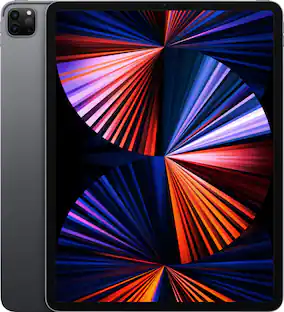
Logitech - Flip Folio Keyboard Case for iPad Pro 13-inch - Latest Model (M4 & M5), iPad Air 13-inch (M2, M3 & M4) - Sand
Customers are saying
Customers are impressed with the product's excellent build quality, portability, and the reliable performance of the wireless keyboard. Users frequently highlight the convenient magnetic attachment and the long-lasting battery life as standout features. While the device offers solid protection and a satisfying typing experience, some users noted that the case adds a bit of weight and could benefit from stronger magnets.
Color
SandCompact, stowable wireless keyboard
Pull it out, place it anywhere, and snap it back onto your iPad case magnetically for easy storage.
Front and back protection
This iPad case with keyboard shields your iPad Pro and iPad Air from everyday bumps and scratches for all-around durability.
Landscape and portrait modes
Position your iPad either way and use it for various tasks.
Pair multiple devices
Bluetooth pairing for iPhone and more; multitask across three devices with one keyboard; switch with a press of a button.
2-year battery life
Replaceable coin cell batteries (CR2016 battery x4 included with Bluetooth keyboard).
Expand your view
Eliminate the need for an on-screen keyboard and enjoy more screen space. Quickly switch between typing and touch for easy navigation.
Adjustable viewing angles
Find the right angle for viewing or typing, while keeping a small footprint for more comfort.
Made with recycled plastic
The plastic parts in Flip Folio are made of certified post-consumer recycled plastic: 38%.*
- Model CompatibilityApple iPad Air (M4) 13" 2026, Apple iPad Pro (M5) 13" 2025, Apple iPad Pro (M4) 13" 2024, Apple iPad Air (M2) 13" 2024, Apple iPad Air (M3) 13" 2025Operating System CompatibilityApple iPadOS
Reviews
Rating 4.3 out of 5 stars with 98 reviews
- Build Quality (25)
- Portability (25)
- Keyboard Design (23)
- Connectivity (13)
- Protection (11)
- Magnet Strength (10)
- Weight (10)
Customer Images
The vast majority of our reviews come from verified purchases. Reviews from customers may include My Best Buy members, employees, and Tech Insider Network members (as tagged). Select reviewers may receive discounted products, promotional considerations or entries into drawings for honest, helpful reviews.

Compare similar products

Flip into joy with Flip Folio, the iPad case featuring a stowable keyboard and front and back protection. You can type anywhere, any way you like—or stash the keyboard away and just relax. Find the right angle with adjustable viewing angles, plus portrait and landscape modes for iPad. Dock your iPhone, or connect to your TV for even more options. Now available for iPad Pro and iPad Air.

Magic Keyboard for iPad Pro delivers an amazing typing and trackpad experience in a sleek, portable design. The keyboard includes at 14-key function row, a USB-C connector for pass-through charging, and front and back protection for your iPad. The floating cantilever design smoothly adjusts to multiple viewing angles. A large glass trackpad delivers haptic feedback for precision-based workflows and Multi-Touch gestures.

Type, sketch, view and read with the Combo Touch keyboard case. A flexible kickstand and a full-size, detachable keyboard give you multiple use modes for any task. Take iPad further with a bigger trackpad that gives you superior, intuitive tracking experience with familiar Multi-Touch gesture controls.

Type, sketch, view and read with the Combo Touch keyboard case. A flexible kickstand and a full-size, detachable keyboard give you multiple use modes for any task. Take iPad further with a bigger trackpad that gives you superior, intuitive tracking experience with familiar Multi-Touch gesture controls.
| Pros for Logitech - Flip Folio Keyboard Case for iPad Pro 13-inch - Latest Model (M4 & M5), iPad Air 13-inch (M2, M3 & M4) - Sand | |||
|---|---|---|---|
| Portability, Protection, Build Quality, Keyboard Design, Connectivity | Keyboard Quality, Portability, Design, Protection, Battery Life | Keyboard Quality, Ease of use, Kickstand, Design, Case Protection | Keyboard Quality, Protection, Ease of use, Kickstand, Fit |
| Cons for Logitech - Flip Folio Keyboard Case for iPad Pro 13-inch - Latest Model (M4 & M5), iPad Air 13-inch (M2, M3 & M4) - Sand | |||
| Weight, Magnet Strength | Price, Screen Angle, Hinge | Weight | Weight, Price, Connectivity |
Specs
Customers often buy these together
 Clearance$22.99The price was $24.99
 $35.05The price was $36.99
 $179.99The price was $199.99











More to consider
 $106.34The price was $149.95
 $69.99The price was $79.99











Explore tech essentials Sponsored
 Clearance$79.99The price was $199.00
 $53.99The price was $119.99
 $74.99The price was $79.99




Discover related products
 $12.99The price was $13.99
 $249.00The price was $275.00