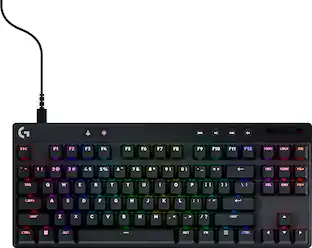
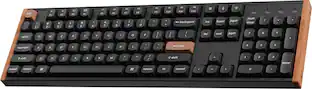
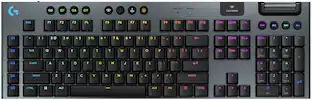
Logitech - G915 LIGHTSPEED Full-size Wireless Mechanical GL Linear Switch Gaming Keyboard with RGB Backlighting - Black
- Key Specs
- Lighting Type: RGB
- Form Factor: Full-size (The size, arrangement, and physical configuration of the product.)
- Keyboard Technology: Mechanical (Type of technology that detects a key press.)
- Key Switch Behavior: Linear (Refers to the mechanisms under the keycaps on a keyboard that enable you to type faster and more precisely. Linear switches move straight up and down without any sound or bump. Tactile switches provide a noticeable bump in the key press, and no sound. Clicky switches provide a bump in the key press and "clicky" sound.)
- Connection Type: Wireless
- General
- Brand: Logitech
- Model Number: 920-008954
- Product Name: G915 LIGHTSPEED Full-size Wireless Mechanical GL Linear Switch Gaming Keyboard with RGB Backlighting
- Color: Black
- Features
- Lighting Type: RGB
- Customizable Lighting: true
- Numeric Keypad: true
- Touchpad: false
- Keyboard Type: Gaming, Programmable
- Palm Rest: false
- Spill Resistant: false (Designed to resist some degree of accidental liquid spill. The level of spill-resistance is indicated by the product manufacturer, but the degree of protection may not be guaranteed after normal wear of the product.)
- Keyboard Features: Fully customizable RGB light, programmable G-keys, aluminum alloy material, USB and Bluetooth connectivity
- Foldable: false
- Keycap Material: ABS
- Functions
- Form Factor: Full-size (The size, arrangement, and physical configuration of the product.)
- Keyboard Technology: Mechanical (Type of technology that detects a key press.)
- Dedicated Macro Keys: true (Perform shortcuts of key sequences to carry out commands with a single key. Key sequences may include key strokes, mouse actions, and/or menu actions.)
- Adjustable Tilt Function: true
- Key Switch Type: GL
- Key Switch Behavior: Linear (Refers to the mechanisms under the keycaps on a keyboard that enable you to type faster and more precisely. Linear switches move straight up and down without any sound or bump. Tactile switches provide a noticeable bump in the key press, and no sound. Clicky switches provide a bump in the key press and "clicky" sound.)
- Multimedia Keys: true
- Internet Keys: true
- Number Of Programmable Keys: 5
- Connectivity
- Connection Type: Wireless
- Wireless Connectivity: Radio Frequency (RF) (The manner in which a device sends data to another device over a short distance without the use of wires or cables.)
- Maximum Wireless Range: 33 feet
- Number of Devices Connectable Simultaneously: 1
- Compatibility
- Operating System Compatibility: Windows, Mac
- Plug and Play Operation: true
- System Requirements: Microsoft Windows 7 or later; Apple MacOS 10.11 or later (The software that a product must have for it to be able to integrate with another product.)
- Power
- Rechargeable Battery: true
- Battery Chemistry: Lithium-ion
- On/Off Switch: true
- Dimensions
- Product Height: 0.87 inches (The out of box height of the item. Height is measured as the vertical distance from the bottom of the item to the top as it would be primarily used or placed.)
- Product Width: 18.7 inches (The out of box width of the item. Width is measured as the horizontal distance from one side of the item to the other as it would be primarily used or placed.)
- Product Depth: 5.91 inches (The out of box depth of the item. Depth is measured as the distance from the front of the item to the back as it would be primarily used or placed.)
- Product Weight: 36.16 ounces (The out of box weight of the item.)
- Mouse
- Mouse Included: false
- Warranty
- Warranty - Parts: 2 years
- Warranty - Labor: None
- Other
- UPC: 097855142603
G915 is a new class of wireless mechanical gaming keyboard with 3 selections of low-profile GL switches and pro-grade 1 ms LIGHTSPEED wireless. Capable of delivering 30 hours of non-stop gaming on a full charge. Fully customizable per-key, LIGHTSYNC RGB technology also reacts to in-game action, audio and screen color as you choose. With a sleek, impossibly thin yet durable and sturdy design, G915 brings gamers to a higher dimension of play. Programmable G-keys let you create and execute complex actions simply and intuitively and the volume wheel and media keys give you fast, easy control over video, audio, and streaming.
- Full-size mechanical keyboard with LIGHTSYNC technology: Provides next-gen RGB lighting that synchronizes lighting with any content. Personalize each key or create custom animations from approximately 16.8M colors with Logitech G HUB software.
- Up to 30 hours of game time on a single charge: Low battery warnings at 15% on the keyboard battery LED and via pop-up notification in the Logitech G HUB software. Quickly recharges in 3 hours.
- LIGHTSPEED wireless mechanical keyboard: Connect to multiple devices with LIGHTSPEED wireless via USB receiver or Bluetooth. G915 LIGHTSPEED delivers 30 hours of use per charge.
- Connect to multiple devices using LIGHTSPEED or Bluetooth: Toggle between high-performance LIGHTSPEED wireless via USB receiver and Bluetooth - quickly and easily.
- Low profile mechanical switches: Offers the speed, accuracy and performance of a mechanical switch at half the height. The GL Linear switch features a completely smooth keystroke through the point of actuation.
- Full-size mechanical keyboard with five dedicated G-keys: Can be programmed with custom macros and commands per game or app profile. Use Logitech G HUB to easily setup and manage profiles, commands and more.
- Dedicated media controls: With a precision engineered, edgeless volume wheel provide convenient and easy control to quickly play, pause, skip or mute your media.
- Aircraft-grade aluminum alloy: Beautifully crafted, the G915 uses aircraft-grade aluminum alloy to deliver incredibly thin but rigid and durable design.
- Compatible with most Windows and Mac computers: Works across a wide array of computers.
- More sustainable: Certified carbon neutral: the carbon impact of the product and packaging has been reduced to zero.
Whats Included
- LIGHTSPEED USB receiver
- Logitech G915 LIGHTSPEED Wireless RGB Mechanical Gaming Keyboard with GL Linear Switch
- Micro-USB cable
- USB extender
- User documentation
Q: Can the keycaps be swapped fairly easily?
A: Hello, Moo! Yes, the keycaps on the G915 are very easy to swap. However, they don't use a standard key switch so the clip to put the keycap into the switch will be different than most. - Maggie from Logitech G
Q: Is this keyboard Mac compatible?
A: Yes, this is compatible with Mac, you just need an available USB port for the dongle.
Q: How many hours of use before the keyboard needs to be charged?
A: Depends on the RGB brightness. Less than 40 hrs at full brightness, over 130 hrs at 25% brightness (which is plenty bright for me), and over 200 hrs with the RGB off.
A: Hi Whitney, unfortunately the G915 Lightspeed Gaming Keyboard cannot customize the key switches in the way that you would like. You will have to purchase the keyboard in either of the 3 available switches: GL Linear, GL Tactile, or GL Clicky. The only keyboard we offer where you can swap out the switches is the G Pro X Tournament keyboard. Hope that helps. -N from Logitech
A: Hello, MoFoe! The G915 work either Bluetooth or Lightspeed receiver so you can definitely use this keyboard with your laptop. Please know that you can't use both the Superlight and G915 on the same receiver. They need to use the receivers that came in their boxes or the G915 can use Bluetooth instead. - Maggie from Logitech
Q: Can this keyboard be used with Xbox
A: Yes absolutely it works great with xbox
A: Hello Crayg, Yes your macros do get stored on the G915 Wireless Gaming Keyboard. You can create a couple of profiles and have them saved and switch between them. Just be sure that you're logged in to your G Hub and that you save them. - Richard from Logitech
Q: Will this ever come out in white?
A: This exact model I don't think so but there are many other great options to choose from
People also viewed
 $89.99The price was $99.99



Today's top picks
 $36.99The price was $54.99
 $99.99The price was $119.99
 $179.99The price was $199.99
 $164.99The price was $219.99