Logitech - Tap Touch Controller - For Video Conferencing, Meeting Room - HDMI In - USB - Tabletop, Wall Mountable, Riser - Black
About this product
Logitech Tap, a touch-screen controller that connects to any computer via USB, opens up new possibilities for applications like team collaboration, digital signage, room automation, and environmental control. Unlike AV controllers that require custom programming and installation, Logitech Tap offers plug-and-play connectivity as an additional display. Developers and system integrators can then design a touch-based user interface to simplify workflows and automate tasks. Boasting a 10.1" touchscreen, commercial-grade cabling, and multiple mounting accessories, Logitech Tap delivers a sleek appearance and convenient placement options that are as pleasing to the eye as they are to IT.
Features
Logitech Tap Touch Controller - For Video Conferencing
Logitech Tap, a touch-screen controller that connects to any computer via USB, opens up new possibilities for applications like team collaboration, digital signage, room automation, and environmental control. Unlike AV controllers that require custom programming and installation, Logitech Tap offers plug-and-play connectivity as an additional display. Developers and system integrators can then design a touch-based user interface to
Make video meetings simple to join with a touch controller with wireless and HDMI content-sharing.
Bring instant content sharing via wireless or HDMI connections to video meeting rooms with Tap.
Flexible cabling lets you locate Tap near participants for convenient operation while installing the host computer in a cabinet, beneath a table, or behind a display.
Specifications
- BrandLogitechModel Number939-001950Product NameLogitech Tap Touch Controller - For Video Conferencing, Meeting Room - HDMI In - USB - Tabletop, Wall Mountable, RiserColorBlackWarranty - Parts2 yearsWarranty - Labor2 years
Reviews
This product doesn't have any reviews yet.
Compare similar products
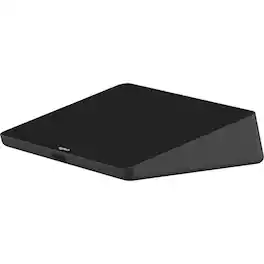
Logitech Tap, a touch-screen controller that connects to any computer via USB, opens up new possibilities for applications like team collaboration, digital signage, room automation, and environmental control. Unlike AV controllers that require custom programming and installation, Logitech Tap offers plug-and-play connectivity as an additional display. Developers and system integrators can then design a touch-based user interface to simplify workflows and automate tasks. Boasting a 10.1" touchscreen, commercial-grade cabling, and multiple mounting accessories, Logitech Tap delivers a sleek appearance and convenient placement options that are as pleasing to the eye as they are to IT.
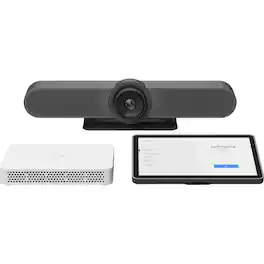
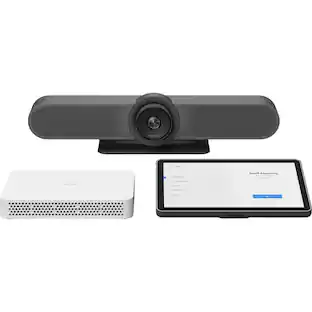
Add video conferencing to any small meeting to medium meeting room with this universal video conferencing appliance kit featuring the all-in-one Rally Bar Mini and the 10.1" Logitech Tap IP touch controller. With premium materials, thoughtful cable management, and a sleek 10.1" touch controller, components integrate beautifully into the modern workplace. A full range of available mounts and audio extensions ensure a professional appearance and outstanding coverage in a wide range of room shapes and layouts. This easy-to-install solution is certified for with Microsoft Teams Rooms on Android, Zoom Rooms Appliances, and Google Meet on Android.
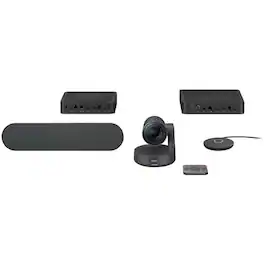
Logitech Rally Table Hub - Video conferencing device

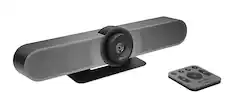
MeetUp is Logitech's premier ConferenceCam designed for small conference rooms and huddle rooms. With a room capturing, super-wide 120° field of view, MeetUp makes every seat at the table clearly visible. Motorized pan/tilt widens FOV even further: up to 170°. A low-distortion Logitech-engineered lens, Ultra HD 4K optics, and three camera presets deliver remarkable video quality and further enhance face-to-face collaboration. MeetUp's integrated audio is optimized for huddle room acoustics and delivers an exceptional sound experience. Three horizontally-aimed beamforming mics and a custom-tuned speaker help ensure your meetings sound as great as they look. With a compact all-in-one design that minimizes cable clutter, MeetUp is USB plug-and-play and simply works right out of the box with any video conferencing software application and cloud service - including the ones you already use.
Specs
Customers often buy these together


More to consider
 $569.00The price was $640.74
 $815.82The price was $895.49
 $1,241.99The price was $1,399.00
 $1,360.07The price was $1,427.99
 $333.64The price was $350.32


Explore tech essentials Sponsored
 $299.99The price was $340.99

Keep exploring
 $268.00The price was $280.93
 $339.99The price was $359.99