Logitech - MeetUp 4K Ultra HD Video Conferencing Camera for Small Conference Rooms - Black
About this product
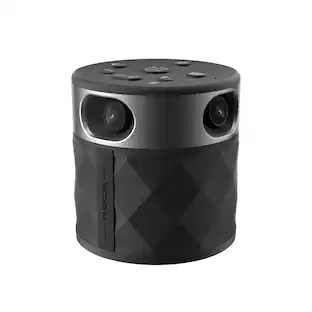
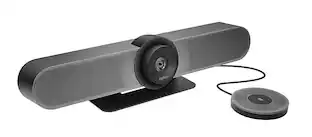
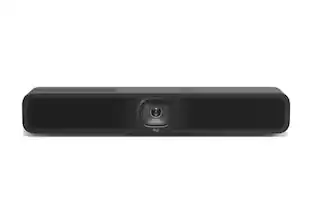
MeetUp is Logitech's premier ConferenceCam designed for small conference rooms and huddle rooms. With a room capturing, super-wide 120° field of view, MeetUp makes every seat at the table clearly visible. Motorized pan/tilt widens FOV even further: up to 170°. A low-distortion Logitech-engineered lens, Ultra HD 4K optics, and three camera presets deliver remarkable video quality and further enhance face-to-face collaboration. MeetUp's integrated audio is optimized for huddle room acoustics and delivers an exceptional sound experience. Three horizontally-aimed beamforming mics and a custom-tuned speaker help ensure your meetings sound as great as they look. With a compact all-in-one design that minimizes cable clutter, MeetUp is USB plug-and-play and simply works right out of the box with any video conferencing software application and cloud service - including the ones you already use.
Features
Super-wide 120° field of view
By offering the widest field of view of any Logitech video conferencing solution, MeetUp allows everyone in the room to be seen, even those close to the camera or seated at the edges of the room.
Ultra HD 4K image sensor
The camera supports multiple resolutions, including 4K (ultra HD), 1080p (Full HD) and 720p (HD) to best support the quality offered by your application and monitor.
3-microphone and custom-tuned speaker
Three broadside beamforming, omnidirectional microphones with noise and echo cancellation – plus a custom-tuned speaker – are specifically optimised for small conference rooms. Mics are Microsoft Cortana certified for precision with voice commands with any Windows 10 system.
All-in-one design
The compact all-in-one form factor takes up less space and minimises cable clutter.
Razor-sharp optics
Advanced Logitech lens technology delivers remarkable video quality with superb resolution, speed, fluidity, colour balance and detail, ensuring face-to-face collaboration is the next best thing to physically being there.
Specifications
- Video Resolution4K (2160p)
Reviews
Rating 5 out of 5 stars with 7 reviews
The vast majority of our reviews come from verified purchases. Reviews from customers may include My Best Buy members, employees, and Tech Insider Network members (as tagged). Select reviewers may receive discounted products, promotional considerations or entries into drawings for honest, helpful reviews.
Compare similar products

MeetUp is Logitech's premier ConferenceCam designed for small conference rooms and huddle rooms. With a room capturing, super-wide 120° field of view, MeetUp makes every seat at the table clearly visible. Motorized pan/tilt widens FOV even further: up to 170°. A low-distortion Logitech-engineered lens, Ultra HD 4K optics, and three camera presets deliver remarkable video quality and further enhance face-to-face collaboration. MeetUp's integrated audio is optimized for huddle room acoustics and delivers an exceptional sound experience. Three horizontally-aimed beamforming mics and a custom-tuned speaker help ensure your meetings sound as great as they look. With a compact all-in-one design that minimizes cable clutter, MeetUp is USB plug-and-play and simply works right out of the box with any video conferencing software application and cloud service - including the ones you already use.

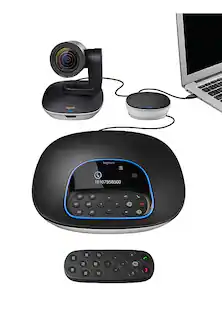
MeetUp is Logitech's premier ConferenceCam designed for small conference rooms and huddle rooms. With a room capturing, super-wide 120° field of view, MeetUp makes every seat at the table clearly visible. A low-distortion Logitech-engineered lens, Ultra HD 4K optics, and three camera presets deliver remarkable video quality and further enhance face-to-face collaboration. MeetUp's integrated audio is optimized for huddle room acoustics and delivers an exceptional sound experience. Three horizontally-aimed beamforming mics and a custom-tuned speaker help ensure your meetings sound as great as they look. MeetUp’s built-in beamforming mics are optimized for up to 8 feet (2.4 meters). To extend that range up to 14 feet (4.2 meters), add the Expansion Mic. So whether people are seated at a table, sitting against the wall, or standing, Expansion Mic for MeetUp means everyone will be heard.
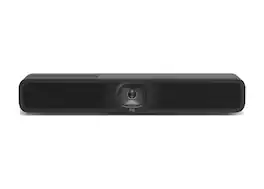
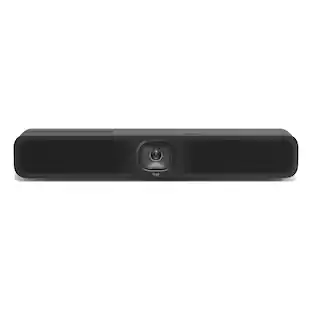
Upgrade your small meeting rooms with MeetUp 2, an AI-powered USB conference camera for small spaces that simplifies the meeting experience for employees and IT. It brings a simple setup, a selection of AI-enabled audio and video features, and easy management to USB-based deployments with a PC or in BYOD mode. MeetUp 2 is compatible with popular video platforms such as Microsoft Teams, Zoom, and Google Meet, and it can function in USB mode with either an in-room compute or when connected to a laptop in BYOD mode. It is easy to set up in small spaces, thanks to multiple mounting options, clean cabling, and a manual privacy shutter. Additionally, you can easily manage your MeetUp 2 and other Logitech video collaboration devices with Logitech Sync — monitor room status, deploy updates, and modify settings all from a single cloudbased app.

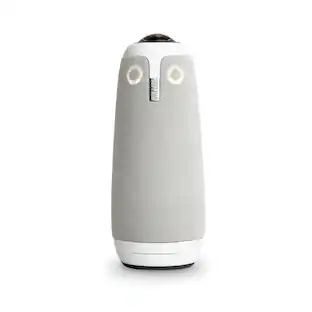
360° conference camera for PC and Mac with built-in speaker and microphone array, featuring auto speaker focus, 1080P output, AI voice isolation, and local recording, compatible with Webex, Zoom, Teams, and Google Meet.
Specs
Customers often buy these together
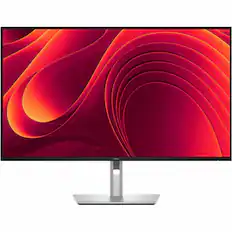
Dell - Pro Plus 31.5" IPS LED 4K UHD 100Hz Monitor (USB, HDMI) - Black, Gray, Dual Color
$559.00The price was $669.99
![Tablet_Keyboards:
Esc n X 12 F F4 FS F6 F7 FE Home P End F10 PgUp F11 PgDn F12 ins Del - . ! 1 2 # 3 $ 4 % 5 ^ 6 & 7 * 8 ( 9 ) 0 Ce C + = Backspace Tab Q W E R T Y U I O P { [ ) ] | / Caps A S D F G H J K L : ; "A - Enter Shift Z X C V N M < I > . ? / Shift Ctrl Fn Alt Alt i](https://pisces.bbystatic.com/image2/BestBuy_US/images/products/6583/6583049_sd.jpg;maxHeight=232;maxWidth=233?format=webp)
More to consider
 $815.82The price was $895.49
 $2,230.48The price was $2,299.00
 $2,127.87The price was $2,303.11
 Our 365-day lowest price$149.99The price was $199.99
Explore tech essentials Sponsored
- Our 365-day lowest price$149.99The price was $199.99
Discover related products
 $593.99The price was $659.99











Keep exploring
 $24.99The price was $39.99
 $26.10The price was $27.18