Logitech - Zone 305 Wireless Bluetooth Noise Cancelling Over-the-Ear Headset UC Version with Receiver - Black
About this product
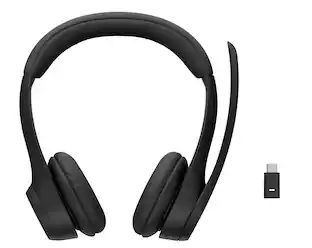
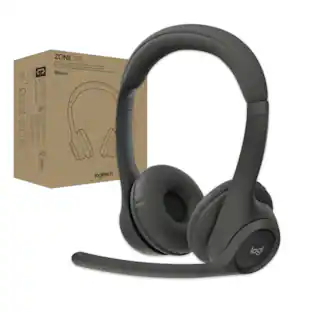
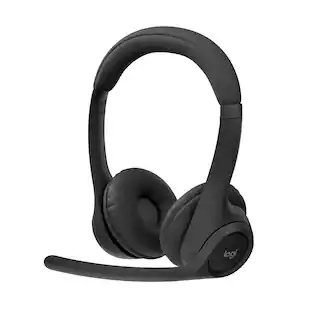
Enjoy freedom of movement and clear calling with the Logitech Zone 305 Wireless Headset. Certified for Unified Communications, this headset features dual noise-canceling beamforming microphones on an adjustable boom that are designed to ensure that you're heard on calls.
Features
Ear pads
Lightweight, rotating earcups
Wireless for everyone, certified for business
Certified for leading business apps and calling platforms, zone 305 is ideal for mass deployment
Built for business
Zone 305 is designed for business and priced for mass deployment. With Logitech Sync, our secure cloud-based management portal, IT managers can monitor the deployment of individual devices, and push firmware updates to keep devices up to date and secure
Clear calls
Dual noise-canceling mics for Zone 305 are positioned on the adjustable boom for better voice capture
Lightweight comfort
Weighing just 122 g, zone 305 features a lightweight design that fits comfortably on your head
More recycled material lighter footprint
The plastic parts of zone 305 are made with a minimum of 55% post-consumer recycled plastic
Great battery life with fast charging
Up to 20 hours of listening time and 16 hours of talk time. Battery life may vary based on user and computing conditions. means you can power through a long day without interruption
Specifications
- Connection TypeWirelessWireless ConnectivityBluetoothTrue WirelessNoMaximum Wireless Range98.43 feetBuilt-In MicrophoneYesMicrophone FeaturesNoise cancelling
Reviews
Rating 3.7 out of 5 stars with 7 reviews
Customer Images
The vast majority of our reviews come from verified purchases. Reviews from customers may include My Best Buy members, employees, and Tech Insider Network members (as tagged). Select reviewers may receive discounted products, promotional considerations or entries into drawings for honest, helpful reviews.

Compare similar products

Enjoy freedom of movement and clear calling with the Logitech Zone 305 Wireless Headset. Certified for Unified Communications, this headset features dual noise-canceling beamforming microphones on an adjustable boom that are designed to ensure that you're heard on calls.

Enjoy freedom of movement and clear calling with the Logitech Zone 305 Wireless Headset. Certified for Microsoft Teams, this headset features dual noise-canceling beamforming microphones on an adjustable boom that are designed to ensure that you're heard on calls.
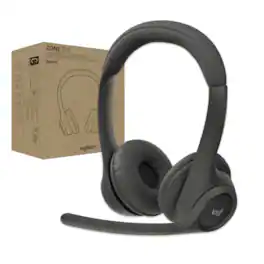
Zone 305 is a wireless headset certified for Microsoft Teams over native Bluetooth without a USB dongle. The headset connects via native Bluetooth, freeing up one valuable USB-C port. It’s ideal for mass deployment to everyone who needs great audio and a reliable connection for calls or video meetings. Dual noise-canceling mics on the adjustable boom are designed to capture the voice clearly, while noise-canceling algorithms suppress background noises so others can hear you clearly. The dynamic speaker drivers are fine-tuned to deliver warm and clear sound for calls and more. Intuitive buttons on the headset allow employees to easily answer calls, toggle mute, and end meetings. With up to 20 hours of battery life and 30-meter wireless range, Zone 305 offers the freedom to move around as needed throughout the day. The lightweight design provides a long-lasting, comfortable fit. You’ll love that its plastic parts are made with 55% PCR plastic and FSC-certified packaging.
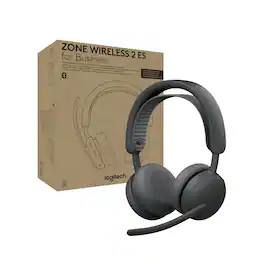
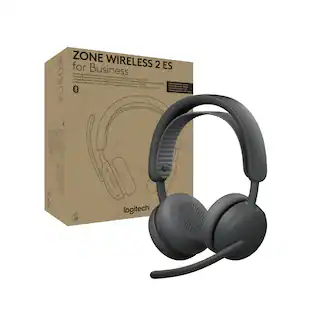
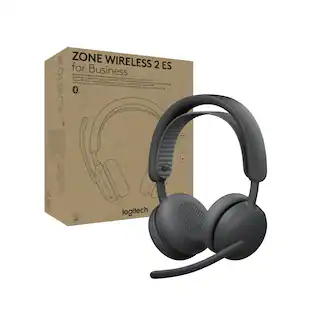
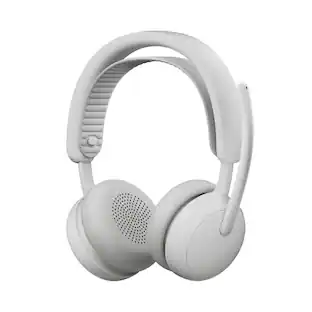
Help employees stay focused with Zone Wireless 2 ES for Business. Adaptive hybrid ANC helps prevent distractions by dynamically adjusting to minimize background noise in any environment. Proprietary 40 mm drivers are purpose-built to optimize calls, music, and ANC capabilities. Premium microphones, specifically designed for open office environments, deliver crystal-clear sound quality. Intuitive on-ear controls and a gaming-inspired headband make it easy to use and wear all day. Certified for Microsoft Teams over native Bluetooth the headset enables employees to enjoy a full Teams meeting experience while freeing up a USB port. And they can enjoy freedom of movement with a remarkable 50 m wireless range.
Specs
Customers often buy these together



More to consider
 $179.99The price was $186.48

Explore tech essentials Sponsored
 $139.99The price was $179.99
Discover related products
 $249.00The price was $275.00
 Techtober Deal$10.99The price was $13.99













Keep exploring
 Techtober Deal$149.99The price was $299.99
 $59.99The price was $68.97
 $229.99The price was $239.95