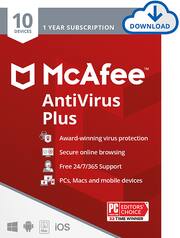
Award-winning protection so your family can enjoy life online. McAfee AntiVirus Plus delivers a comprehensive, simple solution that protects your family online, wherever and whenever.
Q: When my McAfee up up for renewal, can I buy from Best Buy (at the cheaper cost) and renew that way?
A: Yes! You can certainly buy from Best Buy instead of renewing through the product. And if you buy the exact same product you had, you don't even need to uninstall and reinstall, nor do you need to wait for the subscription to expire. You can buy anytime you see the price go down, and redeem the code. It will add 1 year to your expiration date without needing to do anything else. You always have the most up-to-date software as long as you are connected to the internet and have an active subscription. Please let me know if I can answer anything else.
A: Hi - sorry you ran into problems, but the steps to install to all devices after the first is different than the first. You no longer need that key as you've already setup the subscription and your account. Log into your McAfee account at home.mcafee.com from the phone and there is a "Download" button right on the home screen. Click on that and you should be brought to the app store to download it for the phone. Alternatively, you can log in from anywhere and click on "Protect More Devices" and then you can send an email or SMS text link to your phone. Then you can click on that link to be taken to the app store to download and install. You can repeat these steps for each device you want to protect including PCs and Macs, except you won't be taken to the app store, the download will just begin. Please let me know if I can help with anything further.
Q: Does anyone know what the auto renewal price is after 1 year?
A: I can't give you an exact answer to this. The renewal price will vary over time. However, I can tell you that it will be much closer to the MSRP than you likely purchased from Best Buy. If you sign up for auto-renewal, you do get automatically enrolled in our virus protection plan, which states that even if a virus does slip through, we will remove it from your system or your money back (* additional terms apply). This also ensures your protection doesn't lapse since you will be charged before you expire and your subscription will continue uninterrupted. However, you will be able to find it on promotion at Best Buy for much less, so if the above benefits aren't worth it to you, I recommend you watch for it to go on sale at Best Buy. By the way, you can purchase multiple copies at once and redeem them all right away to give yourself a multiple-year subscription. Each time you redeem a new code, it adds a year to your current subscription. Please let me know if I can help with anything further.
Q: Do I have to sign up for auto renewal with this anti virus software?
A: No! It does offer auto-renew as an option during installation, but you can skip that without interrupting the installation by clicking on the X in the upper right corner. You can also turn it on and off at any time by going into Settings, Auto-Renew Settings, and then selecting the appropriate option. Please let me know if you have any other questions.
A: Yes! That is exactly what we do. We have been in the business for over 30 years, so have extensive files of viruses and malware to check against. But we also use behavioral analysis to check for files "acting" like viruses as well, so we are able to stop what's called zero-day attacks, meaning attacks from malware that has never been seen before. No antivirus vendor can claim to block ALL attacks, but testing houses have been showing that McAfee has been in the top echelon in terms of both protection and having negligible effect on system performance. Please let me know if I can help you with anything further.
Q: does this product scans all downloads from websites and blocks them if a virus is found?
A: Yes! Each time a new file is introduced to your device - from any source - it will be scanned for threats and blocked if any are found. We also warn you if we see websites with risky elements to prevent you from getting a virus introduced to your device in the first place. Please let me know if I can help you with anything further.
Q: Does it work on Windows 10 and what virus my is my computer protected from.
A: Yes! We are compatible with Windows 10. We try to stop all viruses, whether they have been seen before or not. We watch the behavior of files and stop them if they start doing anything unexpected. We also have engineers who hunt for malware (meaning all software designed to steal info or harm your system) all the time and currently have over 954 million samples in our database, finding 8 new ones every second of every day. We constantly update our software with new information regularly, so you always have the latest. Please let me know if you have any other questions.