Outlet EventEnds Oct. 26. Limited quantities. No rainchecks.Shop now

Main Content
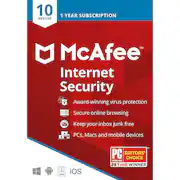
product image

McAfee - Internet Security (10 Device) (1-Year Subscription) - Windows, Mac OS, Apple iOS, Android

Model: MCA950800F005
SKU: 6144933
This item is no longer available in new condition. See similar items below
  • Key Specs
    • Number of Devices: 10
    • Number of Licenses: 1
    • Operating System Compatibility: Windows, Mac OS, Apple iOS, Android
    • Software Format: Physical (Physical software requires a disc, cartridge, etc. be inserted into the gaming console or computer to download and/or operate the software. Digital software allows for downloading and/or playing the software on the gaming console or computer without a physical disc, cartridge, etc. Physical (Download Code Only) software is purchased in physical form with a code that allows for downloading and/or playing the software on the gaming console or computer without a physical disc, cartridge, etc.)
    • Subscription Period: 1 Year
  • General
    • Brand: McAfee
    • Model Number: MCA950800F005
    • Product Name: Internet Security (10 Device) (1-Year Subscription)
    • Publisher: McAfee
  • Features
    • Protection Type(s): Malware, Phishing, Spam, Spyware/adware, Virus
    • Real-Time Protection: true
    • E-mail Security: true
    • Parental Controls: false (Allows user to block unwanted content, signals, channels, networks, etc. from being received or accessed.)
    • Firewall Type: Other (The method the firewall uses to filter and process data to increase network security, primarily by blocking malicious traffic requests while allowing legitimate traffic through.)
    • In-Software Purchases: Subscription renewals
    • Language(s): English
    • Cloud Based Software: true
  • Purchase Rights
    • Number of Devices: 10
    • Number of Licenses: 1
  • Compatibility
    • Operating System Compatibility: Windows, Mac OS, Apple iOS, Android
    • Software Format: Physical (Physical software requires a disc, cartridge, etc. be inserted into the gaming console or computer to download and/or operate the software. Digital software allows for downloading and/or playing the software on the gaming console or computer without a physical disc, cartridge, etc. Physical (Download Code Only) software is purchased in physical form with a code that allows for downloading and/or playing the software on the gaming console or computer without a physical disc, cartridge, etc.)
  • Requirements
    • System Requirements: Windows 11, Windows 10, Windows 8.1 fully patched (32- and 64-bit); macOS 10.12 - 10.15; Android smartphones and tablets 7 or higher; Apple iOS 13 or later; 2 GB RAM; 1.3 GB free drive space; 1 GHz Processor (The software that a product must have for it to be able to integrate with another product.)
    • Subscription: true
    • Subscription Period: 1 Year
    • Download Requirements: Internet connection, Firefox, Google Chrome, Microsoft Edge (Chromium-based)
    • Hard Drive Space Required: 1.3 gigabytes
  • Other
    • UPC: 731944703886

1-Year subscription - up to 10 devices. McAfee Internet Security helps secure up to 10 devices with award-winning antivirus and essential internet security, from safe browsing to spam protection. We protect what matters so you can live secure.

    Q: What is the difference between mcafee total protection plan and the internet security plan?

    A: The protection is the same, but there are additional features in McAfee Total Protection that aren't included in McAfee Internet Security. Total Protection includes a password manager which stores, autofills and even generates strong passwords so you don't have to remember them any more. It includes encrypted storage to protect your extra-sensitive documents like financial documents. The 10-device version of Total Protection also includes Safe Family, parental controls that allow you to monitor where your kids are, how much time they are spending online and which sites they have access to. It also has a couple of features that are available if you sign up for auto-renew, like a Virtual Private Network to keep you secure even when connected to public WiFi and also Identity Theft Protection which protects, monitors and even helps to restore your identity if it does get stolen. Please let me know if I can help with any other questions.

    Q: WHEN INSTALLING THIS PRODUCT WILL IT AUTOMATICALY REMOVE THE NORTON PRODUCT CURRENTLY INSTALLED. THANK YOU

    A: I apologize for the delay in responding - I was traveling this week. Yes, it will automatically uninstall any antivirus software it finds, including Norton and even other versions of McAfee. You can actually disable that if you choose, but we recommend only running a single antivirus package at a time. Please let me know if you have any other questions.

    Q: I noticed the release date for this product is as of 2017. Does that mean it won't be able to address any new security threats that took place and 2018 and early 2019?

    A: Not at all. We are constantly updating our software as new threats and ways to counter them are discovered. As long as you are connected to the Internet, you will have the latest version regardless of when you purchased. We use behavioral analytics and machine learning to identify never-seen-before threats and stop them before they can cause harm. We find an average of 4 new threats every second of every day. Purchasing this product will provide you with the latest in protection from McAfee. Please let me know if you have any further questions.

    Q: Would this still work on devices with a more-recent software than described on the specs (e.g., having an IOS 14 instead of 13, etc)?

    A: Yes, absolutely! We always validate on the latest operating system versions available, but also test back to the versions we list in the specs. We are actually changing how we refer to it as "Current + 2 previous" to hopefully make this more clear. Please let me know if I can help with anything further.

    Q: when installed will it remove any viruses that were previously on th device?

    A: It is easier to prevent a virus than to clean a virus. However, we do the best we can to remove existing viruses. Also, if you sign up for auto-renewal, you are automatically enrolled in our Virus Protection Pledge, which guarantees we can remove any virus or your money back (additional terms apply). I recommend you do that and then call contact our service department at service.mcafee.com or 866-622-3911 and see if they can remove the virus. If they can't, you get your money back. You can cancel auto-renew at any time after that by going into Settings, Auto-renewal Settings, and then turning it off. Please let me know if I can help with anything further.