Rating 4.6 out of 5 stars with 320 reviews
4.6- Protection (107)
- Ease of use (69)
- Price (34)
- Performance (30)
- Installation (7)
Customer Images
The vast majority of our reviews come from verified purchases. Reviews from customers may include My Best Buy members, employees, and Tech Insider Network members (as tagged). Select reviewers may receive discounted products, promotional considerations or entries into drawings for honest, helpful reviews.
- Rated 5 out of 5 stars
Very easy to renew our subscription.
Really this product keeps my laptop safe from unwanted harmful website, viruses and many more unwanted things for my laptop.
Posted by Prashant
- Rated 5 out of 5 stars
Peace of Mind Across All Platforms
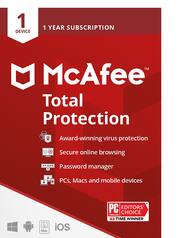
I recently invested in McAfee Total Protection for a 1-year subscription covering one device, and I couldn't be more pleased with the comprehensive security it provides. This software isn't just limited to Windows – it seamlessly safeguards my Mac OS, Apple iOS devices, and even my Android gadgets. One of the standout features of McAfee Total Protection is its cross-platform compatibility. It effortlessly extends its protective shield to all my devices, ensuring a unified defense against a wide array of threats. Whether I'm working on my Windows PC, using my MacBook, or staying connected on my iPhone and Android tablet, McAfee has me covered. The installation process was a breeze, and the user-friendly interface makes it easy to manage security settings and perform regular scans. The real-time threat detection is impressively swift, offering peace of mind as it actively blocks potential risks before they become a problem. As a user who values privacy, I appreciate the robust tools included for securing sensitive information. The anti-malware and anti-phishing capabilities are top-notch, providing an additional layer of protection during online activities. Furthermore, the 1-year subscription ensures ongoing security updates and support, making it a hassle-free choice for long-term protection. McAfee's commitment to keeping up with the ever-evolving landscape of cybersecurity is evident in the regular updates and improvements to the software. In summary, McAfee Total Protection has exceeded my expectations. Its compatibility across various operating systems, robust security features, and user-friendly interface make it a worthwhile investment for anyone seeking reliable and comprehensive protection for their digital world. I highly recommend it for users who prioritize security without compromising on usability.
Posted by SamEduful
- Rated 5 out of 5 stars
The McAfee Total Protection program
I have been using the McAfee Total Protection Virus program for several years. It has worked fine for me. Purchasing it from Best Buy is a lot cheaper then from Dell or the McAfee company. It installed very well, much better than in some years.
Posted by burl011
- Rated 5 out of 5 stars
Good product
Kept my laptop secured from hacks. Definitely will renew the subscriptions
Posted by ErrolB
- Rated 5 out of 5 stars
Mcafee
What can you say about virus protection. Eitherit works or not. And McAfee always works.
Posted by Kevin