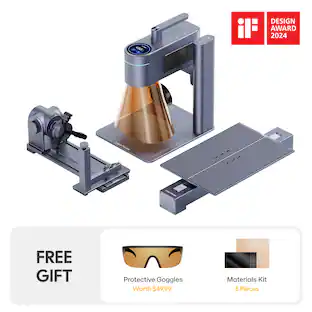
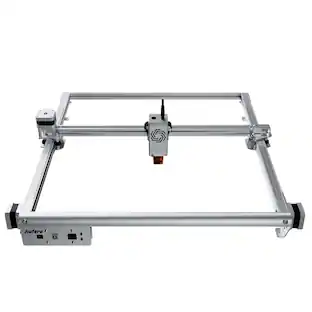
Mecpow - X3 Laser Engraver, 5W High Accuracy, 16.0 x 15.7" Working Area, Cutter Machine for Wood Metal Acrylic Leather DIY
About this product
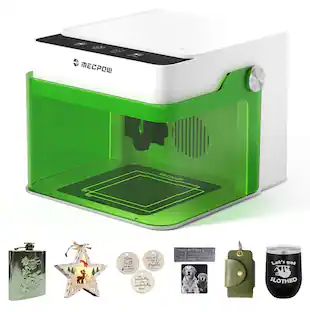
The MECPOW X3 5W Laser Engraver provides an excellent solution for precise and efficient engraving and cutting tasks. With its high precision, user-friendly interface, and safety features, it is a reliable tool for a wide range of applications. Whether you are a professional engraver or a hobbyist, this specific device is worth considering for your next project.
Features
High-Precision Engraving
The Mecpow X3 adopts a 5W diode laser with a small focus of 0.05x0.07mm and an engraving accuracy of 0.01mm. The small spot size, along with short pulses, produces high peak power, which can achieve more accurate and deeper engraving and cutting. It can cut a wood board with an 8mm thickness and an acrylic board with an 8mm thickness.
Upgraded Security
The X3 machine boasts a flame sensor and a gyroscope sensor, which can trigger the alarm and stop the machine’s operation in the event of fire or tilting more than 50±5°. Besides, limit switches are included to prevent accidents and reduce wear by stopping the machine from moving beyond its safe limits, leading to a longer lifespan of the laser engraver.
Fast & Easy Focusing
The X3 laser engraver comes with a fixed-focus laser that saves your time in adjusting the focus and a focusing screen that helps you move the laser head to the correct position. Slide down the laser head till it touches the focusing screen on the object and then remove the focusing screen.
Eye Protection
The laser Engraver is equipped with a laser shield on the laser module, which can filter out diffuse light from the laser spot to a large extent. A pair of laser safety goggles is also included for better eye protection.
Wide Application and Compatibility
The X3 Engraver can be used for engraving on a variety of materials, including wood, acrylic, leather, bamboo, fabric, stainless steel, etc. It is compatible with LaserGRBL (Windows only) and LightBurn (Windows and Mac OS), supporting various file formats, including JPG, PNG, DXF, TIF, PDF, SVG, AI, NC, BMP, etc.
Specifications
- BrandMecpowModel Number995048Product NameX3 Laser Engraver, 5W High Accuracy, 16.0 x 15.7" Working Area, Cutter Machine for Wood Metal Acrylic Leather DIYLaser TypeDiodeLaser Power5 wattsLaser Spot Size0.05×0.07mm
Reviews
Rating 4.4 out of 5 stars with 7 reviews
Customer Images
The vast majority of our reviews come from verified purchases. Reviews from customers may include My Best Buy members, employees, and Tech Insider Network members (as tagged). Select reviewers may receive discounted products, promotional considerations or entries into drawings for honest, helpful reviews.
Compare similar products
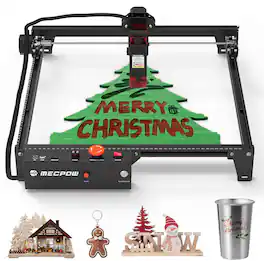
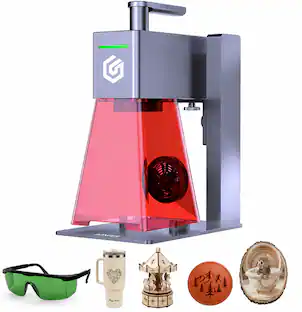
The MECPOW X3 5W Laser Engraver provides an excellent solution for precise and efficient engraving and cutting tasks. With its high precision, user-friendly interface, and safety features, it is a reliable tool for a wide range of applications. Whether you are a professional engraver or a hobbyist, this specific device is worth considering for your next project.

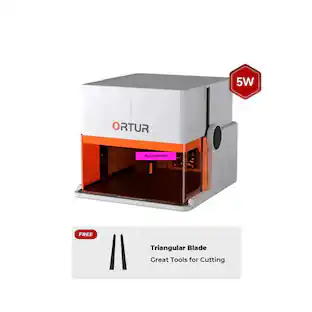
The Mecpow M1 Laser Engraver is a compact, beginner-friendly engraving machine that supports 5W diode lasers and an optional 1.2W infrared module, allowing it to cut and engrave over 300 materials—including wood, metal, glass, and more—at speeds up to 10,000 mm/min. Certified with FDA Class 1 safety standards, it features a fully enclosed cover, built-in fan, and auto-stop protection for maximum user safety. Weighing just 2.4 kg, the M1 is lightweight, portable, and ready to use right out of the box, with pre-set engraving parameters and intuitive controls. It also supports expandable accessories such as the R1 infrared laser and G3 Pro/G5 rotary rollers, enabling engraving on curved and irregular surfaces for limitless creative possibilities.
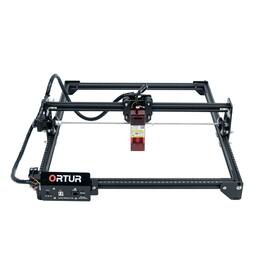
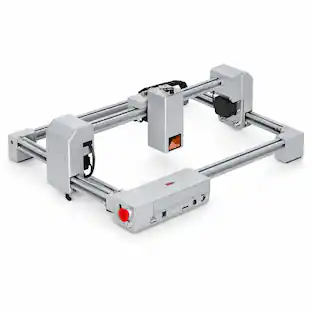
The Ortur Laser Master 2 S2 SF is a 5.5W (5,500mW) diode laser engraving and cutting machine built for makers, hobbyists and small businesses that need fine detail on a large surface. Its short-focus, optically compressed 0.12 x 0.15mm spot renders crisp text, photos and intricate artwork, while the generous 390 x 410mm (15.4" x 16.1") bed handles big projects and batch production at speeds up to 5,000mm/min. Engrave 100+ materials — wood, bamboo, leather, paper, acrylic, coated glass, stone and coated or oxidized metal — and cut up to 6mm pine in one pass with air assist. The plug-and-play USB connection works with LightBurn and free LaserGRBL on Windows, macOS and Linux, opening JPG, PNG, BMP, DXF, NC and SVG files. A rigid, modular aluminum frame keeps engravings sharp through long runs, and built-in safety protections — tilt and displacement auto-stop, USB-disconnect shutoff, long-idle auto-off and a 97% UV-filtering shield — let you work with confidence (eye protection recommended). Ideal for personalized gifts, signage, crafts and product customization.
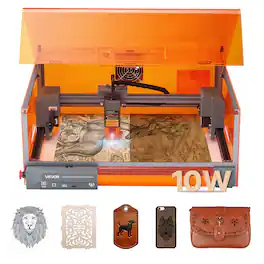
Unleash your creativity with an 11.8 x 11.8 in working area and 7000 mm/min engraving speed. Cut through 0.2 in basswood in a single pass and achieve fine details with a 0.10 x 0.12 mm blue laser spot. With laser Class 1 design, it supports LaserGRBL, LightBurn (paid), and CutLabX APP.
Specs
More to consider


Explore, Play, Collect Sponsored
 $1,499.00The price was $1,599.00
 $690.99The price was $799.99
 $1,940.11The price was $2,749.99
 $1,799.90The price was $2,374.99
Discover related products
Keep exploring
- $1,799.90The price was $2,374.99
 $329.99The price was $395.99
- $1,940.11The price was $2,749.99