Rating 4.6 out of 5 stars with 500 reviews
4.6- Processor Speed (69)
- Screen Quality (62)
- Ease of use (60)
- Performance (56)
- Battery Life (46)
- Price (18)
- SSD (4)
- Pen (3)
- Storage (3)
Customer Images
The vast majority of our reviews come from verified purchases. Reviews from customers may include My Best Buy members, employees, and Tech Insider Network members (as tagged). Select reviewers may receive discounted products, promotional considerations or entries into drawings for honest, helpful reviews.
- Rated 5 out of 5 stars
Love this laptop
This is the perfect laptop for any digital artist, as an animator/motion designer I really needed something that wasn’t just powerful enough to handle the heavy programs I use, but something that would allow me to fully create whether it be drawing/sketching on the screen or doing some 3D modeling on Maya. It works. I’ve had no issues, and I would recommend for someone in a similar field. One thing I do notice is that the battery life isn’t exactly what everyone raves about. But I’m going to assume it’s because of the type of programs I use.
Posted by Paulakt
- Rated 5 out of 5 stars
Garage full of great sound
Wanted real stereo separation and responsive bass for my garage. I didn't want the typical portable Bluetooth all in one speaker box. I also looked at modern day Boom Box's, and they were just wrong and I didn't want disco lights either. So I looked until I found this small LG Speaker bar and Subwoofer, The size was perfect for a new dedicated shelve. I didn't really get to check it out in store because they had it locked from Bluetooth connectivity. I went ahead and purchased it and took it home. RESULTS- Stupid easy to connect Bluetooth. NOTE- each speaker is Bluetooth and requires a dedicated power cord outlet. The Primary (left) speaker has an display to show functions like volume, sound modes, sub, treble, bass etc.., controlled by a wireless remote that allows me to skip a song while using Pandora from my phone (or use the phone for same) By this system having SEPERATE L/R speakers I am able to put some space between them. I found that by laying them down, it gave me the stereo separation I was wanting. All that said, I am really impressed with the overall sound. The L/R speakers have good crisp/clean mids and highs, and do not sound compressed. The SUB fills the garage with the bass I was wanting. It wont make your ears bleed or feel the bass pounding in your chest. It just sounds good! But it is plenty loud enough to hear in the driveway. This replaced my old Marantz full sized receiver and Paradigm bookshelf speakers. Well worth the 299.00 sale price. I will be purchasing another for the living room and utilize the added features this system has for A/V use and connectivity not detailed in this review.
Posted by Rockon
- Rated 1 out of 5 stars
Terrible Quality Control!
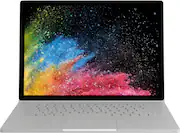
I have now tried two different Surface Book 2 15” models. The first had a fuzz laminated into the display, and the second unit had a dead pixel, which after various home remedy fixes, would not revive. Extremely frustrating for a device meant for graphics usage. There should be absolutely no defects for the price this costs!
Posted by Anonymous
- Rated 4 out of 5 stars
Innovative Design and Solid Performance
The 15 inch surface book 2 is an excellent device that marries form with function. Its innovative 2-in-1 design makes it truly stand out from the rest of the field. What I like: -The PixelSense display is absolutely stunning -Windows 10 really is the best Windows yet -Powerhouse performance thanks to a strong CPU, ample memory, and a discrete NVIDIA graphics. The Surface Book 2 will not disappoint in terms of handling pretty much anything you throw at it -Touch and pen input are a true joy to use -One of the nicest keyboards I have every typed on - great travel and responsiveness (although the backlighting could be better - see below) -Multiple configurations allow you to build a surface book that best meets your needs. -Surface Dock expands ports - I highly recommend purchasing the surface dock with this device. I wish there were more ports included on the device itself (see below) but the reasonably priced dock accessory somewhat makes up for it. What Could Be Better: -It's a shame that recently Microsoft has released two updates that caused issues and what is presumable its flagship device. The first update (May Update) caused the discrete graphics card to randomly disappear. The discrete graphics card was a major selling point for me, so this would be present an issue. Microsoft has since pulled the update while they work on a fix but it feels like releasing an update that you haven't fully vetted on a device that you manufacture is pretty sloppy and, honestly, a bit embarrassing. The second update appears to be more limited but some users have reported sever CPU throttling issues. Again, this shouldn't happen on a piece of hardware that carries the Microsoft name - if Microsoft has access to any devices to test its updates, one would think the Surface Book 2 would certainly be one of them! -I wish the track pad was slightly larger. It is an adequate size but, on the 15 inch model, there is plenty of real estate to make it even larger. -The device does tend to get pretty warm with moderate use - granted, there's a lot of power in this thing so it is not entirely unexpected. -Expensive. There's no question about it, you are paying a premium for a premium device. I was able to snag this on sale, which is the only way I would purchase it. -Limited ports - no explanation needed; there's just too few of them for a device at this price point -Pen sold separately: Again, at this price point, it would be nice not to have to shell out an additional $100 for the pen -Keyboard Backlighting: Lots of light bleed from the keyboard backlighting. This is a trivial issue but it does make the device feel cheaper/lower quality than it actually is Overall, I am very happy with the Surface Book 2. The issues I have highlighted are more than made up for by the positive aspects of this device. Microsoft has an excellent product here but, a few minor issues keep it short of perfection.
Posted by sdgvsdgsdgsg
- Rated 1 out of 5 stars
Do not Purchase Surface
Untrained and Unexperienced Microsoft Technicians. The Surface devices have hardware issues do not waste your money, Here is what happen to my three months old surface straight black circle dots appear everywhere on display (LCD). Microsoft could not identify the issue and offered a certified device, my thoughts were if you can't identify the problem on this device and why would I choose a certified one, So I asked the Microsoft technician what hardware components did Microsoft replaced on the certified Surfaces. The technician replied SSD, Looks brand new, no scratches and fresh IOS. Now I do not think those replacement items or components would fix the display (LCD).
Posted by Layhan