Rating 4.5 out of 5 stars with 487 reviews
4.5- Ease of use (87)
- Size (75)
- Weight (69)
- Speed (65)
- Battery Life (40)
- Heat (7)
- Price (7)
- Fan Noise (6)
Customer Images
The vast majority of our reviews come from verified purchases. Reviews from customers may include My Best Buy members, employees, and Tech Insider Network members (as tagged). Select reviewers may receive discounted products, promotional considerations or entries into drawings for honest, helpful reviews.
- Rated 5 out of 5 stars
Don't thinking about and buy it!
The Microsoft Surface laptop is excatly what i was looking for my needs. Easy to carry it around beacuse of the light weight. It is thing so it fit in my bag perfectly. I can use while i am ridding the train , at the office and the collage. The battery life is amazing. It last for more than 20 hours. I dont have to worry charging it often. I can be any where and if i have internet i get a fast connection. I am very happy with it and i could not have made a better choice. Its amazing and i love it.
This review is from Microsoft - Surface Laptop Go - 12.4" Touch-Screen - Intel 10th Generation Core i5 - 8GB Memory - 256GB Solid State Drive - Ice Blue
Posted by Mary
- Rated 5 out of 5 stars
Boy, this is one beautiful piece of hardware...
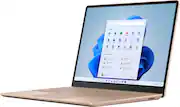
My, this is a very small laptop. It is quite thin and light at a little less than 2.5 lbs. It can easily be handled in one hand –including opening the lid, which I totally appreciate. I received the “Platinum” color option, and I must say that previously this would not have been my color of choice, but once I looked at it, it’s hard not to truly admire it and be pleased with it. The lid and keyboard faceplate are made of aluminum and feel very premium and cool to the touch. The finish can attract some fingerprints, especially the reflective logo, but nothing a quick wipe-down won’t help. Interestingly, the bottom is made of plastic. Although I would’ve liked to have the entire body made of aluminum, the plastic seems of good quality and does not negatively affect the overall design. There are also some rubber feet for added stability. This is one laptop that can truly be used on top of one’s lap comfortably with no balance issues (or overheating). I have always liked Surface keyboards, and this is no exception. The keys have decent travel, are very quiet, responsive, and tactile. Although this is a small deck, there is good spacing which helped my typing accuracy. Unfortunately, there is no keyboard lighting, making it almost impossible for me to type in medium to dark conditions. There is also a power button that doubles as a fingerprint reader for signing in. I had to reset it a couple of times, but once I had it well set, it was always a breeze to sign in. The well-sized Windows precision trackpad feels smooth, is quite responsive, and clicky. The laptop features a USB-C port, which can be used for charging -no thunderbolt option though. I was glad to see a USB-A and a 3.5mm headphone jack on the left side. On the right side, we have the power connect port. It also features Wi-Fi 6 for future-proofing and 5.0 Bluetooth connectivity. Although the screen is only 12.4”, it has an aspect ratio of 3:2 and thin bezels, which make it seem much larger and is great for web surfing, writing emails, and typing documents. The screen can get moderately bright at 300 nits and the colors are very well represented and vibrant. However, I was a little disappointed that this has a resolution of only 1536 x 1024 (148 PPI) which is slightly less than 1080p. Also, if you are watching widescreen content, be prepared to see sizable bars on the top and bottom. Having said this, the screen, which features a full touch display, still looks amazing at normal viewing distances. The 720p camera is acceptable for video conferencing. However, one must have good lighting as it can get quite grainy in dark settings. The microphones are very, very good. They were able to pick my voice at a good 10ft clearly. This laptop can produce loud, clear sound. However, as with almost every laptop out there, there is really no bass. No surprise there. What about actual performance? I am happy to say that this particular model, which features a 10th Gen Intel® Core™ i5 processor (1035G1), with 8GB LPDDR4x RAM is very capable of handling some productivity projects, open a large number of tabs, and watch some videos all at the same time. Of course, I would not go and try to do video rendering, heavy photoshopping, or 3-D work on it. This is not what this laptop was designed for. I am using the default Windows 10 Home in S mode, which is a toned-down version that optimizes performance on this hardware. However, this can be changed to Windows Pro easily, should you need to install more demanding software. So far, I did not need to switch as I am enjoying this OS as is. This model also comes with a 248GB SSD, which is fast enough and gives me enough space for my productivity use. Sadly, this laptop cannot be upgraded in any way, so I would recommend considering that when choosing a model. Now, this laptop is not for gaming, in case anyone wants to know. While you can play some easy-going games, there is just not enough graphical and CPU power to do so. However, if you still want to play AAA titles on this laptop, you can always sign up for a gaming streaming service, which I was able to successfully do and enjoy. In the end, I am extremely impressed with Microsoft’s Surface Laptop Go. Although it can be a bit pricey, I would strongly recommend considering this specific tier model. The ultra-portability, gorgeous design, great screen, amazing keyboard, and build quality provides a great value for students, teachers, and people who like to move around the house or just like to work at your favorite coffee shop. FULL DISCLOSURE: I received this item for review at no cost to me from the invite-only Tech Insider Network Program and Best Buy. However, my honest opinions, experience, and recommendations expressed above are my own and in no way were influenced by this fact.
Posted by insomniak1
- Rated 5 out of 5 stars
Ben
Works good, the laptop is affordable and the battery life much better enough to get you through a full day of work or school?
This review is from Microsoft - Surface Laptop Go - 12.4" Touch-Screen - Intel 10th Generation Core i5 - 8GB Memory - 256GB Solid State Drive - Platinum
Posted by Omar
- Rated 5 out of 5 stars
Ultra-portable and ready for work
Disclosure: Reviewers in this invitation-only program are provided products for the purpose of writing honest, unbiased reviews. This review is based on my own personal experiences with this product. Technology is always changing and now more than ever before, people find themselves in need of better computers. This amazing laptop from Microsoft has the power to provide support for students as well as business people while staying compact and having a sleek design. I want to start this review by saying that this computer is designed for basic productivity-style performance. It does have 8GB of RAM, which is enough to support video chatting and standard office-style tasks like word processing and mild design work, but it’s not enough to be efficient for a video editor or heavy graphic designer. That said, I found the Surface Laptop Go to be a very capable machine for basic activities. The design of this laptop is stunning. There are three color options for this laptop model - sandstone, platinum, and ice blue. I have the ice blue version. It’s a cool, sleek color that is subtle while still drawing attention. When its lid is closed, the laptop is very thin and compact. I’m used to a 15-inch laptop, but I frequently use a 12-inch tablet and my fiance uses a 13-inch laptop as her daily driver. At first glance, my initial response to its size was, “Wow, this is a small computer.” Once my fiance had it open and working on it, she didn’t have any complaints about its size. And again, if you are doing standard productivity-style tasks like answering emails, word processing, and even spreadsheet editing, the size is somewhat irrelevant. The keyboard has a very soft feel to it and it’s a joy to use. Keys are very well spaced out and I didn’t find myself mistyping much. This laptop was designed to be minimalistic. There are only four ports on it -- the charging port, one USB-C port, one USB-A port, and a headphone jack. Now even though the headphone jack is included, the laptop is Bluetooth capable so you can connect headphones in that way, too. The laptop is touch-screen compatible so you can operate it as a hybrid machine (tablet/laptop), but the screen does not fold flat against the back of the laptop. I find the hybrid operation quite helpful. The screen resolution is 1536 x 1024. It’s not a premium screen, but with this being a ‘basic’ level laptop, it’s more than ideal for this machine. I did quite a bit of typing and regular tasks on the laptop and never had a problem with clarity or visibility. One thing I’m not a big fan of with this laptop design-wise is the charger. It’s a two-part power cable and adapter. The cable has a proprietary connector that plugs into the laptop and it’s connected to a brick, which is similar in size to other laptop power adapters. Now, even though it comes with an enormous power adapter/cable since the laptop has a USB-C port, it can receive power through that port as well. I tested this out with a USB-C cable and wall adapter I had available and was able to charge the laptop. As far as performance goes, the laptop starts up very quickly and registers my fingerprint within about a second. I opted to work through a cloud-based word processor and didn’t have any issues with the laptop slowing down or being tripped up by that process. I opened up 9 tabs in my browser and had 9 streams of 4K video playing simultaneously while I was working on a document in another tab and I had my cloud-storage drive open in an 11th tab. The laptop did not seem to slow down at all. The Surface Laptop Go does come with Windows 10 installed in “S Mode.” This is really a sandboxed version of Windows 10 in my opinion. It gives you the operating system with limited functionality. It does not allow for external applications to be able to be installed. While this mode might be good for someone who does not understand the basics of how to keep your computer safe from outside downloads, it’s a little bit of a hassle to work with if you want to customize your experience at all. I wanted to download an alternative browser. I had to take the computer out of S Mode, which is a free process, but irreversible, in order to download that one program. This is just a feature that users should be aware of as they set-up their laptop. Battery life seems to be pretty strong. The specs of the machine state that a user should be able to get approximately 13 hours of activity out of the laptop when it’s got a full charge. I did not use the laptop for 13 hours straight, but after I made sure it had a full charge, I did find that after about 30 minutes, only 4% of the battery had been drained. That means that I was getting an average charging rate of around 0.13% per minute. When you use that charging rate and multiply it by 780 (13 hours converted to minutes), you get a total of 101.4. Now, that is of course slightly more than 100%, but it’s a close enough average that I can say that the 13-hour estimated battery life is accurate. One other thing I noticed while using the laptop was the heat collection on the bottom. I was using it on a flat surface and I noticed that while the laptop was plugged into a power source (either using the provided power cable/adapter or the USB-C cable), the bottom of the laptop near the hinge did get quite hot. The power button also gets quite warm. I think this is a charging issue though because when I started using the laptop unplugged, it was much cooler. The Surface Laptop Go is a very strong laptop for someone who needs an ultra-portable, performance-driven machine. It’s lightweight, very easy to travel with, and it has the power to complete most standard tasks. I can recommend this for most types of users (business, educational, or personal), but wouldn’t recommend it for creative professionals.
This review is from Microsoft - Surface Laptop Go - 12.4" Touch-Screen - Intel 10th Generation Core i5 - 8GB Memory - 256GB Solid State Drive - Ice Blue
Posted by nickcal
- Rated 5 out of 5 stars
Great laptop!
I love my laptop! It came in great use when I started college. If you’re someone who keeps track of files and what’s being downloaded onto the computer, the storage shouldn’t be a problem! I also have my computer turn off on me and not turn back on. The trick is to hold the power off button (Microsoft button ) until it turns back on. Other than that, I love it!
This review is from Microsoft - Surface Laptop Go - 12.4" Touch-Screen - Intel 10th Generation Core i5 - 8GB Memory - 256GB Solid State Drive - Platinum
Posted by AlyssaM