Customer Ratings & Reviews
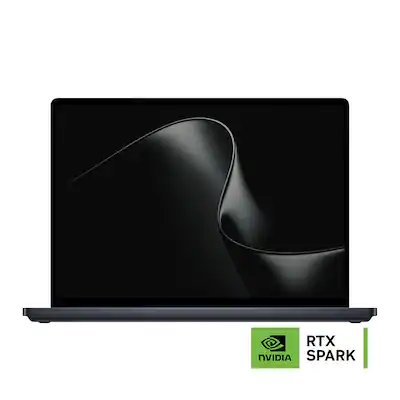 See more images
Customer reviews
Rating 4.7 out of 5 stars with 9 reviews
would recommend to a friend
- Rated 5 out of 5 stars
A Beautifully Built AI & Development Workhorse
TechMatcher Posted
I’ve spent a few days with Microsoft’s 15-inch Surface Laptop Ultra, using it mainly for local AI development and video editing. My early impression is that this is a seriously capable, beautifully finished machine—though its memory score and heft are worth noting. The first thing I noticed was how solid the laptop feels. There’s a lot packed into a relatively tight bundle, and you can feel the tradeoff: it’s a little hefty. Microsoft lists it at 4.41 pounds, which is substantial for something I might want to carry around all day. Still, the Nightfall finish looks great, and the overall fit and finish make it feel like a premium machine. The 15-inch screen looks excellent to me, with a narrow-looking bezel that helps the display fill the lid nicely. Microsoft identifies it as a 15-inch touchscreen; independent testing also praised the sharp, bright display. Performance has made a strong impression. My PassMark PerformanceTest run scored 9,101 overall, and the laptop has felt quick in my development and editing work so far. It also handles everyday jobs—email, web browsing, streaming—and even some gaming without seeming out of its depth. That enthusiasm comes with a caveat: I’ve only had a few days with it, and a single benchmark score isn’t a guarantee of performance in every app or project. The memory result is the surprise. My RAM benchmark landed around the 30th percentile, which feels underwhelming for a workstation-style laptop. The 24GB in this configuration is unified memory shared by the processor and graphics, rather than a pool reserved just for applications. That design can help AI and graphics workloads use the same memory, but the total capacity still matters: for larger local models or demanding projects open alongside development tools, 24GB may feel restrictive. Microsoft offers higher-memory versions, and I would have preferred the 32GB model if it had fit my budget. However, it does NOT lose a rating star for this as that was my choice. App compatibility is another sensible check for developers before buying. Microsoft says the Laptop Ultra runs Windows 11 on an Arm-based RTX Spark platform; many apps run natively, while others rely on Windows’ Prism emulator. If your workflow depends on specialized drivers, plugins, or older utilities, verify that they work as expected. Sound is a highlight for me. The speakers sound really good for a laptop, even if they don’t deliver much bass. That’s a fair limitation for such a thin device, and I’d still use headphones or external speakers when low-end detail matters. Microsoft lists quad speakers with Dolby Atmos support; Tom’s Hardware also found them loud and clear at reasonable volumes, while noting some muddiness at the highest volume. Battery life is still an open question for me—I haven’t tested it enough to offer a meaningful real-world verdict. Microsoft advertises up to 12 hours of active web use or 15 hours of local video playback, but those are controlled-test figures on a different configuration. Tom’s Hardware measured 10 hours and 43 minutes in its mixed-use test, a useful reminder that workload and settings matter. I wouldn’t buy this expecting a solid day of demanding AI work away from an outlet without testing your own routine. Overall, I consider it fair value for someone who wants a polished, workstation-like laptop for serious photo or video editing, development, or AI work—and who understands the memory tradeoff in this configuration. It’s more machine than most people need for email and streaming, and the weight is noticeable. But based on my first few days, I’m impressed by the speed, build, screen, and sound. I’d recommend it to a friend who needs that kind of power; I’d steer heavier local-AI users toward a higher-memory version if possible.
I would recommend this to a friend - Rated 5 out of 5 stars
Work Anywhere Without Compromising Performance
Akire Posted
The Surface Ultra laptop is an absolute game changer for me! I work for myself and for others with demanding programs. Usually more than one at a time because it is necessary for both workflow and time efficiency. This has meant that I spend long hours locked onto my desktop working because most laptops don’t have the capacity to meet my demands and are also lacking in other areas. I am in a place right now where I edit videos for a content creator, help them create and disseminate content, am building my own websites along with my own content, and am photographer and photo editor. I have been constantly wishing for a way to take my work with me so I can be outdoors or in another part of the house. This laptop is my solution. It is compact enough and light enough to give me freedom to move around and still get work done without being locked in one spot. Not only is it incredibly powerful and capable to handle the intensive tasks I need to get done, but it also has a long-lasting battery life and an easily portable charger. *What’s included?* Included with the laptop is a block charger with foldable prongs and a magnetic tip. The charger is lightweight with a relatively thin cord. *Build* The design of this laptop is simple but effective. Nothing stands out to make it looks fancy. The screen is taller than most with a 3:2 ration, helping add vertical display space so that I can have more than one window open without a cramped view. It is easy to carry at 4.5lbs and feels sturdy and durable when closed. It has very straight edges all around, which I am not a fan of. I don’t have much of a grip on my fingers and there is no bevel so trying to open it takes me longer than it should. The underside is perfectly smooth, with the fans opening as a long smooth slit in the back, and the speakers as slits on the sides. Since it’s an upgradable and serviceable laptop, it can be taken apart by removing the grip feet underneath to uncover the star-shaped screws. *Display* The LCD display is beautifully true to color, vibrant, accurate, and crisp. I usually sit either by a large window or sliding glass doors, so I am constantly dealing with glare but because the brightness goes up to 2000nits, the display remains viewable despite sunlight and the color quality remains intact even at max brightness. The display is a PixelSense touch screen that is sensitive, responsive, and precise. Since it works with a stylus, it removes the need to have a separate tablet when a creative task needs a hand rather than a touchpad/mouse. *Speakers* The laptop is equipped with high fidelity speakers that produce a clean and crisp sound. They go up quite loud with obvious no sound distortion even when maxed out. *Touchpad* The hepatic touchpad is large, centered, and precise. I am able to click from anywhere on the touchpad and scroll or scrub with absolute accuracy. The ability to pinpoint exactly what I need to select is incredibly vital when working on image and video edits but carrying around a mouse is not always feasible as there isn’t always surfaces for it so the precision of this touchpad is instrumental in getting work done in any location. *Keyboard* The keyboard consists of smooth, comfortably spaced-out keys. They are backlit, quiet, and bouncy. The keyboard is designed in a way that allowed me to instantly adapt to it. *Fans* The large fans are extremely quiet and efficient. They are hardly audible at all. The laptop has rarely gotten hot to the touch except during stress tests and severe mutlitasking. So far, the fans have easily kept the laptop in the safe zone during stress tests, and the temp immediately drops as soon as the test stops. The great thing about the design of this laptop is that even when it has gotten too hot to touch, the heat concentrates at the top of the keyboard area, and the bottom remains a decent temperature tolerable for one’s lap. *Webcam* The webcam is 1080p HD and gets the job done. It misses details but ends up giving a filtered, smoothed out effect to the skin. It’s fine for a Zoom meeting but not for live streaming. It includes IR sensors for Windows Hello. Windows Hello works exceptionally well on this laptop. It reads my biometrics and signs me in right away when most laptops lag in this area. *Workflow * The extraordinary feature about this laptop is how much it can handle despite being a portable computer. The RTX Spark unified chip truly delivers! The capacity of this laptop is incredibly helpful in optimizing workflow. I am able to quickly import large batches of RAW images into Lightroom, sift through, apply bulk edits, etc. while completing other tasks with no slow down even while on battery. I ran Lightroom, Premier Pro, Comfy UI, and a browser simultaneously and this is when I finally noticed the slightest lag. A few seconds to respond here and there with this much processing baffled me. I have experienced freezing with just one of these and a browser on an average laptop. I do have to note that some programs are not fully compatible with RTX Sparks systems yet, such as Premier Pro, and thus run with limitations for the time being. It is also worth mentioning that this laptop is able to run local large AI models. I tested this with Comfy UI and it works seamlessly. I have been wanting to use AI more often to help generate images but always run into a paywall before I can get the correct image generated. Now I have limitless locally run resources to get work done and don’t have to wait for the cloud transmission to get a result. *Battery Life* The battery on the Surface Ultra hardly drains during sleep. This is a major advantage when it comes to productivity because I know I can pick-up where I left off with no dead or dying device panic. The battery life is highly variable and dependent on task. When used lightly, it can last up to 15 hours. That said, when it is used for intensive hours the battery can drain within a few hours, I got an average 4 when putting it to work hard. It is honestly the longest lasting battery life I have encountered thus far on a laptop. Even when running one energy-intensive programs, the battery doesn’t drain it very much. *Conclusion* Overall, I will say that I have finally found the key to unchain myself from the desktop with the Surface Ultra laptop! Not only that, but it also adds freedom from token-based AI services. With its long-lasting battery, RTX Spark driven energy-intensive capabilities, color-accurate display, and hi-fi sound system, it is hard to go wrong with this laptop when it comes to creatives and developers. You can take your work with you without making compromises on productivity. In many ways it may increase productivity because of its AI integration. I feel like I have only scratched the surface of what the Surface Ultra can do!
I would recommend this to a friend - Rated 4 out of 5 stars
High performance next gen Nvidia RTX Spark power
Techenthusiast1 Posted
The Microsoft Laptop Ultra with the new Nvidia RTX Spark chip brings high performance ARM architecture to Windows with its 5,120 core Blackwell RTX GPU. 24 GB of unified memory allows for large language models to run in AI workflows. The 15-inch touchscreen provides a spacious canvas for work and creativity, while 24GB of unified memory and a 1TB SSD make this configuration appealing for multitasking. The real highlight is its AI potential: NVIDIA RTX Spark acceleration and CUDA support open the door to compatible local AI tools, smaller language models, AI agents and creative experimentation. I was able to quickly generate images in Stable Diffusion, much faster than in my current RTX 4070 laptop. I used Hermes Agent to run a local AI model where I had the AI agent organize my files. I think local AI is going to be the future because of privacy concerns of sending info to the cloud. Here, I have no concerns about token usage and my information sent to the cloud. I also tried gaming on this laptop. I found the performance to be similar to my RTX 4070 and not near published benchmarks for RTX 5070. I was able to run an ARM native game like Cyberpunk 2077 at 1440p with frame generation turned on and achieved 60 fps. Microsoft is working with devs to enable kernel level anticheat like Call of Duty’s Ricochet working by 2027. I am looking forward to that as COD is the main game I play. As for the Surface laptop itself, it is rock solid. It has an ultra-premium look and feel. The 3K display is brilliant and gorgeous to look at and the trackpad was very responsive. Overall, I thought this was a good first attempt at the unified ARM architecture model by Nivida and Microsoft. Apple silicon finally has competition and that is good for us as consumers.
I would recommend this to a friend - Rated 5 out of 5 stars
Must have for pro creators
dlowen Posted
There has been a long-time battle between Microsoft and Apple. Apple always had an edge on Microsoft because they designed their own hardware and software. When Apple started making its own silicon, that gap became even further because they used things such as unified memory. The new Surface Ultra has not evened the playing field with the incorporation of the Nvidia Spark chip. This laptop is built for pro creators to do things that were just not possible before. Design This laptop feels more premium than any Surface I have ever used. It is made of high-quality metals with an extremely sleek body. Although it is decently thick due to everything it packs inside, it feels a lot lighter than expected. It weighs less than 4.5 pounds, which is not much for a laptop of this quality. I personally love the nightfall color, which is a dark silver/grey color. One thing that I don’t think anyone expected was the new charging port. It is a magnetic USB-C charger that is a first of its kind. This allows you to have the vesibtilaty and piece of mind of a magnetic charger without losing another port. This port can still be used as a USB-C port when not charging the laptop, and it is genius. The screen is a 3K 15-inch touch screen display with 2000 nits HDR brightness. This means that it works well in any lighting conditions. I am a photographer and make videos. The brightness helps make the best color and exposure decisions. The keyboard and track pad both feel extremely premium. The trackpad has all the features you could wish for including the ability to click anywhere on it. The keyboard is easy to type on with a great amount of travel on the keys. Although I do not use the built in camera often, it is worth mentioning that it include facial recognition for logging in and it works flawlessly. Ports One thing that Microsoft did well was the ports it included on this laptop. If you are going to have a computer that is useful for pro creators, then it must have all the ports needed. I personally dislike having to use dongles. The Surface ultra includes both USB-C, USB-A, HDMI, headphone jack, AND an SD card reader. It is so much easier to transfer files off my camera when the reader is built in rather than having to go searching for an adapter. The inclusion of both USB-C and USB-A means that all my peripherals will work no matter how old or new they are. Performance The new Nvidia Spark chip is the main event for this entire laptop. As I mentioned earlier, one reason Apple was able to make laptops with such high performance was because of their chips. The Spark has a similar architecture where the CPU, GPU are all together and share unified memories. In simple terms, this means that it can move data between the chips much faster, allowing it to run heavy AI workloads without slowing down. When rendering videos for example, it can do it in a fraction of the time it would take on a computer unlike this. This specific model comes with 24gbs of unified memory, although this laptop can be configured with up to 48 gbs. With all the added power Microsoft engineered an entirely new cooling system. This system allows for heat to dissipate faster and maintains high performance during long use. Upgradability Although Surface laptops have not been known for their upgradability, Microsoft has made a few changes to this one. The storage drive can be upgraded by the user. Although if you get a 1TB model, I am not sure you will need to do that. Microsoft designed this with serviceability in mind. They have published repair guides and sell replacement parts so that you can fix or upgrade your laptop quickly without having to take it out of service. Conclusion It is clear that this laptop was designed with pro creators in mind. I believe they hit the mark, and it is quite possibly the best laptop on the market for this. It does come with a hefty price but quite honestly compared to the competition, I think it is quite reasonable. If you are a pro creator, graphic designer, or even gamer, then I highly recommend giving this laptop a close look. I did not talk about gaming on this laptop because that is not what I use it for. However, it is quite capable in this realm as well. The only really negative thing I have to say is that it took an extremely long time to start up the first time. There were many updates it needed to run through. It's possible this is only because I got it right when it came out, and you might not have the same experience. Once the laptop was set up for the first time, it was no longer an issue.
I would recommend this to a friend - Rated 5 out of 5 stars
Truly PREMIUM laptop, everyday work is effortless
Steven Posted
After putting this laptop through my daily use, I can honestly say the Microsoft Surface Laptop Ultra 15" is easily one of the best laptop experiences I've ever had. The specs are what initially caught my attention, but after using it for a while my overall user experience has made this device stand out from every other Windows laptop I've owned. From the moment I picked it up, I could tell that the quality is obviously there. It has a hefty chassis that feels incredibly solid and premium, made with sturdy components, but it isn’t unnecessarily heavy like some other powerhouses I’ve owned. This has a nice, clean design that shouts elegance, and the overall look make it professional enough for work, or stylish enough to be an everyday task machine. I also really appreciate the large 15-inch form factor which I think is a huge benefit compared to the recent abundance of 14” laptops. It doesn’t seem like one inch would make much difference, but when I’m creating or working or both, I like how this offers that little extra giving it plenty of screen space for productivity while still remaining easy to transport. Not to mention it fits in virtually any laptop bag without busting the seams like the much bigger ones that are typically intended to be “stay on the desk” laptops. A feature that is immediately noticed is how responsive this laptop runs. Opening the lid wakes the device instantly, making me able to jump right back into working on what I had being doing previously. Loading and wait times are a non-issue with this machine. Performance: They are not exaggerating when they say “Superchip” when referring to this NVIDIA RTX Spark. It brings desktop-like performance for both CPU AND GPU together with this 2 in one integrated superchip. With a wow inspiring 5120 core Blackwell RTX GPU built in with its 18 core RTX Spak N1X CPU this thing packs some serious power. Those processing units matched up with 24GB of ultra-fast LPDDR5X unified memory help this laptop to truly cook. There’s no task too large and no process (or combination of processes) too demanding. This gets the job done fast and with muscle to spare. Truly incredible how powerful this machine is for being a battery powered, portable computer. It’s like having a full-blown desktop workstation everywhere I go. Multiple open windows, programs, processes running, anything, nothing slows this down or even gets close. A mobile creators dream for productivity on the spot wherever and whenever it’s needed. There’s no more waiting to get home or back to the office. This brings the office where I go and is fully capable of running large AI models right here local without depending on cloud processing like I used to, and this is s huge plus for me. On a side note, his is not dubbed a gaming PC, it’s far more than that, but rest assured it has the power to run any and everything I’ve thrown at it on high settings without breaking a sweat. The laptop also stays impressively cool and quiet. Unlike many high-performance systems that ramp up their fans frequently, this laptop operates almost silently for the majority of my workday no matter how hard I push it. Even under heavy workloads, fan noise is minimal, which contributes to a more focused and enjoyable working environment. Storage: the 1TB ssd is large enough for all my workloads and creations without the need to offload onto an external drive. This SSD is FAST as well. Startup is almost instantaneous and it opens/runs things as quickly as I click them. Large file edits are instantaneous and smooth, no drive speed bottle necks when I’m trying to get things done. Display: This has a gorgeous 3K PixelSense 15-inch 3270x2180 touchscreen display with 120Hz refresh rate and 2000 nits of brightness. Simply stunning picture quality and “true” viewing reproduction. My only complaint would be Microsoft’s tendency to have slightly larger bezels that I care for, but I think this is a protective feature and adds durability and longevity to the screen. I will admit they’ve been getting better about their bezels over the years though. Connectivity: This laptop has three USB-C ports, an additional USB-A 3.1 port, HDMI, and headphone jack. And oh don’t forget the always important SD Card slot which is SO much nicer and faster than needing some sort of adapter in order to dump photos or videos from the camera. This laptop has plenty of options for connecting additional drives, displays, or any other external devices you may want to attach. Also with speedy Wi-Fi 7 as well as Bluetooth for wireless connections. All work great. Keyboard, Touchpad, Camera: The keyboard and touchpad are very nice and ergonomic. I really like the large touchpad. It provides haptic feedback, smooth tracking, and excellent gesture recognition. The keyboard is stellar as well. Keys are soft, smooth, quiet, and nice travel for extended typing and use, not the short throw/shallow keys some other laptops have. It’s a very nice feel overall. I spend a lot of time typing and this keyboard allows for extended sessions without fatigue. 1080p Front-Facing Camera with built in mic work well for smooth and clear conference calls and meetings. This makes this laptop fully functional for all realms of work without the need for add-on components. Battery Life: The battery life is surprisingly good when considering the power of this laptops included components. This was definitely as shock to me based on its power. Now of course battery life can vary tremendously depending on workload. I believe the great battery life is based on NVIDIA’s state of the art GPU/CPU combo chip which is a game changer for the mobility of this machine. Charging time is actually excellent as well and doesn’t take long to recharge the battery on the go. A powerful 140w yet lightweight and small size USB charge keep me powered up during long and vigorous sessions. Microsoft has created this thoughtfully engineered laptop that flawlessly combines premium components, next-gen technology in the new NVIDIA superchip, beautiful craftsmanship, surprisingly great battery life, unrivaled performance, and an exceptionally polished user experience. I would highly recommend to anyone looking for a high-end Windows laptop that’s fast, dependable, and enjoyable to use every day. This Surface Laptop Ultra has exceeded my expectations in every category and easily earns five-stars from me.
I would recommend this to a friend - Rated 5 out of 5 stars
Microsoft Surface Laptop Ultra 15
djfr Posted
I’m adding the device specification and the windows specification so that you get a total picture of the Surface I have and what I’m writing this review on. I have the Microsoft Surface Laptop Ultra 15 S2/24/1 TB Home-Nightfall Processor NVIDIA RTX Spark N1X (5120-core GPU, 18-core CPU) (3.90 GHz) Installed RAM 24.0 GB (14.9 GB usable) System type 64-bit operating system, ARM-based processor Pen and touch Touch support with 10 touch points Edition Windows 11 Home Version 26H1 Installed on 8/29/2026 OS build 28000.3231 Experience Windows Feature Experience Pack 1000.26100.367.0 Appearance is quality, rock solid and the weight is approximately 4.5 pounds and .71 inches thick. I generally use a laptop with the additional number keypad, however without the additional keypad the footprint of the Surface Ultra 15 is smaller and easier to transport. The power supply is nice, it is a magnetic (very secure) connector to the laptop with a power block on the other end that plugs directly into a power receptacle, approximately 5’ 8” power cord. For me the Surface Ultra has great connection ports. Right side has, 1 x USB-C with a magnetic connect power port SD card reader 1 x USB -A Left side has, 2 x USB-C 1 x HDMI 3.5 mm headphone jack I’m using a standard mouse with a dongle; however, I have purchased the Microsoft Bluetooth mouse to see how well it works with this Surface Ultra 15. Once I receive the new mouse it will free up one more USB-C port. I did receive the new Bluetooth mouse and it is a great addition to the Surface Ultra 15. The Surface Ultra 15 is built to be serviced by yourself, if you’re comfortable with that. It has a removable SSD and replacement components you can purchase through the Microsoft Store and Microsoft Service Guide will walk you through changing or replacing those components. The Surface Ultra 15 also has local AI, meaning you are not going through a cloud to achieve your needs. Local AI means you are working right on the Surface Ultra 15 directly, this allows you to continue working offline! Being this new and with these kinds of built-in applications Microsoft states you should check for updates, often. Microsoft has always had the ultimate security, and they continue this with the new Surface. I’ve relied on Microsoft Defender for many years with excellent results. The unit came with 84% power for startup. Setup took approximately 1 hour. Initial signing on was quick, however the updates took a fair amount of time. We are running 2.0 Gigabit / 2.0 Gigabit of internet service which generally downloads etc. and is very quick. After the startup appeared to be complete and the Surface Ultra 15 was ready to go, it became extremely sluggish/delayed in responsiveness, a little frustrating, however, it was obvious that there was an issue. I was going to shut down this startup and continue later; however, I found that there was an issue with an update conflict. The one update issue that it displayed showed that it would try again later due to a conflict with other updates. Once I got that resolved the Surface Ultra speed up to super-fast speed. Setting up the facial recognition with Windows Hello Setup was not good, I continually received the following notification “We’re having trouble seeing you. Try removing anything that may be blocking your face”. At first, I assumed that it may be my glasses, however removing them did not improve results. I finally decided to abandon facial recognition until I could talk with Microsoft Tech. Prior to contacting Microsoft and after approximately 5 hours later, I attempted to complete the Windows Hello Setup once again and it worked. I found I had to remove my glasses and put my face very close to the screen, and it was accepted. Ultra facial recognition lacked the ability to recognize me consistently at first and then, finally, became more consistent. When I opened the lid of the Surface Ultra it was logging in so fast that I assumed the Ultra was not logging out when I closed the cover. I asked my wife to try opening the lid and when she did, we discovered it was logging out when the lid was closed. When I was opening the lid the Surface Ultra 15 was that fast with facial recognition. I had problems with the Microsoft Photo app that was not opening correctly. I worked with Microsoft Edge AI for a couple hours and to no avail. I finally attempted the app repair and then the app reset in hopes that this would resolve that issue, however, it didn’t fix the issue. The Microsoft Photo app would open with one picture being displayed and there were editing tools, no side bar to the left. I could only view one photo at a time, and they were not in my photos order or any order. You could only go forward or backward to get another picture and only by touching the NEXT or BACK arrows to the middle right or left of the screen to view another photo. You could not see any of your other photos so you could not pick a specific photo. Something is corrupt and does not appear to be fixable without possibly contacting Microsoft Tech. I reset the Surface Ultra 15 to factory on Tuesday October 27, 2026, 10:00 I reset the Surface Ultra 15 Laptop and started all over. I didn’t allow any of my previous laptops to be copied over this time. I chose to complete the startup as if it were the first laptop owned, and I can always add additional software later. With Microsoft I have all my essentials, files, photos, etc. anytime no matter where I am or on what computer or laptop. The Microsoft Photo app is now opening properly other than the appearance of the new version kind of threw me. I don’t find the new Microsoft Photo app as good as the Legacy edition. I find you had more access/options to view additional photos folders in the Legacy edition. In the Microsoft Store I found access to the Legacy app and downloaded it however it would not open and referred me to the new Microsoft Photo. I’m sure that I’m not doing something correctly to get it running. Finally, down to some testing/playing and the findings are incredible. It appears to be endless with the ability to create projects and with the assistance of AI it becomes so simple. Graphics in the Microsoft Surface Laptop Ultra 15 are remarkable. Sound is great, clear at any volume, with solid clean highs and lows. Power is incredible, 15 large spreadsheets did not touch the speed to the Ultra. Running multiple videos consecutively did not appear to slow the Surface Ultra 15. I don’t doubt the creative abilities of the new Surface Ultra 15. I have had the Surface Ultra 15 re-start unexpectedly multiple times and upon re-start my programs have closed. Using AI, it is simple to find and continue with whatever I was doing however it is a little concerning. Like I stated above, this occurs without warning. I haven’t done this as of this writing; however, I’ll use AI and see if I can nail down the issue. To add to the AI value and abilities, my wife’s laptop has incurred two major issues, and AI was able to walk me through the fixes without taking the laptop in for repair and there was not any cost! Copilot is remarkable, using it with a lot of my Microsoft 365 apps when creating documents, spreadsheets, etc. is simple. Like any AI I would check and recheck any work prior to utilizing the information prior to calling it complete. When working with codes Copilot can help you fix the code you’re attempting to use if it is not working as you wanted. Recall is another handy function when needing to get back to something you have been working on or reviewing. It’s amazing when you sit back and realize you’re talking to your laptop like you are talking to another person. The capabilities seem endless. I used Microsoft Copilot, Cowork tab, Detailed Trip Itinerary Planning, and created an itinerary for a trip. Example: Lubbock Texas to Stavanger Norway, to Scotland, to Ireland, and home. There were 3 suggested variables to use starting out, such as, date or approximate date(s) or year of travel, single or couples’ romantic trip etc., and the third was low, medium, extravagant budget. Cowork planned a trip that was very incredible with the information that I provided. You can edit the final document to add, delete, or change and part of the itinerary as you choose. With my new Surface Ultra 15 I only have access to this tab until November 16th, however I can have full continued access with an upgrade to my Microsoft account. Well worth the upgrade if you are planning or doing a fair amount of travel. There is no way to express or to even touch the tip of the iceberg with the abilities of the Microsoft Surface Laptop Ultra 15. Like any new product there are going to be learning curves and possible issues. So far, it has been incredible and well worth owning. Longevity can only be known with time, however it appears to be very well built, designed, and packaged with incredible power and software.
I would recommend this to a friend - Rated 5 out of 5 stars
Impressive power for those that need it
camdenk Posted
The Surface line has come a long way from the original tablets, brief attempts with other processor types, and now this new line featuring the Nvidia RTX Spark. Microsoft is really appealing to pro developer users with the latest Ultra line especially for those that want to take their AI on the go if you find yourself constantly experimenting with smaller models. The hardware itself as one has come to expect from the surface line is beautiful. The Nightfall color I got is a beautiful deep blue color. The haptic trackpad is smooth and responsive. The keyboard is solid and I had no issues quickly typing on it. It has all the ports the average person should need, 3 USB4 type-C ports (one of which features a cool magnetic charging trick) HDMI, USB-A, a full sized SD card reader and headphone jack. It may be a little hefty for some at just under 4.5 lbs, but I found it perfectly suitable especially considering the power. The 3:2 touchscreen is responsive, sharp, and produces vivid color great for video editing and creative work. The speakers sound great considering they are in a laptop and sound better than 90% of the other laptops on the market. The 18 core 24GB version that I received is quite the beast even at the smaller spec’d end of the line. I was able to run some smaller 7B models and other smaller models at various quantization combinations and was able to achieve 40-80 tok/s. Overall I feel that the laptop delivers, the main question for a lot of people, especially those buying it for AI, is going to come down to whether it makes sense to pay a premium to have this capability on the go and what they realistically need. No doubt this is a capable machine even beyond agentic work for coding, for the designer, artist, video editor, engineer, etc. With a modest screen brightness and average usage I was able to get close to 6 hours of real world battery life that included running AI models, watching HD video, and moderate browser use. Overall, I think for the professional looking for on the go capabilities, right now there is no substitute and it’s impressive that a machine in this form factor can (with the right specs) perform both graphically and drive AI models in the tens to even 100B parameter level.
I would recommend this to a friend - Rated 4 out of 5 stars
Fast, Expensive, and Unstoppable
V4WIN Posted
Taking the Microsoft Surface Laptop Ultra 15 out of the box in its Nightfall finish instantly gives you the impression that Microsoft finally built a true Windows alternative to Apple’s high-end 16-inch MacBook Pro creating a heavy-duty workstation that feels rock-solid incredibly premium and built to handle literally anything you throw at it every single day. The first thing you notice when picking it up is how well-built and dense it feels in your hands; crafted from a solid block of dark navy-black anodized aluminum its 4.4-pound weight gives it a heavy indestructible feel with zero keyboard flex, screen wobble or cheap plastic parts while the dark Nightfall coating does a surprisingly fantastic job of resisting oily fingerprints and smudges so it stays looking clean even after hours of daily handling. Opening the lid exposes a 15-inch touchscreen that looks absurdly good right off the bat featuring a tall 3:2 screen shape that gives you way more vertical space to see what you are doing compared to standard widescreen laptops making it so much easier to read long documents write code scroll through websites or stack tracks in editing software without constantly dragging the page up and down. The screen gets insanely bright with blinding HDR highlights the colors pop with vibrancy and the smooth 120Hz refresh rate makes opening windows dragging files and scrolling feel buttery smooth all paired with a pair of booming speakers that deliver punchy bass and loud clear sound alongside a massive glass trackpad that lets you click anywhere on its surface with a crisp satisfying response. When it comes to real-world performance the important question is how well it actually runs your everyday apps and the short answer is that it flies through heavy workloads with ease without breaking a sweat. For video editing scrubbing through high-resolution video timelines dropping in color grades previewing visual effects and exporting final video renders happens fast and fluidly without the machine choking, freezing or stuttering allowing you to multitask across heavy creative suites while keeping dozens of web browser tabs open in the background without experiencing any slowdown. If you are into building or testing AI projects this laptop is a complete game-changer because of how its internal memory is designed; instead of splitting memory between the main processor and graphics card the entire system shares one giant pool of high-speed unified memory allowing you to run heavy Large Language Models build offline AI chatbots execute automated coding agents like Claude Code and run document-searching RAG pipelines completely on-device without needing an active internet connection waiting on slow cloud servers or paying monthly subscription fees for cloud tokens. Putting it through real-world gaming tests proves that this isn't a boring office machine as it handles modern visually demanding games surprisingly well. When running a heavy game like Cyberpunk 2077 at high settings the laptop pushes a very smooth 42 to 45 frames per second in its full performance mode delivering sharp visuals and fluid movement on the 120Hz display while keeping internal temperatures surprisingly controlled; even better if you flip the laptop into its quiet power efficiency mode the cooling fans drop down to a virtually silent whisper while the game still maintains a completely playable 32 frames per second which is ideal for late-night gaming sessions in a quiet room. Action games like God of War: Ragnarök run great at around 45 frames per second on settings at 1440p and if you lower the rendering resolution slightly down to 1080p the frame rate shoots up into a buttery 60 to 75+ frames per range that feels super snappy during fast combat sequences. Everyday games and popular titles like Minecraft or Fortnite run effortlessly with sky- frame rates, where the taller 3:2 screen ratio actually ends up giving you a better vertical field of view to spot things around you though it is worth noting that because of how the underlying software operates a handful of legacy PC games with strict online anti-cheat software might occasionally run into compatibility hiccups. Daily usability is further elevated by its physical port setup—giving you an HDMI port, three fast USB-C ports, a standard USB-A port a full-size SD card reader for pulling photos and videos straight off a camera a headphone jack and a super convenient magnetic charging cable that pops off safely if someone accidentally trips over your power cord so your laptop doesn't go flying off the desk. When using the laptop unplugged, one of its best real-world features is that it does not slow down or lag on battery power; unlike traditional gaming laptops that instantly cut their speed in half the moment you pull the charger out this machine gives you 100% of its full graphical and processing horsepower on battery meaning your video exports AI scripts and games run just as fast on the couch or in a coffee shop as they do plugged into the wall. For daily activities like browsing the web typing up essays streaming movies and handling light work the battery comfortably lasts through a full 8 to 10 hours of use; however if you decide to edit heavy video projects generate local AI models continuously or play high-end games at full performance while unplugged you will drain the battery quickly in about an hour, which is expected for a workstation pushing this much power. In terms of heat management during sessions the fans do their job well by pushing heat out of the back vents so the keyboard area stays comfortable to type on even during intense gaming loops or long video rendering runs. The built-in webcam is also super clear for video calls and online meetings while the microphone array picks up your voice clearly without picking up much background room noise. Ultimately while it comes with a premium price tag starting over $3,200 the Surface Laptop Ultra 15 in Nightfall delivers an user experience that effortlessly bridges the gap between high-end video editing, local AI development, smooth modern gaming and luxurious everyday usability, inside a whisper-quiet MacBook-level chassis that is genuinely fun to use for work and play every single day.
I would recommend this to a friend - Rated 4 out of 5 stars
Excellent premium laptop with a few notable caveat
Ohanaman Posted
I’ve been using the Surface Laptop Ultra (15", Nightfall, 18-core N1X, 24GB unified memory, 1TB) as my daily driver for the last week, mainly for content creation, photo/video work, light local AI tasks, productivity, and some media consumption. Overall it’s a strong premium Windows laptop with a standout screen and solid build, but it’s not perfect. Design & Build The Nightfall finish looks excellent — a dark, premium gray/black that doesn’t show fingerprints as badly as lighter finishes. The aluminum chassis feels solid and well-built, very much in the high-end Surface (and MacBook Pro) vein. At 4.4 lbs it’s not ultralight, but for a 15" machine with this level of performance and a 92Wh battery it feels reasonable. The keyboard is comfortable with good travel, and the large haptic trackpad is one of the best I’ve used on Windows. The magnetic USB-C charging is genuinely convenient — it snaps in easily and you can still use the port for data/display when needed. Display This is the highlight for me. The 15" 3:2 PixelSense Ultra mini-LED (3270×2180, up to 120Hz) is bright, sharp, and color-accurate. It gets extremely bright (great for HDR content and bright rooms) and the 3:2 aspect ratio gives you more vertical space for documents and creative work. Touch works well. There is some reflectivity and occasional blooming/motion blur in certain HDR scenes (common with mini-LED), but for most use it’s excellent. No pen support, which is fine for my needs. Performance The NVIDIA RTX Spark N1X (18-core CPU + 5120-core Blackwell GPU) with 24GB unified memory is capable. Multicore performance and GPU tasks (creative apps, light gaming, some local AI) are strong and feel snappy when plugged in or under load. Everyday Windows tasks are generally fine, though single-core responsiveness isn’t class-leading — the UI can occasionally feel a touch laggy compared to the fastest Intel/AMD or Apple Silicon machines. With 24GB it’s good for moderate creative work and smaller AI models, but you’ll hit limits faster if you want to run large local models (higher configs go up to 128GB for that). The 1TB Gen 5 SSD is fast and, importantly, user-removable. Windows on Arm compatibility is much better than it used to be thanks to Prism, but you’ll still run into occasional app quirks or emulation overhead. Most mainstream software works fine. Battery Life & Everyday Use Battery is decent but not outstanding. Microsoft claims up to ~12 hours of web use / 15 hours of video. In real mixed use (browser, Office, some creative work, screen at moderate brightness) I typically get 9–11 hours. Under heavier GPU/AI loads it drops more noticeably. It’s usable for a workday away from the outlet, but it’s not a “forget the charger” machine like some of the best ARM efficiency leaders. Speakers (quad Omnisonic with Dolby Atmos) are good for a laptop, and the webcam + Windows Hello face unlock work reliably. Value & Verdict At around $3,000 for this configuration, it’s expensive. You’re paying for the premium Surface design, the excellent bright mini-LED screen, the RTX Spark platform’s GPU/AI strengths, and the removable SSD. If you mainly need a high-end Windows laptop for creative work, productivity, and occasional local AI, and you value the screen and build, it’s worth considering. If maximum battery life, the snappiest everyday UI, or the absolute highest AI memory capacity is critical, look at higher-end configs or alternatives. Rating: 4/5 Would recommend to creative professionals and power users who want a polished 15" Windows machine with strong GPU performance and a great display, as long as you go in with realistic expectations on battery and single-core speed.
I would recommend this to a friend