Rating 4.7 out of 5 stars with 500 reviews
4.7- Processor Speed (91)
- Portability (77)
- Screen Size (75)
- Performance (46)
- Weight (32)
- Battery Life (44)
- Keyboard (16)
- Heat (13)
- Price (13)
- Storage (6)
Customer Images
The vast majority of our reviews come from verified purchases. Reviews from customers may include My Best Buy members, employees, and Tech Insider Network members (as tagged). Select reviewers may receive discounted products, promotional considerations or entries into drawings for honest, helpful reviews.
- Rated 5 out of 5 stars
Best/most powerful windows tablet/Convertible
This is by far the best tablet computer you can get for the price range if not just in general. It's super fast with the i7 and 16gb ram under the hood. I bought the small storage with the intention of self-upgrading. I bought this one open box, excellent condition and was not disappointed. The body of the tablet had a tiny scuff/scratch on the corner that most wouldn't notice, but as a perfectionist I did. The functionality is perfect and the screen was flawless. I switched from a Samsung Galaxy tab s7 and really wanted a non arm based windows tablet and this device fulfilled every last requirement I had for my device. The only thing that would make it better is a dedicated GPU. It has thunderbolt 4 and e-GPU support and also plays good game titles on lower settings, so that makes up for it. I will buy again when this one is obsolete, in 10 years with battery replacements.
Posted by WhtSupremePizza
- Rated 5 out of 5 stars
Great product
Great product! Easy to use, very responsive, and quick to setup. Only downside is Surface Pro Signature keyboard does not work with it unless the keyboard is physically attached to the tablet. Some photos on Bestbuy website and Microsoft website have the keyboard detached and nearby, leading me to believe it was wireless. Upon reading the tech spec for the keyboard I discovered the interface is actually magnetic. I guess it’s my own fault for not reading more carefully. Still love the new tablet though!
Posted by Kraig
- Rated 5 out of 5 stars
The Real Pro: Best of both worlds-Tablet and a PC!
Microsoft just launched the pro 8 series that comes preloaded Windows 11. It boasts several upgrades over the previous generation Pro models along with much awaited thunderbolt 4 ports and new keyboard with stylus. I was super excited and couldn't wait to test the Surface Pro 8 which is a major upgrade for me from my Surface Pro 6. Pro 8 is their most laptop + tablet combo (2 in 1 PC) with redesigned keyboard that stores and charges the slim pen/stylus in a slot. The Pro X model has Gigabit LTE option which is nice for people on the go and was hoping that Microsoft will bring that option to Pro 8 model, may be in the Pro 9 model ? Specs: • 13 inches display with 8/16/32 GB Memory options along with 128/256/512/1000 GB storage options. • Platinum i5 or Platinum i7 line of processors. • Redesigned Surface Pro Signature Keyboard with Slim Pen 2 which costs an additional $279 • Has 2 Thunderbolt 4 ports along with their dedicated charging port! No USB ports. • Preloaded Windows 11 that has bunch of new features such as widgets, redesigned windows menu, etc. • Configurable screen refresh rate 60 Hz or 120 Hz. • Touch display with 2880 x 1920 resolution that is perfect for gaming or streaming movies. The ambient Color Sensor on the display automatically adjust brightness and color. • All day battery life. The battery life was a little short with 120 Hz refresh rate. • Surface Slim Pen 2 with storage on the keyboard that also charges the pen. • HD cameras ( Built in 5.0 MP 1080p front-facing camera and 10 MP 4K rear-facing camera) and Studio Mics (2W stereo speakers with Dolby Atmos), headphone jack. • For Geeks - It has Accelerometer, Gyroscope, and Magnetometer. • Wi-Fi 6 and Bluetooth 5.1 technology. Coming to the real functions on my Pro 8 that has the i7 processor with 16GB RAM and 256GB SSD • Superlight (1.96 lb), powerful with a thinner bezel compared to the previous gen. Adjustable stand that can keep the tablet almost flat, nothing new on this kickstand design. • I love the fact that it comes with 120 Hz refresh rate and can pair it with my 4k, 120Hz monitors for gaming and watching movies. Seamless and smooth scrolling when browsing or working with endless excel sheets with 120 Hz refresh rate. You can notice that when using it in a tablet mode and scroll through web pages without a lag! • The 16GB RAM is powerful enough for me to multitask and run several programs simultaneously. I was running MATLAB simulations and was simultaneously using PowerPoint and Visio and didn't see any performance issues at all. I heard the fan kick-in to cool the processor, was clocking 70% usage on the CPU and 90% usage on the memory with several applications running simultaneously . I can tell this was faster than my Dell workstation that I typically use for processor/memory intense applications. This is definitely the most powerful laptop + tablet that I ever owned. • Love the redesigned keyboard with the pen storage option. Microsoft took into consideration the previous complaints and recommendations from its users on losing their pens, and came up with keyboard storage option for the pen that also charges it. No more batteries! The magnet in the pen storage is very powerful and there is no way the pen is going to fall off if you leave it in the keyboard slot and walk around with the tablet in hand. Also, the redesigned slim pen is amazing, no lag in the response at all and has a real feel to it when using it for notes taking. I am a big fan of One Note and love taking notes with my pen and definitely loved the new design and how responsive it is when you take notes or draw on the screen. Also, it has Haptic feedback which is not that noticeable unless you pay close attention to it. I had it turned all the way up in the settings. Haven't noticed any apps supporting the Haptic feedback on their menus yet. The signature keyboard itself is made of different material (carbon fiber ?) and is lot more stiff than the older generation keyboards and doesn't bend when you put pressure on it. The keys itself has the feel of a real keyboard that I am used to, so definitely a major improvement in the keyboard design. One major fix (that I disliked in the previous gen) is the keyboard doesn't cover the taskbar anymore when in raised position, so I can still use my fingers or pen to tap on the taskbar icons. • Has upgraded cameras with amazing resolution for live streaming or attending web meetings. Also, the screen has thinner bezel compared to previous generations and feels a little compact from the Pro 6 version that I have. • Battery life has been promising so far, lasted 6+ hours when I had it running at 120 Hz refresh rate with several program running simultaneously. • Used a dock station to connect to two 4k monitors via the Thunderbolt 4 port. It also charges my laptop and I didn't have to worry about using the charging port. • Love the windows 11 so far, still learning its capabilities. Has widgets (instead of the classic life tiles), redesigned menus, shortcut menu that shows different virtual desktops, etc. I like the new Team chat app that lets you chat with cell phone users running native messaging apps and the redesigned settings menu. It also has options to split (snap layout options) your screen into several windows 2x2, 4x4, etc. I am still exploring the Windows 11 features, waiting on updates that boosts the gaming performance on PCs' running this OS so I can upgrade my gaming desktop. • Oh, the best part is that you can swap or upgraded the SSD in under a minute. It's as easy as swapping a sim on a cell phone! It has a slot behind the kickstand that lets you swap SSD if you are looking to upgrade your storage. Overall, I love the powerful Pro 8 which has all the latest specs needed to use it as a PC or a tablet. I wish it came with LTE option so I can use it as a tablet on the go!
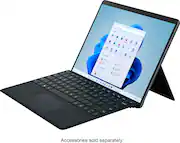
This review is from Microsoft - Surface Pro 8 – 13” Touch Screen – Intel Evo Platform Core i7 – 16GB Memory – 256GB SSD – Device Only - Platinum
Posted by TechGeek
- Rated 5 out of 5 stars
The Ultimate 2 in 1
The Surface Pro 8 provides you with the ultimate 2 in 1 experience. Its super light and portable, weighing under two pounds. It also has a responsive touch screen with a bigger and better 13" display. The least amount of bezels than previous models in the surface line, also make an impact on your experience. Signing in with Windows Hello is a breeze, by detecting your face instantly without issue. No more having to type in a password or pin, just pick up and go. One of the biggest new features this time around is a 120hz refresh rate, making for super smooth navigation, which is especially noticable whilst pairing the new Surface Slim Pen 2. The slim pen 2 allows for ease of jotting down notes in class or drawing on your free time with nearly no latency thanks to this 120hz mode. This means making even the most fine detail, no problem at all. The default display is set to 60hz so keep in mind you'll have to switch to 120hz in the advanced display settings. Speaker quality and volume were surprisingly loud and clear, perfect for streaming videos and listening to music. Even at maximum volume there were no noticable popping or washed out tones. Nothing too crazy here but it does the job well. The 5MP 1080p webcam looks great and better than any I've experienced on other tablets/laptops. Perfect for any of your zoom meetings while working from home. Not to mention, you're getting the same durable kickstand that made Microsoft's surface line, so well known. This is great for multiangle viewing, writing and drawing. With 16gb of RAM, the Pro 8 can handle multitasking with ease. You'll be opening plenty of apps and programs with little to no load times and if you're worried about storage space, you can easily upgrade the SSD. The battery is long lasting, even with brightness almost maxed and 120hz mode on, I was able to get around nine hours of constant use. This was with streaming plenty of music and videos as well as playing around with the pen on drawing apps. The only negative I found was the device can run pretty warm/hot when used for long periods of time. This isn't as noticable when your connected to the keyboard in laptop mode. As for windows 11, I feel it's definitely an operating system built with touch screens in mind as opposed to others. It works seamlessly with the Surface like it was literally made for it. The interface is very simple and allows you key search apps, files, settings, ect.. that you're looking for and opens it instantly. This feature makes it perfect for less tech savvy users as well. Also Snap Layouts allow you to view multiple windows on the same screen with ease, taking multitasking to a new level. It definitely takes some getting used to when coming from Windows 10 or older versions but I do think it pairs perfectly with the Surface Pro 8 and is a great addition to the windows line. Overall, I'm extremely happy with my Surface Pro 8 and highly recommend to anyone looking for a ultra portable 2 in 1.
Posted by TechGeek28
- Rated 4 out of 5 stars
Great device with a battery life compromise
Love everything but the battery life. Fast, great screen, great build quality, 120hz is very noticable, surprisingly thin for the specs, great pen input, but I'm lucky to get 4-5hrs of constant use before it dies, which is 1000% ok for my use case but could be an issue for others. USB-C charging makes it much less of an issue, my car charger works fine& I'll probably just buy a power bank if I want to take it on a flight
Posted by KowalskiTheGreat