Rating 4.7 out of 5 stars with 3603 reviews
4.7- Keyboard Quality (1642)
- Ease of use (598)
- Weight (152)
- Color (131)
- Protection (71)
- Price (72)
- Connection (12)
- Number Pad (11)
- Battery Life (9)
- Fingerprint Reader (7)
Customer Images
The vast majority of our reviews come from verified purchases. Reviews from customers may include My Best Buy members, employees, and Tech Insider Network members (as tagged). Select reviewers may receive discounted products, promotional considerations or entries into drawings for honest, helpful reviews.
- Rated 5 out of 5 stars
Great Improvement from the last one
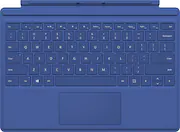
This keyboard has huge new upgrades that makes it an absolute keyboard upgrade necessity. The keys are well spaces out and feel great when you type. It feels very well made and very responsive to every key that is being pressed. The mouse feels awesome. It actually feels like a real laptop mouse and not a cardboard cheap mouse like the type cover for the 3. I use this on my Surface Pro 3 and have found it to be amazing. One last thing that I absolutely needed and they added on this keyboard, was volume +/- and mute keys. That's a must for anyone. Great keyboard you will not regret it. The blue color makes it stand out and looks clean and neat.
This review is from Microsoft - Surface Pro Type Cover - Bright Blue
Posted by lucho707
- Rated 5 out of 5 stars
Excellent like my Mac
I usually have a very hard time switching from my mac computers keyboards to any other PC, I don't know why it may just be me, but I type poorly when I get on a pc. This keyboard is great though! I love the backlight which it dimmable and the keys are spaced well and feel good to the touch in response speed and a solid "click" of sorts. The physical texture feels nice too, almost a smooth soft rubbery texture, but no sloppy play (if that makes sense to anyone or is an issue haha). The trackpad is sensitive and responsive, jet I hit it with my thumb a lot while typing papers for school and my curser jumps all over the page. I recently turned the delay in the track pad up in the settings and this has helped a great deal. Sometimes I do have some issues clicking, it could be the trackpad of the compter, system, app, etc, idk. Overall not a big issue. The function/hotkeys area just ok, the F1 and F2 keys only adjust the keyboard backlighting, not the screen brightness which is holding the Fn key and tapping the Del or Backspace keys to adjust screen brightness. This seems odd to me as I think screen brightness woud be more important than the keyboard. The magnetic lock to the computer is strong and secure, and the raise up mode works just as well. To take notes with the pen I pull the keyboard off and connect it on backwards and it makes a nice surface to rest my computer on the write.Theres no sag in the keyboard when up in the angled position and no bounce either, which were concerns I had. Also the cover has stayed clean although I am still nerveous about that and how to clean it. Not much else to say other than if you get a S.P. I would highly recommend sucking it up and paying the extra cash for the keyboard, the one in the screen itself wouldn't be worthy of any substantial or expedient typing. I have heard of connectivity problems with the computer (not recognizing the type cover) I had the same problem at first, it goes away once your computer is finally up to date, which takes a week or so. PS: make sure you get the keyboard for the surface pro 4, I hear the older models aren't nearly as nice.
This review is from Microsoft - Surface Pro Type Cover - Bright Blue
Posted by JennFab
- Rated 5 out of 5 stars
Great Cover for Surface Pro
Had used covers with other tablets with the keyboard and found them to be too cumbersome and add too much weight. That is not the case with this cover and the keyboard is very nice to type on. The tablet works just fine without the keyboard but since I wanted a cover, this was perfect for my needs.
Posted by Sunno
- Rated 5 out of 5 stars
Amazingly good feeling keyboard and trackpad
HUGE STEP UP from the last one!!!! I've owned my Surface Pro 3 for a while, and really like it, However, I really felt the older Type Cover was a lesson in compromise. Great integration, worked perfectly, nice added functions, and so darn thin... However it felt a little awkward to type on, and the trackpad especially while good was a little hard to use - in both cases the reason was the slight flexibility of the underlying structure... clicking the trackpad flexed the whole keyboard. The keys were ergonomic for a compact keyboard but felt odd and it was hard to type fast. Now, I had seen the new Type Cover in the store and even tried it out in passing by and noticed it seemed like a nice upgrade, but hey I already had one. I finally broke down and bought it when I had some bonus savings racked up, and OH MY GOODNESS! To be fully appreciated you need to try them side by side - a WORLD of difference better. The new Type Cover is SO solid feeling and the keys work flawlessly. Very ergonomic and easy to type fast on. The whole thing feels more solid losing the flex of the old one. I am AMAZED at the Track Pad... I am a mouse only user - can not stand even good track pads... this one is SO good I actually don't mind using it! Highly Recommend! Worth replacing your old one, and a must have if you are buying a new Surface! Finally, while Microsoft offers some nice colors, I LOVE the Best Buy exclusive dark Blue - it is rich and classy looking - my favorite color!
Posted by Bazilysk
- Rated 4 out of 5 stars
Tactile, backlit, smooth trackpad
Occasionally the Surface Pro 4 seems to detect it, but gives no response which requires unlatching and re-latching the cover to the tablet, though it is a rare occurrence. I recommend turning off the 1 second grace period where the trackpad does not take input after typing for more response, just watch your palm. I noticed some markings from the magnet in the surface/keyboard, I'll attach a photo. The Microsoft blue is very attractive. I have yet to clean the cover as it hasn't gotten dirty in the two months I've used it heavily, though I am a very careful and clean person.
This review is from Microsoft - Surface Pro Type Cover - Bright Blue
Posted by Steven