Appreciation EventEnds Sunday. Limited quantities. No rainchecks.Shop now

Skip to contentGo to Product Search
Main Content

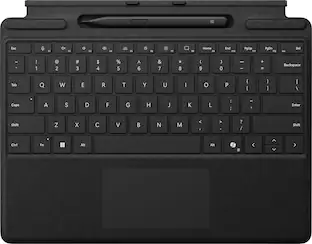
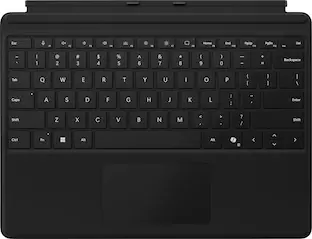
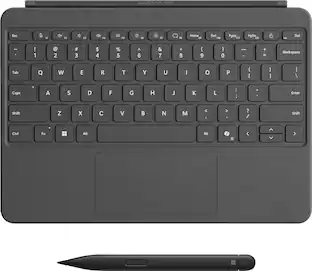
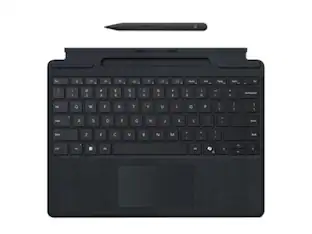
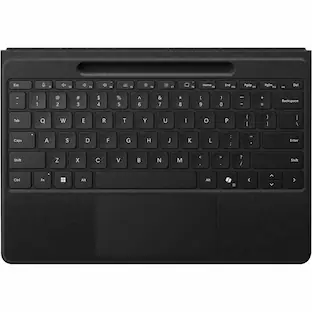
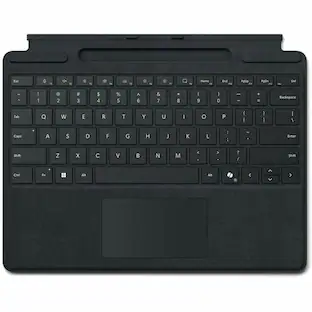
Microsoft - Surface Slim Pen (2nd Edition) and Pro 13" Flex Keyboard for Pro 13" (11th Edition), Pro 9, Pro 8 - Black

Model: 8YU-00001
SKU: 10148457
Sold & shipped by
antonline

Customers are saying

Customers are enthusiastic about the excellent keyboard quality, portability, and reliable connectivity. They also appreciate the useful pen, good battery life, and sleek design. However, some customers find the price to be quite high, and a few have experienced minor issues with charging.

Generated by AI based on customer reviews.
Features
  • Instant Copilot

    Unlock new possibilities with the dedicated Copilot key, which gives you instant access to experiences that can enhance your productivity¹.

  • Enhance your experience

    With the new microphone mute key and snipping key

  • Use attached or detached

    Designed with the ability to be used both attached or detached.² Elevate your productivity and comfort by positioning your device and keyboard where they suit you.

  • Effortless pairing

    Transition seamlessly with effortless pairing ready to go the first time you use it.

  • No fuss charging

    Surface Pro Flex Keyboard charges when attached to your Windows 11 Pro device.

  • Real-time writing

    Surface Slim Pen (2nd Edition)⁵ brings the feel of writing and drawing on paper to your display.

See all features
Specifications
  • Model Compatibility
    Microsoft Surface Pro (11th Edition), Microsoft Surface Pro 9, Microsoft Surface Pro 8
    Operating System Compatibility
    Windows
    Interface(s)
    Bluetooth
    Illuminated
    Yes
Sponsored

Reviews

Customers are sayingCustomers are enthusiastic about the excellent keyboard quality, portability, and reliable connectivity. They also appreciate the useful pen, good battery life, and sleek design. However, some customers find the price to be quite high, and a few have experienced minor issues with charging.
This summary was generated by AI based on customer reviews.
  • Keyboard Quality (28)
  • Portability (21)
  • Connectivity (16)
  • Pen (15)
  • Battery Life (6)
  • Price (7)
  • Charging (5)

Customer Images

The vast majority of our reviews come from verified purchases. Reviews from customers may include My Best Buy members, employees, and Tech Insider Network members (as tagged). Select reviewers may receive discounted products, promotional considerations or entries into drawings for honest, helpful reviews.

  • Rated 5 out of 5 stars

    Better than expected

    I recently purchased the Microsoft Surface Slim Pen (2nd Edition) and the Pro Flex Keyboard for my Surface Pro, and I have to say, they complement each other perfectly! Starting with the Surface Slim Pen, I was impressed by its sleek design and lightweight feel. The pen sits comfortably in hand, allowing for extended writing and drawing sessions without fatigue. The responsiveness is outstanding; it glides effortlessly across the screen with minimal lag, making note-taking and sketching a pleasure. The ability to tilt the pen for different shading effects is a fantastic feature for artists, adding a layer of versatility that I really appreciate. The Pro Flex Keyboard is equally remarkable. The keys have a satisfying tactile feel, and the layout is intuitive, which has made my typing experience very enjoyable. I love the flexibility of the keyboard; it can be attached magnetically, making it easy to switch between laptop and tablet modes. The functionality of the keyboard is enhanced by the integrated touchpad, which is smooth and precise – ideal for productivity on the go. Additionally, the combination of the Slim Pen and Pro Flex Keyboard makes for a seamless workflow. Whether I'm drafting documents, attending virtual meetings, or doodling ideas, these accessories elevate my Surface Pro experience tremendously. In conclusion, if you're looking for a reliable and stylish way to enhance your Surface Pro, I highly recommend the Microsoft Surface Slim Pen (2nd Edition) and Pro Flex Keyboard. They offer a perfect blend of performance and flexibility that truly enhances the device's capabilities.

    This review is from Microsoft - Surface Slim Pen (2nd Edition) and Pro 13" Flex Keyboard for Pro 13" (11th Edition), Pro 9, Pro 8 - Black

    Posted by TylerR

  • Rated 5 out of 5 stars

    Microsoft Pro Flex 2 Keyboard Review

    The Microsoft Pro Flex 2 Keyboard is a great , lightweight option for everyday use. It connects seamlessly via Bluetooth, with no noticeable lag, and the battery lasts for weeks on a single charge. Typing is smooth.

    This review is from Microsoft - Surface Slim Pen (2nd Edition) and Pro 13" Flex Keyboard for Pro 13" (11th Edition), Pro 9, Pro 8 - Black

    Posted by OluwaseunF

  • Rated 5 out of 5 stars

    The Perfect Keyboard for Productivity and Comfort

    This keyboard has exceeded my expectations in every way! The typing experience is incredibly smooth and comfortable, even during long work sessions. The keys have a perfect level of responsiveness, making every press feel precise and satisfying. The build quality is solid and durable, giving me confidence that this keyboard will last for years. One of the standout features is its seamless connectivity—it pairs instantly with my device and maintains a strong connection without interruptions. The design is sleek and compact, fitting perfectly on my desk while still providing a full range of functionalities. I also appreciate the additional features like backlit keys, which make it easy to use in low-light conditions. This keyboard is a fantastic investment for anyone looking to enhance their productivity and comfort. Highly recommended!

    This review is from Microsoft - Surface Slim Pen (2nd Edition) and Pro 13" Flex Keyboard for Pro 13" (11th Edition), Pro 9, Pro 8 - Black

    Posted by Luisariasji

  • Rated 5 out of 5 stars

    Perfect Companion for My Surface Pro!

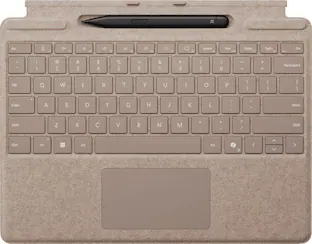
    I added the Surface Slim Pen and Pro Flex Keyboard to my setup, and it has completed the experience perfectly. The keyboard feels fantastic to type on – soft yet responsive, and the Sapphire color matches my Surface Pro beautifully. It snaps right into place and gives a really premium feel to the whole device. The Slim Pen is another highlight. It charges while docked in the keyboard, so it’s always ready when I need it. Using the pen feels natural and smooth, whether I’m jotting down notes or sketching something. This combo has made my Surface Pro even more versatile, whether I’m working, creating, or just relaxing with a movie. If you own a Surface Pro, I highly recommend this keyboard and pen combo. It’s worth every penny and really brings out the best in the device!

    This review is from Microsoft - Surface Slim Pen (2nd Edition) and Pro 13" Flex Keyboard for Pro 13" (11th Edition), Pro 9, Pro 8 - Sapphire

    Posted by ShubhamS

  • Rated 5 out of 5 stars

    Adds More Versatility to your Surface Pro

    I've owned a lot of type covers, this one is actually different! I'm not super keen on the high price, but the ability for this cover to seamlessly use bluetooth is an absolute game changer. I love plugging my surface into the TV, then pulling off the type cover and using it on the couch, it makes the Surface Pro line that much more versatile, They also make it super easy to pair, all you do is plug it into the surface device once. (Much like a nintendo switch.) It also works with more than just the Surface Pro 11th gen, it works with Pro 8, Pro 9 and Pro 10 for business. While it may be pricy, if you have the right use case for it, I absolutely love it.

    This review is from Microsoft - Surface Slim Pen (2nd Edition) and Pro 13" Flex Keyboard for Pro 13" (11th Edition), Pro 9, Pro 8 - Sapphire

    Posted by CamB

From the manufacturer

Compare similar products

Microsoft - Surface Slim Pen (2nd Edition) and Pro 13" Flex Keyboard for Pro 13" (11th Edition), Pro 9, Pro 8 - Black

Inclusive by design — Surface Pro Flex Keyboard with Slim Pen is designed with inclusivity in mind, featuring a precision haptic touchpad that allows you to use it with different parts of your limbs, including your palm or residual limbs. Surface Pro Flex Keyboard with Slim Pen also empowers you to work more comfortably by placing your device and keyboard where it feels most natural to you.

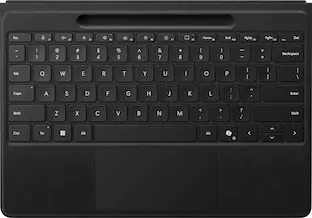
Microsoft - Surface Pro 13" Flex Keyboard for Pro 13" (11th Edition), Pro 9, and Pro 8 with Pen Storage - Black

Next-level versatility comes in the perfect, premium keyboard, featuring a large glass trackpad and luxurious, Alcantara material covering. Ready to pair with Surface Pro (11th Edition), Surface Pro 9 and Surface Pro 8.*

Microsoft - Surface Pro Keyboard for Pro 13" (11th Edition), Pro 9, and Pro 8 - Black
4.7(63)

For a full keyboard and comfortable typing experience anywhere, pair this Surface Pro keyboard with Surface Pro (11th Edition), Pro 9 and Pro 8.* Sleek, compact and adjustable, it includes a complete mechanical keyset and a large trackpad for precise navigation and control.

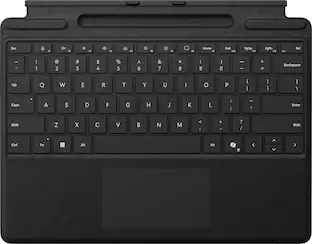
Microsoft - Surface Pro Keyboard for Pro 13" (11th Edition), Pro 9, and Pro 8 with Pen Storage - Black

Next-level versatility comes in the perfect, premium keyboard, featuring a large glass trackpad and luxurious, Alcantara material covering. Ready to pair with Surface Pro (11th Edition), Surface Pro 9 and Surface Pro 8.*

Pros for Microsoft - Surface Slim Pen (2nd Edition) and Pro 13" Flex Keyboard for Pro 13" (11th Edition), Pro 9, Pro 8 - Black
Keyboard Quality, Portability, Connectivity, Pen, Battery LifeKeyboard Quality, Connectivity, PortabilityKeyboard Quality, Portability, Weight, SizeKeyboard Quality, Portability, Connectivity, Weight, Color
Cons for Microsoft - Surface Slim Pen (2nd Edition) and Pro 13" Flex Keyboard for Pro 13" (11th Edition), Pro 9, Pro 8 - Black
Price, ChargingBattery LifeConnectivityThere were no cons for this product

Specs

Questions & Answers
  • What are the dimensions of the keyboard?

    The keyboard has a width of 8.71 inches, a height of 0.21 inches, and a depth of 11.38 inches.

    This question and answer was generated by AI based on customer and product data.
  • How does the keyboard connect to the Surface Pro?

    The keyboard connects to the Surface Pro using Bluetooth.

    This question and answer was generated by AI based on customer and product data.
  • What is the maximum screen size compatible with the keyboard?

    The maximum compatible display size for the keyboard is 13 inches.

    This question and answer was generated by AI based on customer and product data.
  • What is the warranty period for the keyboard?

    The keyboard comes with a 1-year limited hardware warranty.

    This question and answer was generated by AI based on customer and product data.
  • Are the keys on the keyboard backlit?

    Yes

    Answered by Piyush
Ask a question
No content
Sponsored

Similar products from outside of Best Buy

sponsored
Ask BlueAI

Finance Options

My Best Buy® Credit Card
Choose a benefit:Or
Buy Now, Pay Later
Lease to own

Finance Options

My Best Buy® Credit Card
Choose a benefit:Or
Buy Now, Pay Later
Lease to own