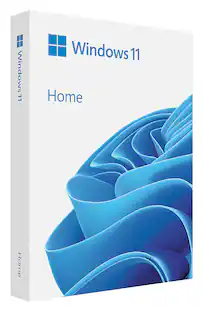
Microsoft - Windows 11 Home - English - Digital - English
Customers are saying
Customers often highlight the ease of use and overall performance of Windows 11 Home - English, with many finding it simple to connect and reporting that it works as advertised. Some users appreciate the trouble-free installation and activation, as well as the speed and awesome features. However, some customers have expressed concerns about the price, while others have mentioned issues with the digital download and RAM usage.
Less chaos, more calm. The refreshed design of Windows 11 enables you to do what you want effortlessly.
Biometric logins. Encrypted authentication. And, of course, advanced antivirus defenses. Everything you need, plus more, to protect you against the latest cyberthreats.
Make the most of your screen space with snap layouts, desktops, and seamless redocking.
Widgets makes staying up-to-date with the content you love and the news you care about, simple.
Stay in touch with friends and family with Microsoft Teams, which can be seamlessly integrated into your taskbar.¹
Play the latest games with graphics that rival reality. DirectX 12 Ultimate comes ready to maximize your hardware.²
If your system was unable to install Windows 11 when offered the free upgrade due to system requirements, you will not be able to install this version. For more information on system requirements visit, https://www.microsoft.com/windows/windows-11-specifications
¹Feature and app availability may vary by region, and some features require specific hardware.
²Hardware dependent.
- Number of Devices1Number of Licenses1Software FormatDigital
Reviews
Rating 4.4 out of 5 stars with 299 reviews
- Ease of use (60)
- Overall Performance (50)
- Installation (10)
- Speed (9)
- Compatibility (7)
- Price (7)
- Digital Download (3)
- RAM (3)
Customer Images
The vast majority of our reviews come from verified purchases. Reviews from customers may include My Best Buy members, employees, and Tech Insider Network members (as tagged). Select reviewers may receive discounted products, promotional considerations or entries into drawings for honest, helpful reviews.
Compare similar products

Windows 11 is the one place for it all. With a fresh new feel and tools that make it easier to be efficient, it has what you need for whatever’s next.
Windows 11 is designed for hybrid work. Upgrade to Windows 11 Pro for all the features of Windows 11 Home plus tools for business use. Windows 11 Pro delivers a powerful, streamlined user experience that helps you stay focused and get more done – wherever your office might be.
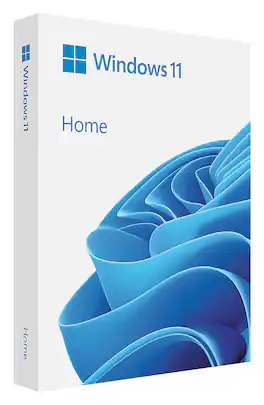
Windows 11 is the one place for it all. With a fresh new feel and tools that make it easier to be efficient, it has what you need for whatever’s next.

Windows 11 is designed for hybrid work. Windows 11 Pro delivers a powerful, streamlined user experience that helps you stay focused and get more done – wherever your office might be.
| Pros for Microsoft - Windows 11 Home - English - Digital - English | |||
|---|---|---|---|
| Ease of use, Overall Performance, Installation, Speed, Compatibility | Ease of use, Overall Performance, Installation, Features, Security | Ease of use, Overall Performance, Installation, USB, Windows 11 | Ease of use, Overall Performance, Features, User Interface, Operating System |
| Cons for Microsoft - Windows 11 Home - English - Digital - English | |||
| Price, Digital Download, RAM | There were no cons for this product— | Price, Compatibility, Bloatware, Bugs, OS | There were no cons for this product— |
Specs
Customers often buy these together
 $499.99The price was $545.99
 Top Deal$109.99The price was $129.99
 Clearance$123.99The price was $154.99
 $289.99The price was $319.99
 $499.99The price was $545.99

More to consider
Explore tech essentials Sponsored
 $24.99The price was $49.99
Discover related products
 $12.99The price was $13.99
 $504.68The price was $535.66
 $249.00The price was $275.00