Microsoft - XBOX Bluetooth Wireless Gaming Over-the-Ear Headset for XBOX Series, XBOX Series S, XBOX One, and Windows 10|11 - Black
Customers are saying
Customers express satisfaction with the exceptional sound quality and the convenient dual connectivity feature of this product. Users also frequently highlight the intuitive ease of use and the impressive battery life as standout benefits. Additionally, the thoughtful design and the practical side-mounted volume controls contribute to a highly positive overall user experience.
Immerse yourself in the game
Featuring enhanced auto-mute and voice isolation for crystal-clear chat, intuitive design, plus direct pairing to your console, PC, or phone.
Exceptional sound
Surround yourself with spatial audio technologies including Windows Sonic, Dolby Atmos, and DTS Headphone:X.*
Designed for extended play
Experience the flexible, lightweight design with an adjustable headband that provides a more comfortable experience during extended play sessions. Enjoy up to 20 hours of battery life with the internal, rechargeable battery.*
Tailored to you
Fine-tune your headset with the XBOX Accessories app for a customized audio experience. Rotate the earcup dials for a quick, intuitive way to adjust volume and game/chat balance.
Audio untethered
Pair directly to your console with XBOX Wireless radio without the need for dongles or a base station.
Bluetooth technology
Connect to your PC or mobile device with Bluetooth 5.3 for on-the-go music or chat—even pair to your phone and XBOX simultaneously to chat with a friend on your phone while playing on your console.
- Noise Cancelling (Active)YesSound ModeDolby Atmos, DTS Headphone:XConnection TypeWirelessWireless ConnectivityBluetoothTrue WirelessNoBuilt-In MicrophoneYes
Reviews
Rating 4.4 out of 5 stars with 290 reviews
- Sound Quality (128)
- Connectivity (42)
- Ease of Use (32)
- Battery Life (21)
- Volume Control (7)
Customer Images
The vast majority of our reviews come from verified purchases. Reviews from customers may include My Best Buy members, employees, and Tech Insider Network members (as tagged). Select reviewers may receive discounted products, promotional considerations or entries into drawings for honest, helpful reviews.

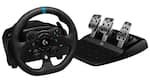
- Logitech - G920 Driving Force Racing Wheel and Pedals for Xbox Series X|S, Xbox One, Windows & Mac - Black$229.99The price was $299.99
- Logitech - G923 Racing Wheel and Pedals for Xbox Series X|S, Xbox One and PC - Black$299.99The price was $349.99
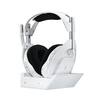

Compare similar products
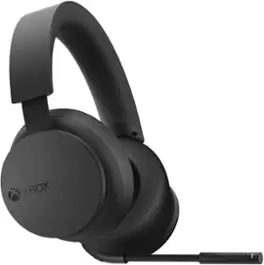
Game loud and clear with the XBOX Wireless Headset, featuring enhanced auto-mute and voice isolation for crystal-clear chat, intuitive design, plus direct pairing to your console, PC, or phone. Surround yourself with spatial audio technologies including Windows Sonic, Dolby Atmos, and DTS Headphone:X. Enjoy up to 20 hours of battery life with the internal, rechargeable battery. Be heard clearly with enhanced auto-mute and voice isolation that reduce background noise for crystal-clear chat. Experience the flexible, lightweight design with an adjustable headband that provides a more comfortable experience during extended play sessions. Rotate the earcup dials for a quick, intuitive way to adjust volume and game/chat balance. Fine-tune your headset with the XBOX Accessories app for a customized audio experience. Pair directly to your console with XBOX Wireless radio without the need for dongles or a base station. Connect to your PC or mobile device with Bluetooth for on-the-go music or chat—even pair to your phone and XBOX simultaneously to chat with a friend on your phone while playing on your console.*
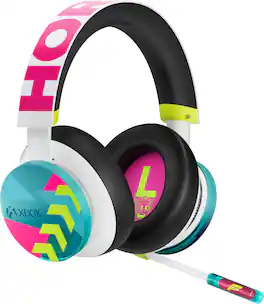
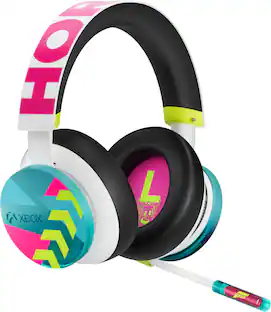
Explore breathtaking Japan with the XBOX Wireless Headset - Forza Horizon 6 Limited Edition. Feel the pulse of the Horizon Festival and the energy of Japan through custom start-up sounds. Immerse yourself in the open-world driving action with spatial sound technologies including Windows Sonic, Dolby Atmos, and DTS Headphone:X. Stay in the zone with up to 20 hours of battery life from the internal rechargeable battery. Make a statement with the transparent blue boom mic, featuring a Forza logo with hot pink metallic backing. A bold "HORIZON" graphic stretches across the adjustable headband, while festival-styled earcup dials with silver accents offer quick, intuitive control over volume and game/chat balance. Connect directly to your XBOX console with XBOX Wireless - no dongles or base station required. Pair to your PC or mobile device via Bluetooth or connect to both simultaneously to chat with a friend on your phone while racing in hundreds of real-world like cars on console.*

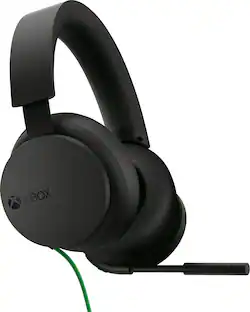
Game loud and clear with the XBOX Stereo Headset which supports high-fidelity Windows Sonic, Dolby Atmos, and DTS Headphone: Xspatial sound and crystal-clear chat in analog audio. The flexible, lightweight design with an adjustable headband utilizes plush cushioning to spread pressure evenly. Hear every crisp high and thunderous low through high-quality, wired audio 40mm drivers. Enjoy ultra-soft large earcups that make for a more comfortable experience during extended play sessions. Adjust the volume or quickly mute incoming noise with convenient on-ear controls. Tuck the adjustable mic away when it’s not in use. Connect directly to the XBOX Wireless Controller through the 3.5mm audio jack, no batteries required.

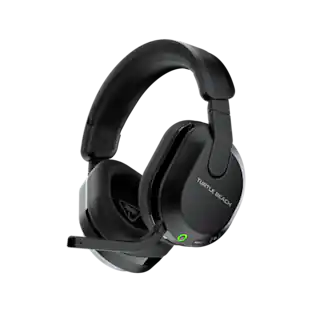
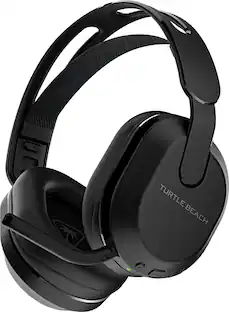
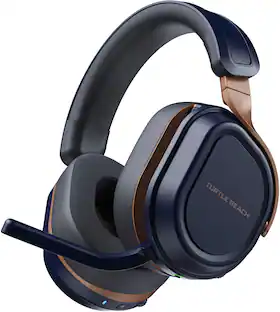
The Turtle Beach Stealth 600 wireless multiplatform gaming headset for XBOX Series X|S & XBOX One, PS5 & PS4, Windows PCs, Steam Deck, and mobile is refreshed and powered up for a third generation of gaming domination. With a history atop the wireless console headset charts, the Stealth 600 enters its 3rd generation, but is just getting started. Experience low-latency wireless connectivity on any console & PC, plus built-in Bluetooth lets you connect directly to mobile devices. Plus, switching between 2.4GHz wireless and Bluetooth connections is made easy using the QuickSwitch button located conveniently on the headset. Be unstoppable with a best-in-class, 80-hour battery life featuring quick charge so you can get back in the game right away. Completely redesigned for the third generation of the Stealth 600, the all-new uni-directional, flip-to-mute microphone features A.I. noise reduction to ensure ultra-clear mic quality with the quietest background possible. Using the Swarm II desktop software for PC, or mobile app for iOS & Android devices, you can adjust noise gate, sensitivity, monitoring levels, and choose from four different mic presets, or even make your own with a custom 10-band microphone EQ. Clear comms are nothing if you can’t hear every vital game detail, so the Stealth 600 is packed with the legendary 50mm Nanoclear drivers for precise, immersive spatial audio quality. And with the Swarm II app, you can cycle through four audio EQ presets, create up to five custom presets with a 10-band EQ, adjust game & chat volume mix, plus activate, or adjust Turtle Beach exclusive Superhuman Hearing sound setting. Play for hours in total comfort with a pressure-relieving, ultra-comfortable design. Memory foam ear cushions wrapped in athletic-weave fabric keep your ears cool and cozy over extended game sessions. Plus, the cushions feature ProSpecs glasses relief technology, so whether you wear gaming or prescription glasses, you’ll enjoy the same great comfort. For added customization, you can remap the secondary wheel & mode button on the headset to distinct functions to better suit your gameplay. And the Stealth 600 is built for long-lasting, comfortable use with an adjustable, lay-flat design.
| Pros for Microsoft - XBOX Bluetooth Wireless Gaming Over-the-Ear Headset for XBOX Series, XBOX Series S, XBOX One, and Windows 10|11 - Black | |||
|---|---|---|---|
| Sound Quality, Connectivity, Battery Life, Volume Control, Ease of Use | There were no pros for this product— | Sound Quality, Comfort, Volume Control, Price, Compatibility | Sound Quality, Comfort, Battery Life, Connectivity, Weight |
| Cons for Microsoft - XBOX Bluetooth Wireless Gaming Over-the-Ear Headset for XBOX Series, XBOX Series S, XBOX One, and Windows 10|11 - Black | |||
| There were no cons for this product— | There were no cons for this product— | Connectivity, Battery Life, Microphone, Wire | Fit |
Specs
Customers often buy these together
Gaming Controllers
Gaming Controller Accessories

More recommended items
 Power Adapters and Chargers
 Video Games
More to consider
Level up your game Sponsored
 $59.99The price was $79.99
Discover related products
 $139.99The price was $159.99
 $32.99The price was $34.99
Keep exploring
 $229.99The price was $239.95
 $119.97The price was $189.99