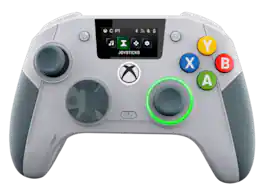
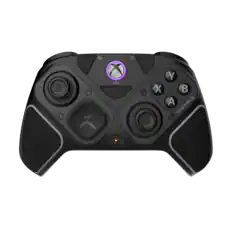
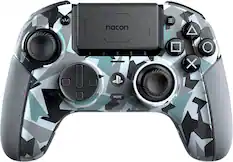
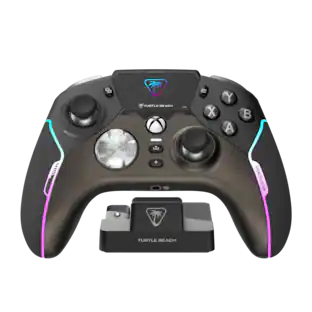
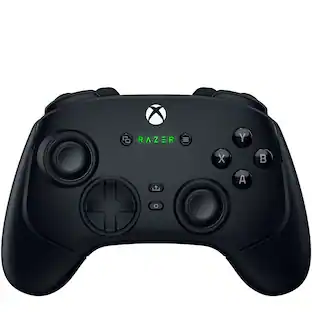
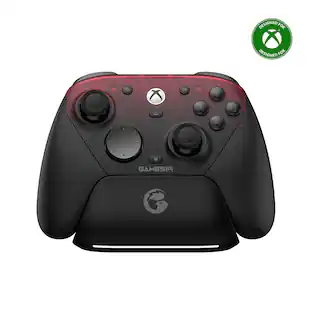
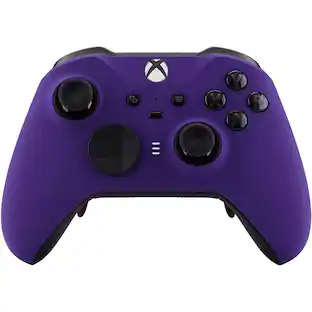
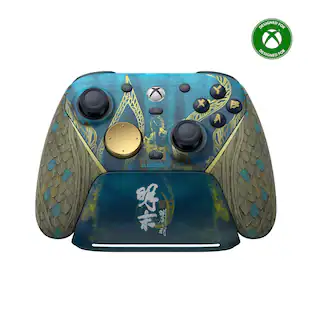
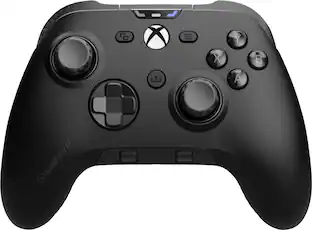
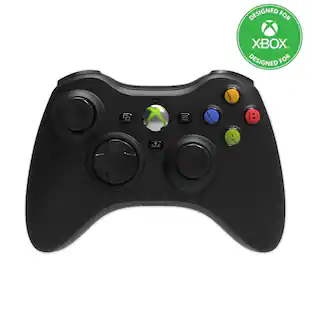
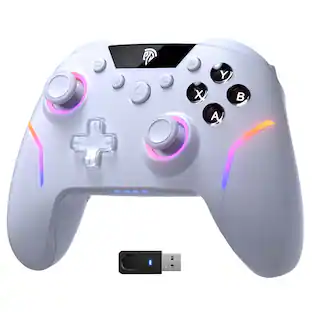
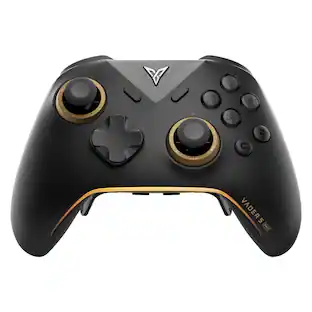
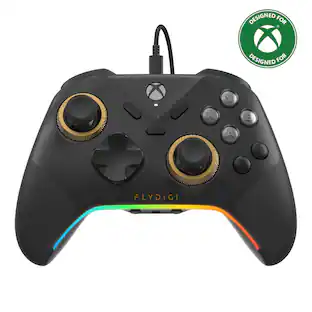
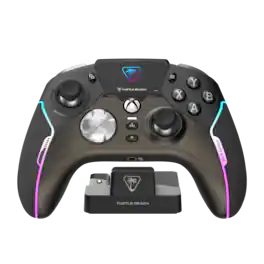
The REVOLUTION X UNLIMITED wireless controller by NACON, officially licensed for Xbox, is compatible with Xbox One, Xbox Series S, Xbox Series X, Windows PC, and Android. Precise, high-performance, and customizable, it will allow you to stay in control of your game, whatever your playing style. Ergonomic and wireless, it frees your movements and offers you total gaming comfort. Eliminate your opponents thanks to increased responsiveness and formidable precision. Chain victories in your favorite battle royale or FPS/TPS shooter, thanks to an arsenal of fully customizable features and settings, even in the middle of the game, via the integrated control screen. Discover the ultra-high-performance PC mode with very low latency, with a gyroscopic aiming function to stay one step ahead. Designed by and for competitive players, and adapting to all your video games, the REVOLUTION X UNLIMITED will allow you to dominate the competition!
Q: Are there shortcut buttons on this controller?
A: Yes, there are six configurable shortcut buttons.
Q: How long does the battery last on the controller?
A: The controller has more than 10 hours of battery life.
Q: Is the controller wireless?
A: Yes, this controller is wireless.
Q: Can I use a headset with this controller?
A: Yes, this controller has a headset jack.
Q: Does the controller have vibration?
A: Yes, the controller has four vibration motors.
Q: What kind of charging port does the controller use?
A: The controller uses a USB-C charging interface.
Q: Does this controller have button mapping?
A: Yes, this controller has button mapping capability.
Q: Is this controller wireless for Xbox?
A: Yes!

The REVOLUTION X UNLIMITED wireless controller by NACON, officially licensed for Xbox, is compatible with Xbox One, Xbox Series S, Xbox Series X, Windows PC, and Android. Precise, high-performance, and customizable, it will allow you to stay in control of your game, whatever your playing style. Ergonomic and wireless, it frees your movements and offers you total gaming comfort. Eliminate your opponents thanks to increased responsiveness and formidable precision. Chain victories in your favorite battle royale or FPS/TPS shooter, thanks to an arsenal of fully customizable features and settings, even in the middle of the game, via the integrated control screen. Discover the ultra-high-performance PC mode with very low latency, with a gyroscopic aiming function to stay one step ahead. Designed by and for competitive players, and adapting to all your video games, the REVOLUTION X UNLIMITED will allow you to dominate the competition!

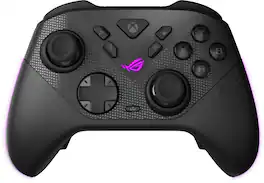
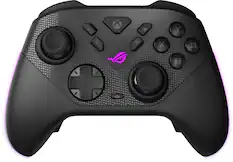
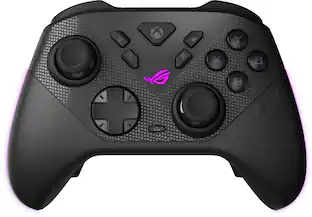
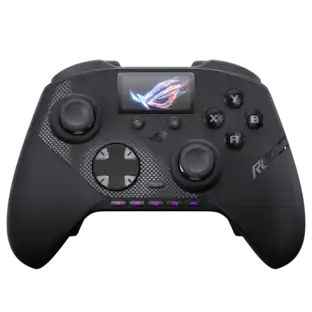
The ROG Raikiri II Xbox Wireless controller features TMR joysticks, 1KHz polling rate in PC mode, four rear buttons, dual-mode triggers, micro-switch buttons, and tri-mode connectivity.
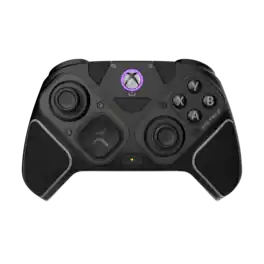
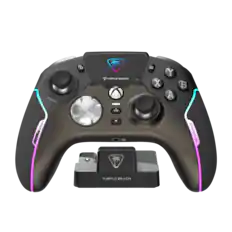
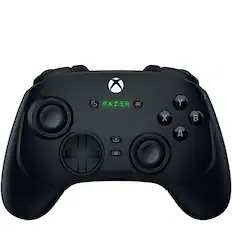
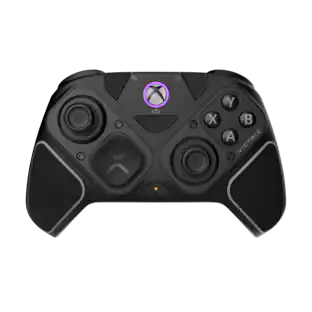
Stay one step, one shot, and one level above the competition with the Razer Wolverine V3 Pro—the definitive wireless esports controller. Officially licensed by Xbox, perform like the pros on console and PC with speed, control, and precision that helps you clutch for the win.

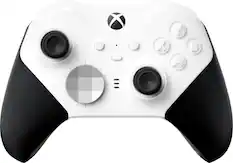
Experience the Xbox Elite Wireless Controller Series 2 featuring adjustable-tension thumbsticks, wrap-around rubberized grip, and shorter hair trigger locks. Experience limitless customization with interchangeable components and exclusive button mapping options in the Xbox Accessories app. Save up to 3 custom profiles on the controller and switch between them on the fly. Swap thumbstick toppers, D-pads, and paddles to tailor your controller to your preferred gaming style. Stay in the game with up to 40 hours of rechargeable battery life and refined components that are built to last. Use Xbox Wireless, Bluetooth, or the included USB-C cable to play across Xbox Series X|S, Xbox One, and Windows. Designed to meet the needs of today’s competitive gamers, the Xbox Elite Wireless Controller Series 2 puts exceptional performance, customization, and durability where it matters most—in your hands.* .
| Pros for Nacon - Revolution X Unlimited Wireless Controller for Xbox Series X|S, Xbox One & PC - Anniversary Edition | |||
|---|---|---|---|
| Build Quality, Connectivity, Battery Life, Customizability, Performance | Overall Performance, Button Quality, Ergonomics, Connectivity, Battery Life | Button Quality, Overall Performance, Battery Life, Ergonomics, Triggers | Build Quality |
| Cons for Nacon - Revolution X Unlimited Wireless Controller for Xbox Series X|S, Xbox One & PC - Anniversary Edition | |||
| Button Design, Controller Size | There were no cons for this product— | Connectivity, Stick Drift, Size, Price, Deadzone | There were no cons for this product— |
Customers are delighted by the Revolution X Unlimited Wireless Controller's customizability, build quality, and performance. Users also appreciate the solid connectivity and exceptional battery life. Some find the ABXY buttons larger than expected, and a few noted the controller's size. Overall, the controller seems to provide a very positive user experience.
The vast majority of our reviews come from verified purchases. Reviews from customers may include My Best Buy members, employees, and Tech Insider Network members (as tagged). Select reviewers may receive discounted products, promotional considerations or entries into drawings for honest, helpful reviews.
Overall Thoughts: The Nacon Revolution X Unlimited Xbox 25th Anniversary Edition is an excellent high-end controller for Xbox and PC. Latency is impressively low in both wired and wireless modes, and its feel, weight, and customization options make it a serious upgrade over a standard Xbox pad and even a suitable replacement for the Xbox Elite v2. The built-in LCD screen, on-the-fly profile control, and pro-focused PC mode with gyro aiming give it real versatility across desk and living room setups. It’s definitely on the pricier side, but the feature set and premium feel might just make it worth the price for many. Pros: - Solid build quality and premium accessories with a special 25th Anniversary design and included hard case, cleaning cloth, braided cable, weights and interchangeable joysticks and d-pad - Dual wireless and wired connectivity (2.4 GHz dongle, Bluetooth, and USB-C) for Xbox and PC - Outstanding low latency performance (1 ms wired, 2 ms wireless in Pro PC mode) - Six configurable shortcut buttons plus standard controls for deep customization - Instant adjustable triggers for fast, precise actuation in shooters - Hall effect joysticks and triggers to reduce drift and improve longevity - Mechanical buttons that have a satisfying click and an A button that actually works on every press, unlike…well, every 1st part Xbox controller, ever - Integrated LCD screen for real-time profile, mapping, and audio adjustments - Extensive physical customization with swappable stick heads, D-pads, rings, and adjustable weights - Four vibration motors (handles and triggers) for strong feedback - Charging dock included and over 10 hours of wireless battery life - Adjustable weights included so that you can customize the weight of the controller to your liking. Cons: - Premium price point for a controller, especially versus standard Xbox pads - Only around 10+ hours of wireless battery life, which is decent but not great. I’m thinking the screen might be the battery drain here. - Nacon Companion App is a bit janky - Depth of customization can feel overwhelming if you just want a simple plug-and-play controller - No advanced haptics or adaptive triggers like those found on some competing platforms - Gryo aiming is still weird to me and will probably always be, but some people might like it. Verdict: The Nacon Revolution X Unlimited Xbox 25th Anniversary Edition is a feature-packed, competition-focused controller that works well on both Xbox and PC. Its low latency, Hall effect hardware, instant triggers, and deep customization, both physically and via software configuration, make it ideal for players who want to fine-tune every aspect of their setup. While the price and complexity won’t be for everyone, those willing to invest the time and money will find a premium controller that can genuinely elevate their play in almost every way over a standard Xbox controller and even over the Xbox Elite v2.
KMed Posted
TLDR: Despite a few, mostly cosmetic/minor quibbles, the Nacon Revolution X Unlimited controller is now probably my favorite controller that I've used. What I Like: Snappy Controls: The feel of all the buttons, triggers, and sticks all have the feeling of actual, well, actuation. The clicky buttons and triggers (if you so select), and the weight behind the stick push, make your inputs seem weighty and precise. Feel In The Hand: At first I was a little put off by the extra girth on the RevX, but now it feels perfect to me and my other controllers feel too small. I have medium (normal) sized hands and it just feels good there. It also has additional weights to give even more heft to the controller, though I found it to be perfect right out of the box. Customization: SO. MANY. OPTIONS. Seriously, between the physical buttons, replacement sticks/pad, the built in screen, and the expansive number of options and profiles available through the software, it would be a shorter list to label what CAN'T be changed! That list is pretty much just its color and the placement of the face buttons! Be sure to wire her up and dig through the app (either on Xbox or PC) and make sure there isn't a toggle or option for what you are looking for, because I bet it's probably there. Battery Life: Even without being able to keep her topped up by charging via the dock, I get several days of play out of a single charge. Don't Like: Wonky LED Ring Light: The only thing that is driving me a little nuts about this is what I'm assuming is just a small glitch that will be fixed via a firmware/software update, and that is that despite turning off the ring light around the right thumbstick in my profile, it sometimes comes back on and I can't figure out why or what to change to stop that. Click On Parts: I was a little surprised that the replacement sticks and pad all click on and hold via plastic tabs and not magnets. I'm halfway afraid of changing out stuff for fear of snapping those plastic tabs, but I would gladly pay a bit extra for a version with magnetic connection. Conclusion: I'm super happy with the Nacon Revolution X Unlimited controller. It is now my favorite controller (and I've owned a TON of very expensive controllers) and it has been a pleasure to use for the last month or so.
Wraith Posted
The Revolution X Unlimited Anniversary Edition is a high end game controller with great compatibility, connectivity, and lots of hardware and software configuration options! Design The Revolution X Unlimited Anniversary Edition gives you the fun, classic, look of the XBox 360 controller, but nothing else about it is classic, and I think that's a good thing! This is a feature rich, high-end, controller, with lot of hardware and software based configuration options. There's a rubberized section on part of each grip. The back of the grips opens to reveal the locations where you can snap in the included weights. There's a very nice color screen. It makes it easy to see some settings like your battery level, mic mute status, mode, and profile, as well as change some settings right on the controller. The ABXY buttons are larger than I'm used to. I don't mind mind them, but I'm still getting used to them and have had some times where I inadvertently bumped the "Y" button while I was pressing the "B" button. For some reason that's the only thing that throws me here and there, but as I play more I'm sure that will keep happening less. Maybe because there's a little less empty space between the buttons since they're larger than normal. The positioning of them on the controller feels normal. Besides all your standard buttons, there are six additional programmable buttons. One on each side just beyond LB, LT, and RB, RT, then two on each side behind or around the grip. The last four are mostly match the contour of the controller. They're easy to find with your fingers, they're right there, they just don't stick out much, which is probably good. The buttons have mechanical switches. I think all of them do, accept maybe ones used for settings. The DPad directions also uses mechanical switches. The back edge of the controller has a button used to switch to controlling the screen, or hold it down to toggle between XBox and PC modes. The back edge also has a lock switch that disables the "View" and "Menu" buttons so you don't press them by accident while gaming. On the bottom there's a button to toggle between profiles. It support 20 profiles - 12 Classic mode (4 for XBox, 4 for PC, 4 for Bluetooth) and 8 Advanced mode (4 for XBox, 4 for PC or Bluetooth). There are also four switches on the bottom. One switch changes between the USB Dongle, Bluetooth, and Wired connection modes. Another change between "Advanced" and "Classic" modes. The third and fourth switch between instant actuation and full travel, one for each triggers. It also has a gyroscope which can be mapped to the analog sticks or the DPad. Included Accessories Here are parts and items that are included: - Docking Station, charges the controller (USB C connection to the PC/XBox, USB A port for the USB Dongle) - Case, holds all components, including the Dock - USB C to USB A, 3 meter long cable - 2 DPads (one always on the controller), one 8 way, one 4 way - Weights in three pairs: 10, 14, and 16 grams - 6 Analog Stick Heads (two always on the controller at a time), two concave, two short convex, two tall convex - 4 Analog Stick Rings, two 30 degree, and two 38 degree The Analog Stick Rings were a new idea to me. You can use the Analog Sticks in the normal fashion, without the extra rings installed, for normal/full travel distance or reduce the travel distance of the analog sticks by using either the 30 degree or 38 degree rings. When you do that, you can use the Revolution X Unlimited app to change the setting in the controller accordingly, so you're not limiting your max, but you're reducing your travel. You cover the same range numerically, with less distance! They're very easy to install by just taking off the analog stick head and sliding the ring over the stick. Features not talked about elsewhere - Vibration feedback can be independently configured for four locations, the right side, left side, right trigger, and left trigger - Gyroscope, you can use it for the left stick, right stick, or DPad, and you can even set that on the controller (without the app) - Six extra programmable buttons - Besides remapping controller keys to them, you can also remap keyboard keys to them! You can do almost any mapping you want. <ESC> isn't an option but all the letters, and numbers are there along with a number of others like <CTRL>, <ALT>, <Shift>, and <Enter> are there. See my picture showing the keyboard key options. While you can remap any of the buttons, the standard controller buttons are limited to the standard controller buttons options. - Adjustable trigger travel, there's the switch to make them instant, but besides that you can use the app to adjust how far you need to pull them for them to be a full pull, and more. I included a picture showing a trigger configured with delayed action and only half the travel required. - High polling rates 1 ms latency or 1,000 Hz - wired only 2 ms latency or 500 Hz - PC wireless or wired 4 ms latency or 250 Hz - console, wireless/wired I'm not sure why they advertise using latency, because the pulling rate is actually more accurate and probably better. The difference is, 2 ms latency implies it will take 2 ms for your action to be received by the computer. For example, a 500 Hz pulling rate (what they would call 2 ms latency) means that the PC checks the USB device 500 times per second for new data. This means that the most time it will be for your action to be received by the computer is 2 ms, but it will generally be less then that, whenever the USB port is hits the next pulling cycle, and in this example there are 500 in each second. So it's only 2 ms if you happen to hit it just after a pulling cycle. Most of the time it will actually be less, possibly much less. - It does work in other devices. I've used it via Bluetooth and USB on Google TV devices. I also used it on a Chromebook and on my Android phone via Bluetooth. It's definitely great for XBox and PC gaming. - There are so many more settings than I can cover here! Case The included hard, fabric covered, case is not compact, but it is roomy, holding everything including the dock. There's a plastic case inside which has all the small parts like the other DPad, analog stick heads, USB C cable, weights, etc. Power and Battery Life They advertise 10+ hour battery life, which I'm sure is correct. I think that's enough. I'd say it's good but not impressive, and plenty for my use. I don't feel like I ever need more. And of course you can plug it in and play while it's charging. It charges much faster (~3 hours vs ~7 hours) if you plug in the USB cable directly to the controller, rather than charging it through the dock, so be aware of that. There are a number of ways you can customize profiles to improve your battery life. You can change the intensity of the vibration or turn it off. There are vibration settings for the left and right side as well as the left and right triggers. These can be turned off too. You can also adjust the display brightness and how long until it dims or goes off. I like the way you can turn the controller off by setting the connection type to wired when no wire is connected. I think that's especially good for travel when you don't want it to turn on because a button was held down for a while because of how it was packed - of course that's not a problem if you use the included case. Gaming usage and feel I love the feel of this controller. The rubberized part of the grip helps it feel secure and the size and form is a good fit. My hands seem a bit smaller than average and, even though I would say this is on the larger size of controllers, it feels great in-hand. I also like being able to put weights in the grips/handles. I use the 16 gram weights and love the way it adds better balance so the controller doesn't feel so top heavy, as I think they often do. Even with those weights in the controller doesn't feel heavy to me, even after hours of gaming. The buttons are great! I like the sound and feel of the mechanical switches. The button travel feels very short and fast with the mechanical switches too. You can really feel and hear when they're pressed, but I don't find the sound to be too loud or annoying. I've used this controller for many different types of games Burnout Paradise Remastered, EA FC 25, Contra, MegaMan 11, Need for Speed Hot Pursuit Remastered, Star Wars Battlefront II, and Yooka-Laylee and the Impossible Lair, Rocket League, and more. The control and feel is just excellent. Pressing the "Y" by accident, which I mentioned earlier, is happening less and less - and may not at all for you. I love the fit and feel of the controller - which to me the most unique part of that is the balance in my hand with having the extra weight in it. I even tried the Gyro control with some racing games, and it worked very well! I didn't switch to that forever, but I was impressed at the responsiveness and playability with it. It's a fun option to have! It seemed very well calibrated and very sensitive - but not too sensitive. It's great you can really try it with anything since you can enable it on the controller when in Classic mode (Classic lets you configure limited settings on the controller, Advanced lets you configured very Advanced settings using the app). Summary If you're looking for a high end controller with lots of software and hardware configuration options, you should check out the Nacon Revolution X Unlimited Anniversary Edition! If I'm really getting picky, there's the large ABXY buttons that I'm getting used to but don't mind. The icons on the back for the connection switch are very small. The Wired setting was really hard for me to read. Again, very minor. I could read "Profile" and Mode "A" for Advanced or "C" for Classic. The bottom line is I love playing games with this controller and it has tons of settings and options to try!
hotice Posted