Rating 4 out of 5 stars with 296 reviews
4.0- WiFi Range (70)
- Ease of use (59)
- Signal Strength (28)
- Setup (22)
- Coverage (12)
- Connection (16)
- Performance (11)
- Size (3)
Customer Images
The vast majority of our reviews come from verified purchases. Reviews from customers may include My Best Buy members, employees, and Tech Insider Network members (as tagged). Select reviewers may receive discounted products, promotional considerations or entries into drawings for honest, helpful reviews.
- Rated 4 out of 5 stars
Work
I installed this to get better coverage in my 3000 sq ft house , was no difficult to install and seems to be working but still some areas where I don’t have the expected coverage. Little pricey but I like it
Posted by Ditherms
- Rated 5 out of 5 stars
Wow!
Fast, dependable and easy to set up. Next best thing to being hardwired.
Posted by Keenbean
- Rated 1 out of 5 stars
Not really that great.
I purchase this item figured it will boost up my wifi in my basement. But really not that good . Product does not serve the purpose.
Posted by Rona5523
- Rated 5 out of 5 stars
Works as designed right out of the box
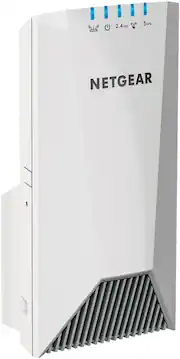
The Media Panel at our new Townhome is located on the 2nd floor at the absolute furthest point from the rear of our home. Although our internet signal is available throughout our home, it starts to die once you move outdoor to the backyard. More specifically the signal is non-existent once you move into the garage. Not a good scenario in light of the fact I have WiFi device installed to report the status of our garage door i.e. open or closed. Solution? Netgear’s Nighthawk MESH TRi-Band Extender. With WPS installation, the extender was up and running in a matter of minutes. Once connected to our Netgear R8500 Router, we moved the extender to the rear of our home a viola, the dead spot outside/garage was eliminated. If you are in the market for an extender, check out the Netgear Nighthawk MESH Tri-Band Extender. You won’t be disappointed.
Posted by tmg1286
- Rated 5 out of 5 stars
Works as advertised
I found the setup with my Netgear wifi router was easy. After connecting the 2.4 and 5 lights did not light up. I logged in to the extender and updated the firmware. The lights still did not turn on and the page said nothing was connected to either. Thats when I realized nothin had a chance to connect down stream of the extender. I have three Nest cameras that occasionally lost signals. I used the app WiFi Sweetspots to check signals before and after. They all went up and were more consistent than before. Attached are the before and after installing the extender.
Posted by Extended