Early Black Friday Deals & DoorbustersEnds Nov. 8.Shop now

Skip to contentGo to Product Search
Main Content

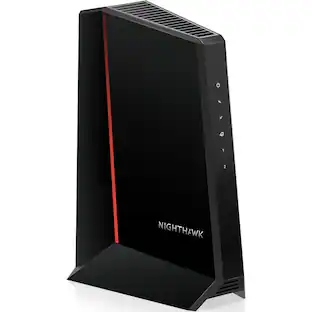
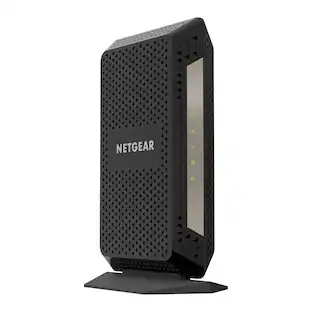
NETGEAR - Nighthawk DOCSIS 3.1 Cable Modem CM3000, 2.5 Gbps, Guided Set Up, 2.5G + 2× 1 Gig Ports, Xfinity/Spectrum/Cox - Black

Model: CM3000-100NAS
SKU: 6577808

Highlights

Features

  • MAXIMIZE YOUR CABLE INTERNET: A dedicated DOCSIS 3.1 cable modem lets you pair any WiFi router or mesh system you choose, so you can build the home network you want and upgrade your WiFi anytime without replacing your modem.

  • APPROVED FOR YOUR PROVIDER AND PLAN: Works with Xfinity, Spectrum, Cox, and most US cable providers on internet plans up to 2 Gbps. Not compatible with Verizon, AT&T, CenturyLink, DirecTV, DISH, or bundled voice plans. ISP activation required after setup.

  • GET THE FULL SPEED OF YOUR PLAN: DOCSIS 3.1 supports plans up to 2.5 Gbps download and 1 Gbps upload, so sending large files and live streaming move nearly as fast as downloading. Actual speeds vary by plan and provider.

  • FUTURE-PROOF YOUR HOME NETWORK: The 2.5 Gig Ethernet port connects your router for the fastest speeds in your area. Combine the two 1 Gig ports on a compatible router for speeds up to 2 Gbps. Ready for today's multi-gig plans and tomorrow's upgrades.

  • SET UP AND MANAGE YOUR MODEM WITH THE NIGHTHAWK APP: Download the free Nighthawk app on iOS or Android for guided setup. Check modem status, run speed tests, and manage firmware updates from anywhere. Active internet required.

  • RELIABLE PERFORMANCE: DOCSIS 3.1 Active Queue Management prevents slowdowns during peak-hour congestion, keeping speeds steady when the whole family is online. FCC certified for use in the United States.

Specifications

  • Internet Service Provider (ISP) Compatibility
    Cox Communications, XFINITY from Comcast, Spectrum
    DOCSIS Certification
    3.1
    Downstream Data Speed
    2500 megabits per second
    Upstream Data Speed
    1000 megabits per second
    Number of LAN Ports
    3
Sponsored

Reviews

Customers are sayingCustomers admire the overall performance and impressive speed improvements provided by this Netgear product. Users frequently highlight that the setup process is quick and simple, while also noting significant enhancements to their Wi-Fi connectivity and signal consistency. Although the device is highly regarded, some users have experienced minor issues regarding its compatibility with certain service providers.
This summary was generated by AI based on customer reviews.
  • Overall Performance (140)
  • Speed (119)
  • Setup (58)
  • Connectivity (35)
  • Signal Strength (10)
  • Compatibility (3)

Customer Images

The vast majority of our reviews come from verified purchases. Reviews from customers may include My Best Buy members, employees, and Tech Insider Network members (as tagged). Select reviewers may receive discounted products, promotional considerations or entries into drawings for honest, helpful reviews.

  • Rated 5 out of 5 stars

    Rock-solid speed, flawless stability finally

    I’ve tried multiple modem/router combos over the years, and most of them promise high speeds but choke under real-world load. This one is different. I’m on Xfinity 2 Gbps plan, have a house full of smart devices, cameras, TVs, and heavy gaming/streaming happening at the same time – and the connection stays solid. No drops, no buffer, no overheating, and the upload speeds are noticeably faster than what I used to get with my older Netgear C7000v2. Setup was painless – literally plug in, activate through Xfinity, and done. It handles WiFi 6 perfectly, and I finally see consistent speeds on all floors of my house without needing mesh extenders. Zero hiccups during Zoom calls or Xbox online gaming. Price isn’t cheap, but if you’re tired of replacing weak equipment or paying rental fees for mediocre ISP devices, this is 100% worth it. It does what it claims – stable, fast, and reliable. Highly recommend.

    Posted by MuhammadZ

  • Rated 5 out of 5 stars

    The Netgear CM3000 Modem Produces Blazing Speeds!!

    The Netgear CM3000 is an outstanding cable modem that delivers exceptional performance and reliability. Paired with the Orbi 870 series mesh system, it provides blazing-fast and consistent connectivity throughout the home. I’m consistently seeing download speeds around 2.3 Gbps and upload speeds near 300 Mbps, even with multiple devices running at the same time. I have a Xfinity 2 Gbps internet plan. The CM3000 easily handles a large number of connected smart home devices, streaming, gaming, and work-from-home demands without slowdowns and seldom drops. Setup is straightforward, and once running, it’s truly a “set it and forget it” modem. If you want multi-gig speeds and rock-solid performance with a high-end mesh system, the CM3000 is a fantastic choice.

    Posted by MP0709

  • Rated 5 out of 5 stars

    Easy set up

    Ordered online and picked up in the store. Very easy to setup. I just called my internet provider, told them the MAC number and then hook it to the router, done! Strong signal. I have 1G plan, and got 540 download and 57 upload speed.

    Posted by Jacky

  • Rated 5 out of 5 stars

    You need this for Xfinity’s high upload speeds

    I recently upgraded to Xfinity’s gigabyte X2 internet package, which gives you 2000 mbps on download and up to 200 mbps on upload. To take advantage of the high speeds, I decided to upgrade both my modem and router. I purchased the TP-Link BE800 router and the Arris Surfboard S33. When I hooked everything up, my download speeds were capped around 1200 mbps and upload speed around 41 mbps. After reading multiple reviews online through Xfinity’s community forum, and other reviews, basically I found out I needed to upgrade to a modem to get the higher upload speed, so I purchased the Netgear CM3000, since the Arris S34 isn’t available yet. After hooking up the Netgear modem, my upload speed was still capped at 41 mbps, so I chatted with Xfinity technical support. During the chat, the Xfinity tech updated my firmware on my modem, and my download speed increased to 1500 mbps and my upload speed increased from 41 mbps to around 360 mbps! Basically, not only do you need this modem to get the high upload speed, you also need to have Xfinity update your modem on their end. All in all, it was definitely worth the extra time and money since i now can take full advantage of my high Internet speeds!

    Posted by PhillipS

  • Rated 5 out of 5 stars

    200Mbps upload, a success!!

    This is what you need to access updated Xfinity internet speeds. I needed a modem that was approved for the 200 Mbps upload. I learned the hard way that even though a modem is capable, Xfinity has to approve it and they keep the list short. Whether this a way to force you to rent one of theirs…you decide. My current modem was a CM1100 that Xfinity no longer supported. I needed a modem that allowed link aggregation because the Orbi mesh router I have only has 1Gbps internet port and Ethernet so to access the 1.2Gbps I am paying for, I needed a second link. Surprised to find most modems do not have this. Keep in mind it has a 2.5Gbps internet port for those that have routers with the same. With the CM1100 and link aggregate I was getting 1250Mbps down and 40Mbps up. With the CM3000 and a single Ethernet, I am getting 900Mbps down and 220Mbps up. With link aggregate (two Ethernet setup) I am getting 1450Mbps down and 240 up. I took about 20 minutes to get it set up. I unplugged the old one and plugged in the new one to coax and power. After two rounds of letting the lights fully boot to solid, I used the Xfinity app to manually add the MAC address. There was a link below the internet modem status to add new equipment. I finally plugged in the Ethernet and powered up the router.

    Posted by RaymondW

Compare similar products

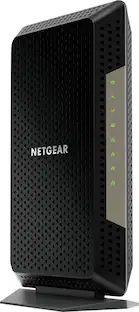
NETGEAR - Nighthawk DOCSIS 3.1 Cable Modem CM3000, 2.5 Gbps, Guided Set Up, 2.5G + 2× 1 Gig Ports, Xfinity/Spectrum/Cox - Black

In a busy connected home, your internet should live up to your expectations. The NETGEAR Nighthawk CM3000 is a mid/high-split DOCSIS 3.1 cable modem delivering up to 2.5 Gbps cable download speeds and 1 Gbps upload speeds, built for households ready to move up to today's fastest cable internet plans. This is a standalone cable modem with no built-in WiFi. Pair with any WiFi router or mesh system for wireless connectivity throughout your home. The 2.5 Gig Ethernet port connects to a compatible router for the fastest speeds in your area, or combine the two 1 Gig ports for speeds up to 2 Gbps via link aggregation. DOCSIS 3.1 OFDMA and Active Queue Management keep speeds steady during peak-hour congestion. Works with Xfinity, Spectrum, Cox, and most US cable providers on internet plans up to 2 Gbps. Confirm mid-split availability with your provider before purchasing. ISP activation required after setup. Not compatible with Verizon, AT&T, CenturyLink, DirecTV, DISH, or bundled voice plans.Set up using the free NETGEAR Nighthawk app on iOS or Android, or any web browser. Check modem status, run speed tests, and manage firmware updates from anywhere. Automatic firmware updates keep your modem secure. Engineered by NETGEAR, over 30 years of home networking innovation, FCC certified for the United States.

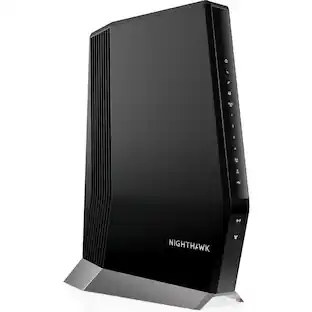
NETGEAR - Nighthawk DOCSIS 3.1 Cable Modem CM2500, 2 Gbps, Multi-Gig, Guided Set Up, 2 Gigabit Ports, Xfinity/Spectrum/Cox - Black

In a busy connected home, your internet should live up to your expectations. The NETGEAR Nighthawk CM2500 is a mid/high-split DOCSIS 3.1 cable modem delivering up to 2 Gbps cable download speeds and 1 Gbps upload speeds, built for households ready to move up to today's fastest cable internet plans. This is a standalone cable modem with no built-in WiFi. Pair with any WiFi router or mesh system for wireless connectivity throughout your home. Two Gigabit Ethernet ports connect to a compatible router, with Link Aggregation combining both for speeds up to 2 Gbps. DOCSIS 3.1 OFDMA and Active Queue Management keep speeds steady during peak-hour congestion. Works with Xfinity, Spectrum, Cox, and most US cable providers on internet plans up to 2 Gbps. Confirm mid-split availability with your provider before purchasing. ISP activation required after setup. Not compatible with Verizon, AT&T, CenturyLink, DirecTV, DISH, or bundled voice plans. Set up using the free NETGEAR Nighthawk app on iOS or Android, or any web browser. Check modem status, run speed tests, and manage firmware updates from anywhere. Automatic firmware updates keep your modem secure. Engineered by NETGEAR, over 30 years of home networking innovation, FCC certified for the United States.

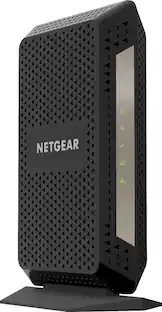
NETGEAR - Nighthawk DOCSIS 3.1 Cable Modem CM1000, 1 Gbps, Gigabit, Guided Set Up, 1 Gig Port, Xfinity/Spectrum/Cox - Black

In a busy connected home, your internet should live up to your expectations. The NETGEAR Nighthawk CM1000 is a DOCSIS 3.1 cable modem delivering Gigabit download speeds, built for households on Gigabit cable plans today and ready for the upgrades ahead. This is a standalone cable modem with no built-in WiFi. Pair with any WiFi router or mesh system for wireless connectivity throughout your home. A single Gigabit Ethernet port connects to your router or computer for fast, stable speeds. Backward compatible with DOCSIS 3.0, so it works on your ISP's current network and any future 3.1 upgrade. DOCSIS 3.1 OFDM and OFDMA improve response times during peak-hour congestion. Works with Xfinity internet plans up to 800Mbps, Spectrum up to 1Gbps, and Cox up to 1Gbps. ISP activation required after setup. Not compatible with Verizon, AT&T, CenturyLink, DirecTV, DISH, or bundled voice plans. Set up in about five minutes: plug in the coax, activate through a web browser or a quick call to your provider, then connect the modem to your router with an Ethernet cable. Xfinity customers can self-activate online without a service call. Automatic firmware updates keep your modem secure. Engineered by NETGEAR, over 30 years of home networking innovation, FCC certified for the United States.
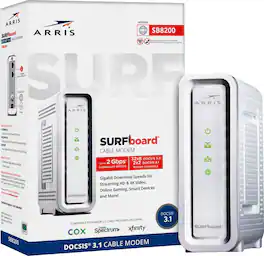
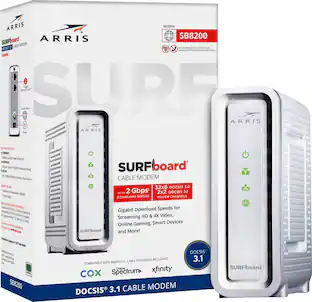
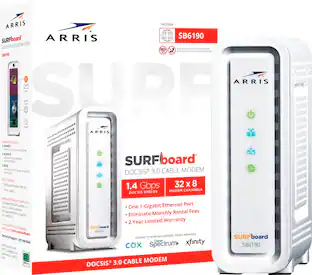
ARRIS - SURFboard SB8200 32 x 8 DOCSIS 3.1 Gig-Speed Cable Modem - White

The ARRIS SURFboard SB8200 DOCSIS 3.1 Cable Modem is capable of delivering true Gigabit speeds. It's approved for use with Cox, Spectrum, Xfinity and others supporting cable internet speed plans up to 1 Gbps. Upgrading your home network starts with your modem.

Pros for NETGEAR - Nighthawk DOCSIS 3.1 Cable Modem CM3000, 2.5 Gbps, Guided Set Up, 2.5G + 2× 1 Gig Ports, Xfinity/Spectrum/Cox - Black
Overall Performance, Speed, Setup, Connectivity, Signal StrengthOverall Performance, Speed, ConnectivitySpeed, Ease of use, Setup, Performance, CompatibilitySpeed, Overall Performance, Ease of use, Setup, Connectivity
Cons for NETGEAR - Nighthawk DOCSIS 3.1 Cable Modem CM3000, 2.5 Gbps, Guided Set Up, 2.5G + 2× 1 Gig Ports, Xfinity/Spectrum/Cox - Black
CompatibilityThere were no cons for this product—Lag, Heat, Signal StrengthHeat, Lag

Specs

Questions & Answers

  • What is the maximum download speed this modem can handle?

    This modem can deliver download speeds up to 2.5Gbps.

    This question and answer was generated by AI based on customer and product data.
  • Does this modem work with all internet providers?

    This modem works seamlessly with most major US cable service providers.

    This question and answer was generated by AI based on customer and product data.
  • Why should I buy this modem instead of renting?

    Purchasing this high-performance modem can save you money every month on rental fees from your ISP.

    This question and answer was generated by AI based on customer and product data.
  • How many LAN ports does the modem have?

    This modem has 3 LAN ports.

    This question and answer was generated by AI based on customer and product data.
  • How much faster are the download speeds compared to previous models?

    This model boasts download speeds up to two times faster than previous-generation DOCSIS 3.1 cable modems.

    This question and answer was generated by AI based on customer and product data.
Ask a question
No content
Sponsored