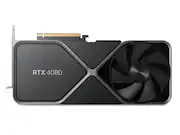
Rating 4.8 out of 5 stars with 995 reviews
4.8- Performance (551)
- Cooling (185)
- FPS (104)
- Noise (55)
- Power Consumption (30)
- Price (251)
- Size (70)
- Coil Whine (19)
- Weight (8)
Customer Images
The vast majority of our reviews come from verified purchases. Reviews from customers may include My Best Buy members, employees, and Tech Insider Network members (as tagged). Select reviewers may receive discounted products, promotional considerations or entries into drawings for honest, helpful reviews.
- Rated 5 out of 5 stars
Big Card Big Price
The card is enormous, heavy, and power hungry. I have it paired with a 13700k and I think my 850 watt power supply is the bare minimum to keep those two fed. Also, it comes with an adapter but make sure your power supply has three 8 pin PCIe connectors or a Gen 5 connector. Also, in regards to its weight, probably either mount it vertically if your case allows or get something to prevent sag. The blower style fans are pretty quiet and keep the card cool in my Lian Li Lancool 216. Performance over my EVGA 3080 (RIP EVGA) is significant in both games and video rendering. The biggest con is the price. I needed a second machine with some guts to it but I probably could have compromised. By buying it, I'm validating NVIDIA's bonkers new pricing scheme. Hopefully extra competition will knock some sense into them.
Posted by Adrian
- Rated 5 out of 5 stars
A massive step up, at least for me
It is a definite upgrade from a 1080ti. Technical specs can be found on youtube with Steve Burke if anyone is truly curious. Coming from a PNY blower 1080ti, this was a major 20 flights up. The 1080ti is a champ but ran at an average of 80c, more likely due to its blower style. It ran 1440p with relative ease but CP2077 would get 60fps max settings only on 1080 res. Other than that, it is perfect for 1440p still with minor tweaks to graphics settings and now even has fsr support. But I wanted more, so I got it.. It came in an awesome cardboard box and an even more awesome product packaging which im sure is what the extra $200.00 paid for.. tongue in cheek joke The 4080 is much much larger than my 1080ti and used up an extra slot. The depth is also much larger and with the included 16pin adapter, it sticks out a little more so make sure you got enough space all around. The 4080 was plug and play, just had to install drivers before hand. Keep in mind, I already had an Nvidia gpu prior so you may need to DDU if youre coming from something else. Temps were idle at 33c and maxed out at 60c with CP2077 4K with everything minus Psycho RT. Thank you large fan. FPS difference is massive but im coming from the king of the 10 series gpu. Power draw is much lower than previously expected but Ive always had a 750w PSU so no issues there. This will serve me until 80 series cards are released. Other than that, no bottlenecking for cpu but Im also running 4K so it shouldnt be too overburdened. Cybertron PC SET I7 - 8700k AIO Liquid 32gb DDR4 2666 SSD for OS and larger games ASRock mobo - some basic one
Posted by Jose
- Rated 5 out of 5 stars
Under Rated
I made the ‘slight’ performance jump from my 3090 FE because I needed a smaller graphics card for the case I was building in. The 3090 FE is roughly 31mm longer than the 4080 FE which made case selection difficult for the 3090. I mostly play Call of Duty games @ 1440p Ultrawide with maxed out settings, RT & DLSS disabled. My FPS in MW2 was about 90 FPS with the 3090 and after upgrading to the 4080 my fps went to 170fps. The increase in benchmark scores was also significantly higher than the 3090. After watching all the Youtuber review and benchmarks I was under the assumption that the 4080 wouldn’t be worth the upgrade but that couldn’t be further from the truth. Higher FPS in games and higher benchmarks were also backed up with lower overall temps (about 20C+ less per sensor compared to the 3090 FE) and much less power total consumption (450W vs 375W). I am more than happy with the upgrade but I am a little worried that the drop from 24GB of VRAM to 16GB may affect future performance.
Posted by QBRGR
- Rated 5 out of 5 stars
Just great describes it well.
This review is for an Nvidia RTX 4080 16GB FE. I bought it so I don't owe anybody any favors. First of all, it is big. 5 inches x 12 inches and it takes up 3 slots. It is 6.5 inches to the outside of the bend of the power cable. It comes with a three 8 pin to one 12 pin power cable adapter. You don't want it. It is stiff and cumbersome. Go to Fasgear and order the cable for the PSU that you have, which needs to be at the bare minimum 750 watts, 850 is really what you should have and if you have to buy a new PSU try to find one that has a native 600 watt 12 pin GPU plug. That way it will come with the cable and you won't have to buy the adapter cable. The adapter cable is not a fit all cable. you need to get the one that has the right plugs for your PSU. Fasgear is working on a cable that has a right angle plug for the GPU. Check to see if they have it now as that will keep the cable closer to the GPU and make the installation neater. You can't bend the power cable at the GPU sharply. The bend is going to add 1.5 inches to the 5 inch wide 4080, so make sure it will go in your case. It comes with support brackets, which i didn't use as I have a support bracket. The backplate on the 4080 is really stiff so it won't droop on the end, but it is heavy and that constant weight on the PCIe slot probably isn't desirable. If you have a well-ventilated case, it will run cool. fans are off up to about 50 degrees. They max out at 1200 RPM under constant load, and it holds 58 tp 62 degrees running my Flight Sim and my 32 inch 4K monitor. I run DCS World and with the MSSA at 4X and SSAA at 1.5 and everything else maxed out for quality, I hold 92 to 118 FPS depending on the density of the detail. as a comparison the RTX 3080 I had before it ran 58 to 88 FPS. So, I have no Cons. This is a great GPU for driving 4K monitors. I have no experience with VR, so I can't comment. It is quiet. Those large slow turning fans and the monstrous heatsink do the job. And it is an Nvidia. No crappy drivers. Just strong steady service. I can see no need to pay a couple of hundred more for the three-fan overclocked AIBs. If you need more than what this Founders edition 16GB 4080 has you might better put the money toward a 4090.
Posted by photofrankFM
- Rated 4 out of 5 stars
Great Performance + Efficiency But Poor Price
I got this card at around $1000 before tax using code q4fy23save10. The $55 in rewards for using a BB credit card. And I had some reward points from previous purchases as well. This card is actually really good and gets very good performance and overclocks easy to 3ghz. I get about 10-15fps more after overclocking. Even after this overclock the card doesnt go above 350w in 3DMark and is usually around 330w when gaming. Thats amazing efficiency considering my previous evga 3090ti was putting out over 450w for much less performance and was basically a space heater. On the topic of heat. I have never had this card go over 67 degrees and thats playing darktide with ray tracing and all that. Usually it sits around 64-65 degrees and fans never ramp up. Infact i can hear the cpu fan more than the 4080 fans. Some negatives about the card however is that it does have coil whine which is pretty loud at first but does settle down. Ans also the price is still pretty high even after all my discounts. I would also say the size of the card is a negative as well but considering im getting such good thermal performance and the fact that the cooler is literally built like a solid piece of metal i can’t complain. Yes its overpriced but if you can afford it but don’t want to pay for a 4090 than its a really good card.
Posted by FIlledWithChill