Rating 4.4 out of 5 stars with 103 reviews
4.4- Video Quality (43)
- Zoom (23)
- Ease of use (18)
- Battery Life (6)
- Size (5)
Customer Images
The vast majority of our reviews come from verified purchases. Reviews from customers may include My Best Buy members, employees, and Tech Insider Network members (as tagged). Select reviewers may receive discounted products, promotional considerations or entries into drawings for honest, helpful reviews.
- Rated 5 out of 5 stars
Great Affordable Camera
I purchased this to use in our church while we do a remodel. It is portable so we can use in another room. The video quality is impeccable. It has a great zoom that looks clear even when you zoom it a longer distance. I particularly like the mic input which gives us better sound for our needs. However, the built in camera mic is good quality and sounds good. You can take still photos without as well. The SD Card port is on the bottom, which is a little hassle but not a deal breaker. It mounts easily on a tripod. If you are looking for an affordable camera option, look no further. I got this as an open box deal and it was in perfect condition. I would highly recommend.
Posted by JohnC
- Rated 5 out of 5 stars
Compact videocam
Excellent product,easy to operate and compact very handy!
Posted by ARMIN
- Rated 5 out of 5 stars
Great camera, affordable price.
Great camera for affordable price. I use these for my students in Digital Media class. User friendly, smooth working. I will say that investing in an external mic is best option, as the stock microphone isn't as clear as I prefer.
Posted by ElementaryRH
- Rated 5 out of 5 stars
Camcorder
Really like the quality of videos and pictures it takes. Camcorder has worked great with no issues
Posted by Daniel
- Rated 5 out of 5 stars
Good image, good self-leveling; ergonomic issues
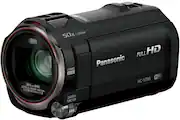
09OCT2023, updating my review of 08OCT2023 where I accidentally selected DO NOT RECOMMEND...when in fact I DO RECOMMNED THIS PANASONC HC-V785 Camcorder (with a couple of ergonomic/physical layout issues listed at the end of this review). Loving the Panasonic HC-V785K camcorder for Full HD Video (did not feel the need for 4K and larger files to edit on my Windows PC) quality and the larger sensor size. The auto-leveling feature shows a small icon and as long as you are within a few degrees of being level the video is digitally leveled automatically. I like the fact it accepts 49mm screw on filters so I bought some Neutral Density (ND) filters to reduce light in bright sun to avoid using smaller apertures (like F22 or F33) which can reduce sharpness due to diffraction. Also got a center-pinch lens cap to help protect the front of the lens and built in lens shutter. (new 09OCT2023): Be careful of selecting the AVCHD recoding mode (generally higher quality video with smaller file sizes than MP4 recording) since some MS Windows files cannot open the *. MTS AVCHD files for viewing or editing. Take some test video and see if you can import the *. MTS ACVHD files into your favorite video editing software before you record a major event. Revert to MP4 recording if necessary. The slow motion options in Video setup are a bit misleading. If you select Intermittent, this means that when recording in the slow motion mode, there will be three dots on the left side of the screen. When recording a scene, the user can press and hold a dot to enter slow motion recording, up to three times per recording session (before stopping recording) . If you select the Video option Slow Motion ALWAYS, this does not mean the camcorder always records on slow motion but only records in slow motion when the user selects the slow motion mode. The use of the word Interval use confusing because it generally means take a shot every few seconds for stop motion video or photos like watching a plant grow. A better word would have been Combined. The ALWAYS option is better if you want to record a long scene in slow motion since you do not have to hold down one of the three dots on the screen if Intermittent was selected. Intermittent is good if recording a sports scene using the slow motion mode, which records normally, but if your kid gets the ball, press and hold one of the three dots to enter slow motion recording, when you release the dot, the camcorder reverts to normal recording and you can keep recording at normal speed. (added 09OCT2023): Also, actual interval recording to catch a growing plant or passing clouds in a sped up manner, just select the Artist mode (looks like a painters pallet), select the bottom icon, then Enter, and select the interval such as every second, or every ten seconds, or every minute. Keep in mind that at 60 frames per second playback, you need 60 images for one second of video. Example, one image every second for a minute gives you 60 images only one second of video playback. For those reviewers complaining of poor performance in low light, the word photograph means to paint with light. As a photographer for decades, I always control light by adding flash for photos (even outdoors when photographing people) or continuous lighting (bought axillary lighting for the included cold shoe) devices for video. This camcorder has a built in light which is decent for short distances of about ten feet....use it, it is better than nothing. Most image capturing requires the user to control the environment as much as possible, change shooting position, adjust aperture, use backlight setting, add light. The only issues I have are ergonomic. .1. Why is the auxiliary mic located under the fold-out screen? With a mic plugged, in, the user cannot close the screen to put the camcorder into power-down mode to conserve battery life automatically and must press the power button to control on/off function. Seems the mic input could have been placed near the cold shoe mount area or the headphone out area . .2. Why is the SD card located on the bottom of the camcorder where quick release plates for tripods interfere with removal? Seems the SD card could be located near the hand strap for easy access regardless of mounting configuration. .3. Why is the battery release button only accessible with the screen open? With the quick power option enabled where opening the screen turns the camcorder on, the camcorder is on when disconnecting the battery which is not a standard convention for electronics (turn off, then remove power source). .4. The cold-shoe should be taller to allow better finger access when a microphone is mounted. With a microphone mounted, there is not much room for accessing the zoom control on top of the camcorder. I am ordering a cold-shoe extension to raise either a mic or LED light (also getting a two cold-shoe t-like adapter to allow attaching both a boom microphone and LED light). There are sun shades to put on the screen to help the user see it better in bright sunlight. Accessories matter.
Posted by cknapp