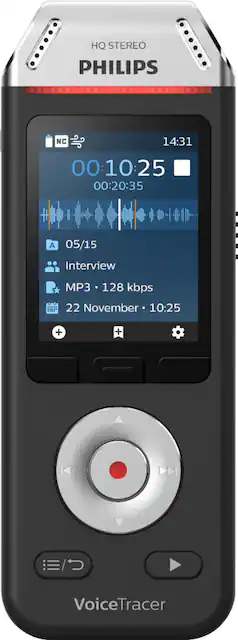
Document essential conversations and interviews efficiently with this Philips VoiceTracer voice recorder. The high-end three-microphone system ensures ultra-clear professional-quality audio during every recording for outstanding playback. This Philips VoiceTracer voice recorder features an intuitive, user-friendly interface with a color display and function keys that make it the ideal note-taking device.
Q: Can you record phone call you receive on my IPhone ?
A: You should be able to with proper microphone selection- boom or 360 surround. Sensitivity is very good. Experimentation might be needed to get best quality.
Q: can it transferred recordings to the computer
A: Yes. Can send to a device using bluetooth and the free app. You can connect via USB also
A: No. You have to use USB cable to connect to your computer.
Q: Can I connect external speakers for playback?
A: It had a headphone Jack which you can use to feed speakers
Q: Does this product provide time and date stamps for each recording?
A: Yes it does
A: Yes. With the mic automatically set to start recording when it hears sound. Battery will only last a day or so though. Wasn't ideal but I did the very same thing. Glued some batteries to the back and found a nice spot under the seat where it would stay put easily. Good luck.
A: Yes, you can append without overwriting an existing recording. To append a recording part: In stop mode of an existing file, press the Record button. • If the cursor of the audio progress bar is at the end of the recording: X The recording screen is displayed and a new recording part is added at the end of your file. • If the cursor of the audio progress bar is at the beginning of the recording: X The editing panel opens. X Press the Up/Down buttons to select Append and then press the Record button to confirm your selection. X The recording screen is displayed and a new recording part is added at the end of your file.
Q: Can this be connected to a external power source
A: Yes, you can. Sometimes before class I charge it from my car.