Plugable - 12-in-1 USB C Triple Monitor Docking Station - 3X HDMI or 3X DisplayPort - Mac, Windows,Thunderbolt,USB4,USB-C - Black
About this product
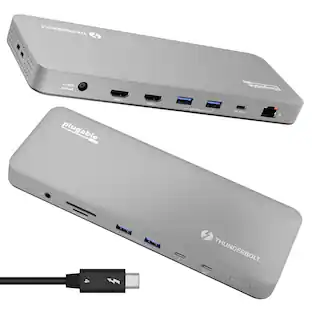
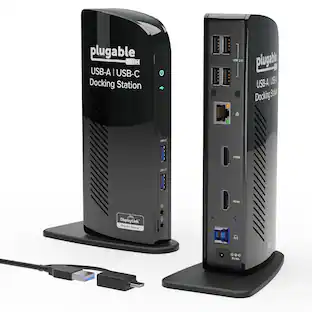
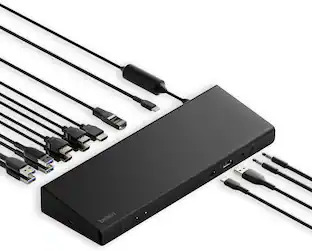
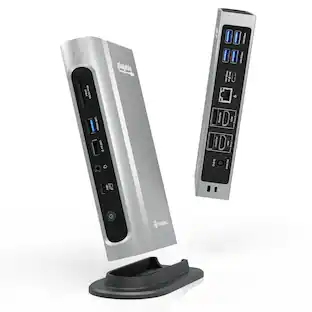
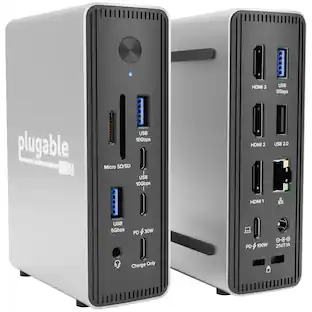
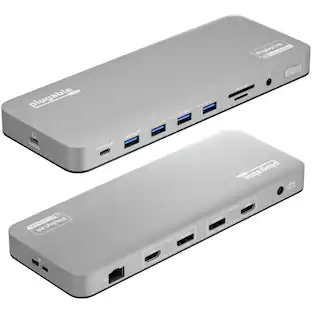
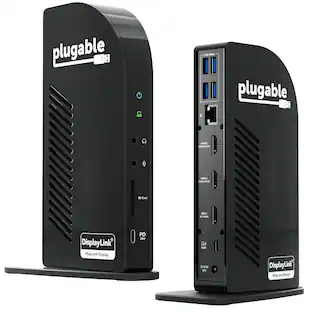
More than just screen count, it is about usability. This triple monitor docking station helps provide the space to get work done. Use the external displays for reference material, have multiple documents open side-by-side, or monitor your email while working on other tasks. Optimized for portable computers, this laptop docking stations uses a single connection to the computer for displays, USB devices, and powering the computer with a Thunderbolt dock. Enabled by the new USB Type-C port, this Thunderbolt 4 Dock replaces at least three connections to the host computer with a single cable, making it easy to start working in the morning, and take the computer with you in the evening. HDMI or DisplayPort, Both? Three HDMI monitors, three DisplayPort Monitors, or a combination of both. This three 4K HDMI Ports, and three 4K DisplayPort docking station enables you to mix and match up to three monitors — no adapters necessary. Of course, the UD-6950PDZ lets you connect more than screens. With an Ethernet port, an audio jack, and 6x USB-A ports, this USB-C Docking Station has room to pair all of your peripherals with a single connection back to your computer. Will it charge my laptop? This triple display docking station provides 100W charging to laptops that support Power Delivery. You’ll want to take a look at your laptop’s specifications to determine if the USB-C port supports Power Delivery.
Get Connected - This USB C docking station
three 4K displays with either HDMI or DisplayPort, six USB 3.0 ports for a wide range of down-stream devices, Ethernet for reliable internet connection, and 3.5mm TRRS audio for headphones or headset
Triple 4K
Ditch the adapters, with 3x HDMI ports and 3x DisplayPort ports for flexible monitor connectivity, connect three screens up to 4K 60Hz with USB-C, USB4, and Thunderbolt systems, even if your computer can only normally support one like the M1, M2, M3, or Neo Mac
Compatibility
Triple display docking station supports USB Type-C with DP1.2, USB4, and Thunderbolt computers with Windows 10 or 11, macOS 11+, and ChromeOS v100+; macOS requires installation of DisplayLink Drivers, see gallery video for installation walkthrough
100W Charging
Leave your power cord in the bag; if your laptop supports USB-C Power Delivery, 100W charging provided by this USB C dock will supply the power your laptop needs to keep you working for the whole day
2-Year Coverage, Lifetime Support
Every Plugable product, including this docking station, is covered against defects for 2 years and comes with lifetime support. If you ever have questions, contact our North American-based team - even before purchase
- Maximum Number of Displays Supported3Maximum Supported Resolution4K (2160p)Number of DisplayPort Outputs (Total)3Passthrough PowerYes
Reviews
This product doesn't have any reviews yet.
Compare similar products
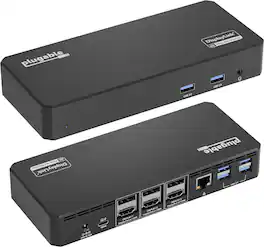
More than just screen count, it is about usability. This triple monitor docking station helps provide the space to get work done. Use the external displays for reference material, have multiple documents open side-by-side, or monitor your email while working on other tasks. Optimized for portable computers, this laptop docking stations uses a single connection to the computer for displays, USB devices, and powering the computer with a Thunderbolt dock. Enabled by the new USB Type-C port, this Thunderbolt 4 Dock replaces at least three connections to the host computer with a single cable, making it easy to start working in the morning, and take the computer with you in the evening. HDMI or DisplayPort, Both? Three HDMI monitors, three DisplayPort Monitors, or a combination of both. This three 4K HDMI Ports, and three 4K DisplayPort docking station enables you to mix and match up to three monitors — no adapters necessary. Of course, the UD-6950PDZ lets you connect more than screens. With an Ethernet port, an audio jack, and 6x USB-A ports, this USB-C Docking Station has room to pair all of your peripherals with a single connection back to your computer. Will it charge my laptop? This triple display docking station provides 100W charging to laptops that support Power Delivery. You’ll want to take a look at your laptop’s specifications to determine if the USB-C port supports Power Delivery.
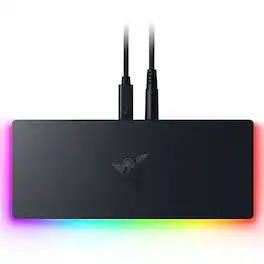
Get a quantum leap in connectivity for your desktop or laptop with the Razer Thunderbolt 5 Dock Chroma. Boasting the fastest transfer speeds, 10 ports, an M.2 storage slot, and support for triple 4K displays at 144 Hz, have all your options covered with a single, powerful Thunderbolt connection.
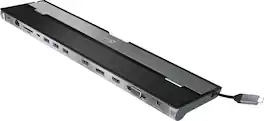
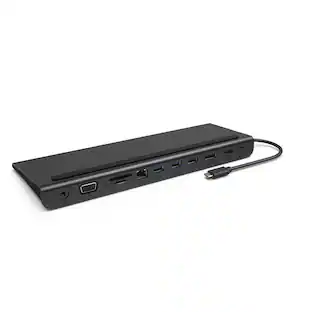
This triple display docking station turns your Mac or Windows laptop into a full workstation with a DisplayPort output, two HDMI outputs, and a VGA output, with resolution support up to 4K (3840 x 2160) on two displays and 1080p on the other one. You can also use your laptop screen for four displays in total, making it easy to access multiple applications at once. With 100W Power Delivery, three USB 3.0 ports, and a USB-C port, this docking station is perfect for your MacBook, Dell XPS, or other USB-C laptop requiring additional ports. This USB 3.0 docking station is also equipped with a RJ45 Gigabit Ethernet port, memory card reader/writer, and combo audio jack for maximum productivity. The elevated design assists with heat dissipation and, with its double-sided cable storage compartment, ensures an easy connection regardless of your USB-C port’s location. All 13 ports are combined into one slim docking station, so you’ll have all the connections you need to stay productive!
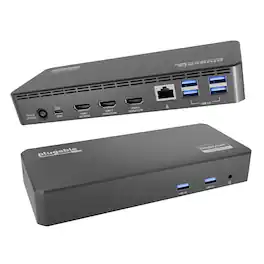
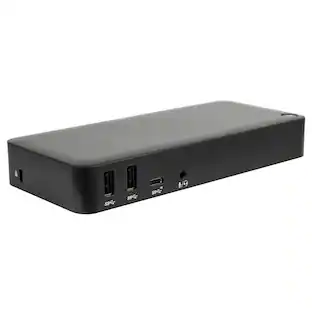
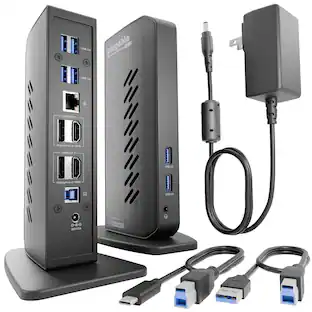
The Plugable UD-3900PDZ is a universal USB-C docking station designed for enterprise deployment, remote work, and hybrid office environments. Supporting up to three HDMI displays, 100W laptop charging, wired networking, and six USB 3.0 devices all through a single USB-C cable this dock enables flexible, clutter-free workstations across a wide range of laptop brands and operating systems. Key Features: - Triple HDMI display support - 100W USB-C Power Delivery - 6x USB 3.0 ports - Gigabit Ethernet - 3.5mm audio in/out combo jack - Includes 135W power adapter Display Support, made clear: 1x HDMI (Alt Mode): Direct connection to the host GPU via USB C DisplayPort Alternate Mode. Ideal for video playback, general applications, and low latency use. 2x HDMI (DisplayLink): USB-based graphics for extending additional monitors even on systems that natively support only one display (like M1/M2 Macs). Great for office tasks, web use, and productivity workflows. Not recommended for high frame rate video, 3D design, or gaming. Built for Deployment This DisplayLink docking station for multi-monitor support is tested across Dell, HP, Lenovo, and Apple MacBooks and is ideal for organizations standardizing across mixed fleets. Using DisplayLink, IT teams can deploy this dock at scale with pre-installed drivers or silent installation tools. Windows typically auto-installs the driver when connected for the first time. This dock is optimized for modern USB-C laptops and is not compatible with: macOS versions 10.13.6 and older Phones, iPads, or Android tablets Systems with ASMedia USB 3.1 controllers (do not support Alt Mode) Desktop computers (not recommended) HDCP/Blu-ray playback not supported. Not for use with non-DisplayLink USB graphics (e.g., MCT, j5create). In the Box UD-3900PDZ Dock (Compact Form Factor: 7.87"L × 3.3"W × 1.2"H, suitable for desk deployment), 0.8m USB-C cable, 135W power adapter (US plug) Backed by Plugable’s Compatibility Guarantee, 2-Year Warranty, and Lifetime North American-based support. A scalable, reliable, IT-ready docking solution for modern workforces.
| Pros for Plugable - 12-in-1 USB C Triple Monitor Docking Station - 3X HDMI or 3X DisplayPort - Mac, Windows,Thunderbolt,USB4,USB-C - Black | |||
|---|---|---|---|
| There were no pros for this product— | There were no pros for this product— | Ease of use, USB-C, Overall Performance, Ports, Connectivity | There were no pros for this product— |
| Cons for Plugable - 12-in-1 USB C Triple Monitor Docking Station - 3X HDMI or 3X DisplayPort - Mac, Windows,Thunderbolt,USB4,USB-C - Black | |||
| There were no cons for this product— | There were no cons for this product— | Compatibility, Power Supply | There were no cons for this product— |
Specs
Be the first to ask a question.
We’ll try to get your question answered within 24 hours by a Best Buy customer or brand representative.
Customers often buy these together
 $180.68The price was $199.99





More to consider



Explore tech essentials Sponsored



Discover related products
 $12.99The price was $13.99
 $143.99The price was $144.99
 $239.00The price was $275.00
 $30.99The price was $32.99
 $429.99The price was $648.99









Keep exploring
 $17.99The price was $21.99