Plugable - Thunderbolt 4 Dock with 100W Charging - Thunderbolt Certified - 3x Thunderbolt Ports - TAA Compliant - Space Gray
Related Item

About This Item
- Key Specs
- Maximum Number of Displays Supported: 2
- Number of DisplayPort Outputs (Total): 1
- Number of Thunderbolt Ports (Total): 3
- Passthrough Power: true (Indicates whether the device allows power to passthrough, possibly with some loss, to another device, typically to charge that other device.)
- General
- Brand: Plugable
- Model Number: TBT4-UDX1
- Product Name: Thunderbolt 4 Dock with 100W Charging - Thunderbolt Certified - 3x Thunderbolt Ports - TAA Compliant
- Color: Space Gray
- Display
- Maximum Number of Displays Supported: 2
- Ports
- Display Connector(s): 1 x HDMI (The number and type of connectors used to connect to an external display.)
- Number of DisplayPort Outputs (Total): 1
- Number of HDMI Ports (Total): 1
- Number of Thunderbolt Ports (Total): 3
- Number of VGA Ports: 0 (VGA (Video Graphics Adapter or Video Graphics Array) is a display standard that transmits via analog signals. This type of interface is typically used to connect a computer to a display device such as a monitor, projector, or TV.)
- Number Of Ethernet Ports: 1
- Number of USB Ports (Total): 4
- USB Ports: 4 x USB-A (The number and type of USB ports the product has.)
- Headphone Jack: true (The device features an interface that allows for the connection of headphones.)
- Microphone Input: true (The device features an input for connecting an external microphone.)
- Power
- Powered: true
- Power Supply Included: true
- Passthrough Power: true (Indicates whether the device allows power to passthrough, possibly with some loss, to another device, typically to charge that other device.)
- Power Supply Output: USB-C (The connector type(s) used by the device to send electrical power to another device.)
- Compatibility
- Brand Compatibility: Windows, macOS, Lenovo, Dell, HP
- Model Compatibility: Windows 10 or 11 Thunderbolt 4 hosts (Dell XPS, Lenovo Thinkpad, HP ProBook), macOS Thunderbolt 3 and Thunderbolt 4 hosts with macOS 11+ (M1 Pro/Max, M2 Pro/Max, M3 Pro/Max)
- Dimensions
- Product Height: 1.2 inches (The out of box height of the item. Height is measured as the vertical distance from the bottom of the item to the top as it would be primarily used or placed.)
- Product Length: 3 inches (The out of box length of the item. Length is measured as the longest dimension of the item.)
- Product Width: 7.9 inches (The out of box width of the item. Width is measured as the horizontal distance from one side of the item to the other as it would be primarily used or placed.)
- Product Weight: 15.7 ounces (The out of box weight of the item.)
- Warranty
- Warranty - Parts: 2 Year Limited Parts
- Warranty - Labor: 2 Year Limited Labor
- Other
- UPC: 819927012740
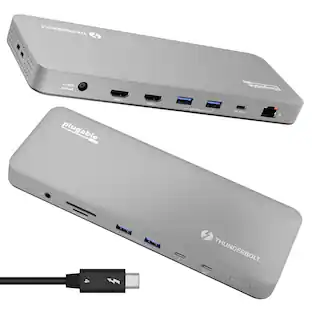
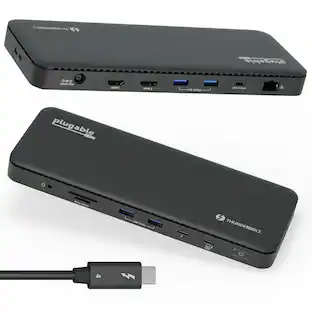
Connect with a TAA-compliant docking station Thunderbolt 4 designed for modern laptops. The Plugable Thunderbolt 4 and USB4 Docking Station (TBT4-UDX1) with up to 100W (96W certified) charging offers something a lot of Thunderbolt docking stations lack, Thunderbolt ports (which are fully USB4 compatible, by the way). In addition to the 40Gbps Thunderbolt connection to the host, get 2x downstream ports (40Gbps) for your most powerful peripherals. This TAA compliant Thunderbolt docking station dual monitor lets you spread out on two screens at up to 4K 60Hz. If you’re presenting to clients or streaming some shows, the 4K HDMI port connects an extra display at up to 60Hz. An included Thunderbolt to HDMI adapter lets you connect a second 4K 60Hz monitor. But if you really want to pack in the pixels, go straight to the Thunderbolt port to connect an 8K monitor up to 30Hz. Diving deeper into its features, the 11-port expansion on this docking station for laptop is perfect for ultra-thin devices like the Surface Pro 8 and Surface Pro 9 with an Intel processor, making it a great Surface Thunderbolt 4 dock. Get instant access to 1x HDMI port, 4x USB 3.0 ports, a 2.5 Gigabit Ethernet port, an SD Card reader, and even a combination audio jack. And the convenience continues with an included 3’ (1m) Thunderbolt cable. Just a heads up, on Mac, dual display is only available on M1 / M2 / M3 systems with a Pro or Max chip, like the Macbook M1 Pro/Max, M2 Pro/Max, M3 Pro/Max
- Thunderbolt Certified: Power meets performance in this TAA-compliant Thunderbolt dock. 3x Thunderbolt ports deliver up to 100W charging (96W certified) and 40Gbps to the laptop, and up to 15W and 40Gbps to your most powerful peripherals. The Plugable TBT4-UDX1 is ready to work
- Dual 4K or One 8K: A dual monitor docking station with customizable connection options. Get dual 4K 60Hz through HDMI and Thunderbolt – USB C to HDMI adapter included. Or, go big with a single 8K 30Hz display via Thunderbolt 4 port
- 11 Port Expansion: HDMI docking station built for modern laptops, 3x Thunderbolt 4 ports (40Gbps) — 1x to host, 2x for your SSD, phone, or other devices, 1x HDMI, 4x USB 3.0 (10Gbps), 2.5Gbps Ethernet, SD reader, combo audio jack, 100W charging – charge a MacBook Pro 14” M1 / M2 / M3 Pro from 0-50% in 30 minutes
- Works With: This Thunderbolt 4 hub is compatible with Windows 10 and newer, and macOS 11.2+; As a Macbook Thunderbolt dock, dual display is only available on M1 Pro/Max, M2 Pro/Max, M3 Pro/Max, and Base M4/Pro/Max systems; For best performance, pair with a Thunderbolt host system
- Enhance Your Setup: Elevate your productivity with seamless connectivity and lightning-fast data transfer speeds using this Thunderbolt 4 hub; Streamline your workflow and power up your devices efficiently
Whats Included
- USB-C to HDMI
Reviews
This product doesn't have any reviews yet.
Compare similar products
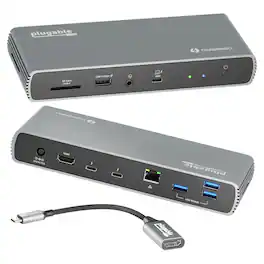
Connect with a TAA-compliant docking station Thunderbolt 4 designed for modern laptops. The Plugable Thunderbolt 4 and USB4 Docking Station (TBT4-UDX1) with up to 100W (96W certified) charging offers something a lot of Thunderbolt docking stations lack, Thunderbolt ports (which are fully USB4 compatible, by the way). In addition to the 40Gbps Thunderbolt connection to the host, get 2x downstream ports (40Gbps) for your most powerful peripherals. This TAA compliant Thunderbolt docking station dual monitor lets you spread out on two screens at up to 4K 60Hz. If you’re presenting to clients or streaming some shows, the 4K HDMI port connects an extra display at up to 60Hz. An included Thunderbolt to HDMI adapter lets you connect a second 4K 60Hz monitor. But if you really want to pack in the pixels, go straight to the Thunderbolt port to connect an 8K monitor up to 30Hz. Diving deeper into its features, the 11-port expansion on this docking station for laptop is perfect for ultra-thin devices like the Surface Pro 8 and Surface Pro 9 with an Intel processor, making it a great Surface Thunderbolt 4 dock. Get instant access to 1x HDMI port, 4x USB 3.0 ports, a 2.5 Gigabit Ethernet port, an SD Card reader, and even a combination audio jack. And the convenience continues with an included 3’ (1m) Thunderbolt cable. Just a heads up, on Mac, dual display is only available on M1 / M2 / M3 systems with a Pro or Max chip, like the Macbook M1 Pro/Max, M2 Pro/Max, M3 Pro/Max

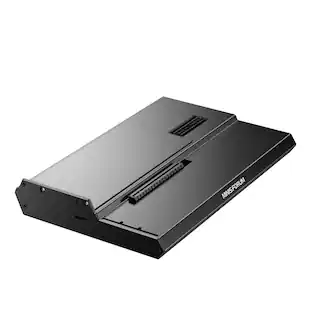
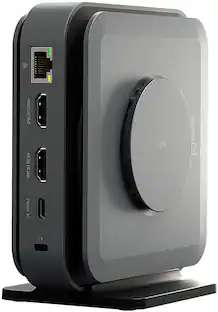
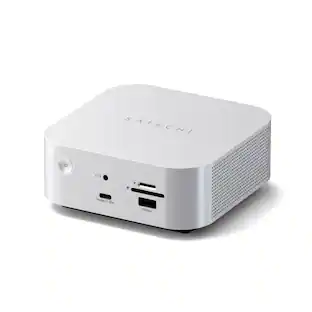
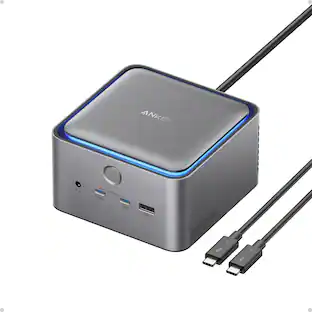
This compact multi-port dock is ideal for office application, featuring everything from the essential two HDMI outputs, USB ports, Gigabit Ethernet, SD/microSD card reader, Audio Jack and an upgraded Power Delivery 3.1 specification. It comes with a mount for saving-space vertical placement and gives you the ability to connect your MacBook or other USB-C compatible laptops to a 4K monitor or TV. With USB Power Delivery 3.1 it’ll take you to a new flexible power application, you'll be able to charge your laptop and power your peripherals with a single USB-C power adapter even if your laptop only has one USB-C port. The top of the dock functions as a wireless charging pad that supports up to 15W fast charging. Access a wired network through the Gigabit Ethernet port for a fast and stable network connection. It is also equipped with a cable storage compartment which ensures an easy connection regardless of your USB-C port’s location. Power Adapter to support Wireless Charging Sold Separately.

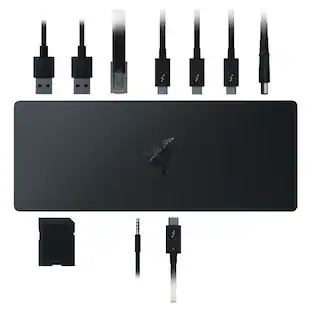
Rewire the rules with the Razer Thunderbolt 4 Dock Chroma—a sleek, customizable hub that ushers in a new era of connectivity for your ideal setup. Packed with 10 ports, lightning-fast data transfer rates, and dual 4K or single 8K video output, you’ll always be primed to make the right connections.

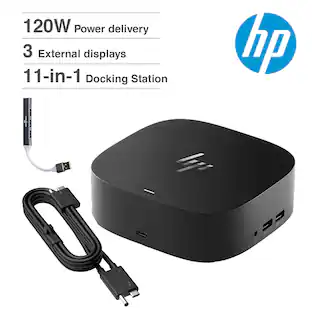
Universal docking for today's laptops. Connect your USB-C-enabled laptop to your displays, accessories, and wired network with the versatile, elegant, and space-saving HP USB-C Dock G5.
| Pros for Plugable - Thunderbolt 4 Dock with 100W Charging - Thunderbolt Certified - 3x Thunderbolt Ports - TAA Compliant - Space Gray | |||
|---|---|---|---|
| There were no pros for this product— | Overall Performance, Wireless Charging, Ease of use, Ports, HDMI | RGB Lighting, Thunderbolt 4, Build Quality, Power, Charging | Overall Performance, Connectivity, Setup, Port Quantity |
| Cons for Plugable - Thunderbolt 4 Dock with 100W Charging - Thunderbolt Certified - 3x Thunderbolt Ports - TAA Compliant - Space Gray | |||
| There were no cons for this product— | Price, Compatibility, Noise Level, Power Supply | Price, HDMI, Ports | There were no cons for this product— |
Specs
Customers often buy these together
 $284.20The price was $443.23
 $129.99The price was $199.00




More to consider
 $249.99The price was $329.99



Explore tech essentials Sponsored
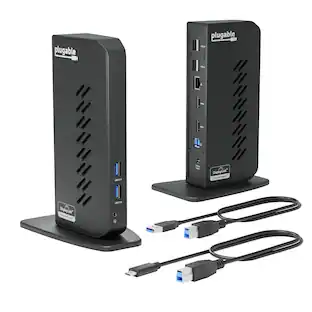
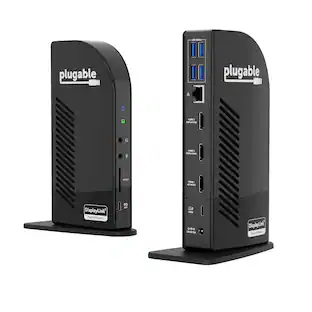
Plugable - USB 3.0 and USB-C Universal Laptop Docking Station for Windows, Mac, ChromeOS | Dual HDMI
$112.95The price was $135.35

Discover related products
 $12.99The price was $15.99
 $29.99The price was $32.99










Keep exploring
 $22.99The price was $23.99
 $229.99The price was $399.99
 $44.99The price was $49.99
 $339.98The price was $399.99
 $169.99The price was $269.99