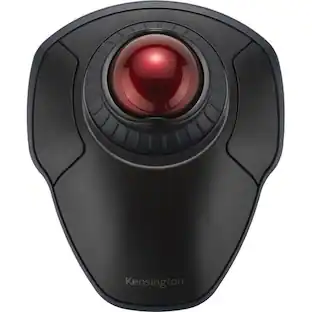
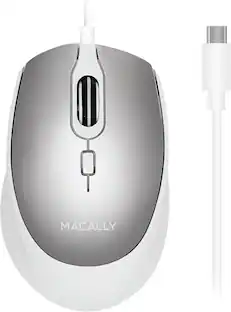
Razer - Basilisk Mobile Optical Gaming Mouse - Wireless - Black
Customers are saying
Customers admire the Basilisk Mobile Optical Gaming Mouse for its portability. Many users appreciate that the mouse's size is neither too big nor too small.
Compact Ergonomic Form Factor
Fully configurable to meet your specific needs, work and play comfortably for long hours anywhere with a trusty companion that’s a perfect fit with your hand, backpack, and preferences.
Powered by Razer HyperScroll Technology
Cycle through weapons and skills with precision, or switch to smooth, high-speed scrolling at the touch of a button to cover content quickly.
Razer Focus X 18K Optical Sensor
Powered by an 18,000 DPI optical sensor with 99.4% resolution accuracy, keep your gameplay on point with a mouse that delivers top-tier precision anywhere.
Razer Optical Mouse Switches Gen-3
From an improved 90-million click lifecycle with zero double-clicking issues, to a blistering 0.2 ms actuation with no debounce delay, enjoy reliability and speed that outshines all others.
Versatile Tri-Mode Connectivity
Stay connected no matter where you set up. Enjoy lag-free gaming with ultra-fast HyperSpeed Wireless, extended power with Bluetooth, or keep it charged and ready with an included USB C cable.
Up to 105 Hours of Gameplay
Delivering up to 7 hours of battery life on just ten minutes of charge, you’ll never be caught off guard while gaming on-the-go. Also available in Bluetooth mode with up to 180 hours of use.
AI Prompt Master
Unlock powerful shortcuts with Razer Synapse 4 and explore customized game strategies for a truly engaging experience that gives you the edge in every game.
- Lighting TypeNoneMaximum Sensitivity18000 dots per inchNumber of Buttons (Total)6Connection TypeWireless, Wired
Reviews
Rating 4.8 out of 5 stars with 18 reviews
- Portability (5)
- Connectivity (3)
- Size (3)
Customer Images
The vast majority of our reviews come from verified purchases. Reviews from customers may include My Best Buy members, employees, and Tech Insider Network members (as tagged). Select reviewers may receive discounted products, promotional considerations or entries into drawings for honest, helpful reviews.





Compare similar products

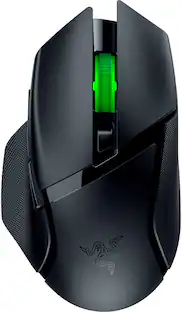
Hit the mark even while you’re on the move with the Razer Basilisk Mobile—the ultimate portable ergonomic wireless gaming mouse. From its compact ergonomic form and ultra-long battery life, to a top-tier scroll wheel, gaming-grade sensor, and more, traveling light has never packed such a big punch.

Create, control, and champion your playstyle with the new Razer Basilisk V3—the quintessential ergonomic gaming mouse for customized performance. With 10+1 programmable buttons, a dual-mode tilt scroll wheel, and a heavy dose of Razer Chroma RGB, it's time to light up the competition your way.

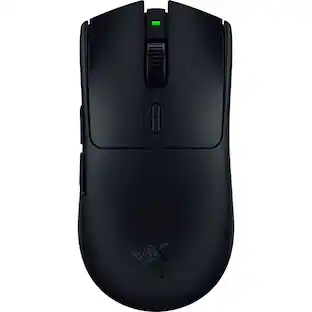
With the Razer Basilisk V3 X HyperSpeed, there are no limits on how you choose to play. Armed with 9 programmable controls, dual-mode wireless connectivity, and customizable Razer Chroma RGB, it is made to answer to only one master—you.
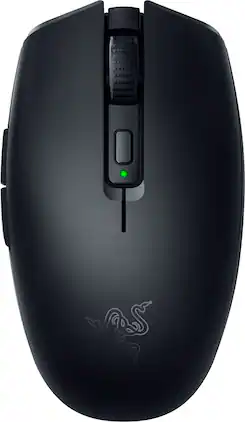
Introducing the Razer Orochi V2—a compact, ultra-lightweight wireless gaming mouse designed for exceptional portability and performance. Weighing under 60g, its ambidextrous shape ensures agile control on the go without sacrificing durability. With dual-mode connectivity, switch to Bluetooth for maximum battery efficiency during work, or unleash HyperSpeed Wireless for seamless, low-latency gaming. Built to outlast the grind, it delivers up to 1100 hours of battery life on Bluetooth and 445 hours on HyperSpeed, so you can keep going without frequent replacements. Outfitted with Razer Mechanical Mouse Switches Gen-2, enjoy crisp, consistent execution rated for up to 60 million clicks, while the Razer Focus X 18K Optical Sensor offers pinpoint precision with 99.4% resolution accuracy. Its hybrid battery slot works with either a single AA or AAA battery, giving you versatility and balanced weight distribution. Compact, versatile, and engineered for lasting performance—the Orochi V2 is the ultimate travel companion for work and play.
| Pros for Razer - Basilisk Mobile Optical Gaming Mouse - Wireless - Black | |||
|---|---|---|---|
| Connectivity, Portability, Size | Overall Performance, Comfort, Weight, RGB Lighting, Scroll Wheel | Overall Performance, Comfort, Connectivity, Weight, Battery Life | There were no pros for this product— |
| Cons for Razer - Basilisk Mobile Optical Gaming Mouse - Wireless - Black | |||
| There were no cons for this product— | Size, Software, Price, Connectivity, Sensitivity | Size, Scrolling, Thumb Button, Lag | There were no cons for this product— |
Specs
Customers often buy these together
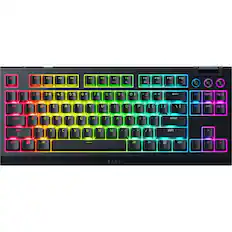
Computer Keyboards
![esc 1 ! 2 @ 3 # 4 $ 5 % 6 ^ 7 & 8 * 9 ( 0 ) - = | F1 F2 F3 F4 F5 F6 F7 F8 F9 F10 F11 F12 tab Q W E R T Y U I O P [ ] { } | caps A S D F G H J K L : : enter shift Z X C V B N M , < > ? shift ctrl alt fn ctrl](https://pisces.bbystatic.com/image2/BestBuy_US/images/products/bc5bce35-ca08-45da-bcc3-8d6fb215154b.jpg;maxHeight=232;maxWidth=233?format=webp)
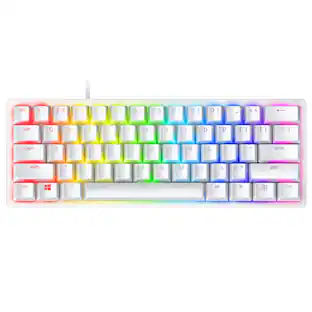
Razer - Huntsman Mini 60% Wired Optical Clicky Switch Gaming Keyboard with Chroma RGB Backlighting - Black
$69.00The price was $119.99
![M6 esc F1 F2 F3 F4 F5 F6 F7 F8 F9 F10 F11 F12 prtsc scr lk pause C 1 2 3 4 5 6 7 8 9 0 - = ins home pg up num / * - + del end pg dn 7 8 9 4 5 6 1 2 3 enter M4 tab Q W E R T Y U I O P [ ] \ M3 caps A S D F G H J K L : M2 shift Z X C V B N M , . / M1 ctrl alt fn ctrl RAZER](https://pisces.bbystatic.com/image2/BestBuy_US/images/products/c08b6a0a-da9f-4f89-8605-5ec2f54e0108.jpg;maxHeight=232;maxWidth=233?format=webp)
![esc F1 F2 F3 F4 F5 F6 F7 F8 F9 F10 F11 F12
1 2 3 4 5 6 7 8 9 0 - = del
tab Q W E R T Y U I O P [ ] \
caps A S D F G H J K L ; ' enter
shift Z X C V B N M , . / shift
ctrl alt fn ctrl
pg up pg dn ins
ctrl alt](https://pisces.bbystatic.com/image2/BestBuy_US/images/products/beb0715e-dcb0-46fd-8feb-3a90d2ddee65.jpg;maxHeight=232;maxWidth=233?format=webp)
![USC F1 F2 F3 F4 F5 F6 F7 F8 F9 F10 F11 F12 prt SC scr lk pause HH PE PM M5 1 ! 2 @ 3 # 4 $ 5 % 6 ^ 7 & 8 * 9 ( 0 ) - + ins home pg up num / MG tab Q W E R T Y U I O P [ { ] } \ del end pg dn 7 8 9 + EM caps A S D F G H J K L : - enter C 1 2 3 4 5 6 > M2 shift Z X C V B N M - / ? shift 1 2 3 M1 ctri alt alt fn ctrl 0 ins del enter](https://pisces.bbystatic.com/image2/BestBuy_US/images/products/db34a04d-e8cb-4a6c-b0e8-8cb5450ca606.jpg;maxHeight=232;maxWidth=233?format=webp)
Mouse Pads




More recommended items
 Laptop Docking Stations
 Gaming Headsets
More to consider
 $59.99The price was $69.99
 $129.99The price was $159.99
 $57.99The price was $69.99
 $64.99The price was $99.99
 $79.99The price was $99.99
 $78.99The price was $99.99



Explore tech essentials Sponsored
 $69.99The price was $99.99
 $59.99The price was $99.99
- $129.99The price was $159.99
 $119.99The price was $159.99
 $126.99The price was $149.99
Discover related products
 $149.52The price was $157.00
 $12.99The price was $13.99
 $504.68The price was $535.66
 $249.00The price was $275.00









Keep exploring

Logitech - B100 Corded Mouse – Wired USB Mouse for Computers and laptops, for Right or Left Hand Use
$12.18The price was $20.06 $79.95The price was $109.95
 $119.95The price was $199.95