Reader for Magstripe (USB-C)
Customers are saying
Customers frequently mention the Reader for Magstripe (USB-C) for its overall performance and ease of use. Users appreciate the convenience and excellent picture quality. The USB-C connectivity is also a valued feature, and customers report seamless compatibility with new phones.
Clear pricing, fast transfers
Accept all major credit and debit cards and pay one simple rate with no hidden fees and no long-term contracts required. Get your money as soon as the next business day.
Fast setup, no long-term commitments
Download the Square Point of Sale app for free, create an account, and start taking payments anywhere. Get your money as soon as the next business day.
Powered by the free Square Point of Sale app
Run your business all in one place with the free Square Point of Sale app. Track your sales, manage inventory, accept tips, send receipts digitally, and more.
Plugs into a USB-C connector
Works with devices with a USB-C connector.
- Subscription/Contract RequiredNo long term contractsPayment Types SupportedMagnetic stripe cards
Reviews
This product doesn't have any reviews yet.
Compare similar products

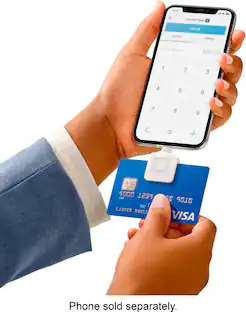
Do business anywhere and take credit card payments on your Apple or Android mobile device with the Square Reader for magstripe. It’s quick and easy to get started: Download a free Square Point of Sale app, plug Square Reader for magstripe into your device’s USB-C connection, and you’re ready to swipe cards anywhere. Your Square app takes care of payments, tipping, inventory, reports, and more. Accept all major credit and debit cards and pay one simple rate with no hidden fees and no long-term contracts required. Fast transfers come standard — get money in your bank account as soon as the next business day, or instantly for a small fee. Add on complementary hardware or software to accept more payment types, like EMV chip cards, Apple Pay, Google Pay, and other NFC payments. Either enable Tap to Pay on iPhone or Tap to Pay on Android and take tap payments, or try Square Reader for contactless and chip to accept tap and chip cards.

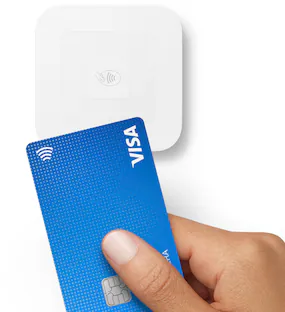
Accept every way your customers want to pay with Square Reader for contactless and chip (2nd generation) —take EMV chip cards, Apple Pay, Google Pay, and other contactless, NFC payments. You can also send invoices and key-in credit card numbers by hand. The reader connects wirelessly to iOS or Android devices with Bluetooth LE. The reader will remain connected to your device so no need to pair each day. It works with the free Square Point of Sale app to take care of payments, tipping, inventory, reports, and more. You can also build a website with Square Online to manage your business and sell to anyone, anywhere. Accept all major credit and debit cards and pay one simple rate with no hidden fees and no long-term contracts required. Fast and flexible transfers keep your cash flow at your fingertips. Access funds as soon as the next day for free, or transfer instantly for a small fee.

Do business anywhere and take credit card payments on your Apple device with the Square Reader for magstripe. It’s quick and easy to get started: Download the free Square Point of Sale app, plug Square Reader for magstripe into your device’s Lightning connector, and you’re ready to swipe cards anywhere. The free Square Point of Sale app takes care of payments, tipping, inventory, reports, and more. No long-term contracts, monthly processing fees, or bank merchant account applications.Accept all major credit and debit cards and pay one simple rate with no hidden fees and no long-term contracts required. Fast transfers come standard—get money in your bank account as soon as the next business day, or instantly for a fee. Add Square Reader for contactless and chip and accept every way your customers want to pay—take EMV chip cards, Apple Pay, Google Pay, other NFC payments, and magstripe cards.

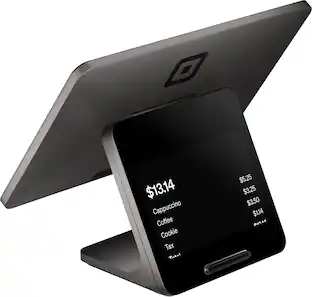
Square Terminal is your all-in-one device for payments and receipts. Take every payment quickly and securely with 24/7 fraud prevention and 24/7 phone support. Accept all major credit and debit cards and pay one simple rate with no hidden fees and no long-term contracts required. Get your money as soon as the next business day. Square Point of Sale has tailored solutions for your industry with unique tools to streamline everything you do. Square Terminal also works with any standard 2.25 in. x 50 ft. thermal printer paper, making refills easy. It does not have an internet browser or support additional apps.
| Pros for Reader for Magstripe (USB-C) | |||
|---|---|---|---|
| Overall Performance, Compatibility, Ease of Use, Connectivity | Ease of use, Overall Performance, Battery Life, Speed, Setup | Ease of use, Compatibility, Overall Performance, Size, Price | Ease of use, Overall Performance, Battery Life, Size, Speed |
| Cons for Reader for Magstripe (USB-C) | |||
| There were no cons for this product— | Connectivity | Instructions, Card Reader | Connectivity, Price, Software Updates |
Specs
When you get one How do you add it to your bank account
Answered by SquareOnce you link your bank account, you can start receiving your funds on any one of our transfer schedules. Your money can be transferred instantly, on the same day, or within one to two business days. Learn how to link your bank account here: https://squ.re/2FMkchS and our transfer schedule here: https://squ.re/2B9dHWZ.

does it work with ipads, gen 18 19 20? is it compatible with STRIPE?
Answered by SquareYou can view all compatible iPad models on this page: https://squ.re/47dMi3D. Square doesn't currently have a direct integration with Stripe. You can check out all of our supported integrations on the Square App Marketplace: https://squ.re/4loMS5p.
Does this card reader require any monthly fees?
No, there are no monthly processing fees associated with this card reader.
This question and answer was generated by AI based on customer and product data.How long does it typically take to receive funds from a sale?
You can expect to receive your funds as soon as the next business day.
This question and answer was generated by AI based on customer and product data.Is this card reader compatible with Apple products?
Yes, this card reader is compatible with Apple iPhones.
This question and answer was generated by AI based on customer and product data.

More to consider
Discover lifestyle innovations Sponsored
 $389.99The price was $449.99
 $229.99The price was $279.99

Discover related products
 $32.99The price was $45.90