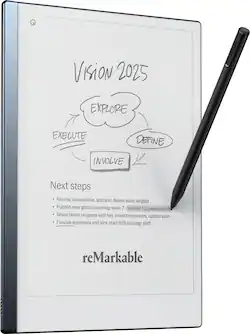
reMarkable - 2 - 10.3” Paper Tablet with Marker Plus - Black
- Key Specs
- Screen Size: 10.3 inches (Size of the screen, measured diagonally from corner to corner.)
- Active Area: 10.2 (The size of the screen area that a user interacts with, either by stylus and/or touch (if supported).)
- Total Storage Capacity: 8 gigabytes
- Battery Chemistry: Lithium-ion
- General
- Brand: reMarkable
- Model Number: RM113/RM113M
- Product Name: reMarkable 2 - 10.3” Paper Tablet with Marker Plus
- Color: Black
- Year of Release: 2022
- Display
- Screen Size: 10.3 inches (Size of the screen, measured diagonally from corner to corner.)
- Active Area: 10.2 (The size of the screen area that a user interacts with, either by stylus and/or touch (if supported).)
- Storage
- Total Storage Capacity: 8 gigabytes
- Compatibility
- System Requirements: Wifi (The software that a product must have for it to be able to integrate with another product.)
- Connectivity
- Interface(s): USB-C (Refers to the types of connections that devices use to interact and communicate with each other.)
- Power
- Charging Interface(s): USB-C (The connection for transmitting power to charge the device.)
- Battery Chemistry: Lithium-ion
- Dimensions
- Product Height: 0.19 inches (The out of box height of the item. Height is measured as the vertical distance from the bottom of the item to the top as it would be primarily used or placed.)
- Product Width: 7.4 inches (The out of box width of the item. Width is measured as the horizontal distance from one side of the item to the other as it would be primarily used or placed.)
- Product Depth: 0.19 inches (The out of box depth of the item. Depth is measured as the distance from the front of the item to the back as it would be primarily used or placed.)
- Product Weight: 1.05 ounces (The out of box weight of the item.)
- Certifications Listings & Approvals
- ENERGY STAR Certified: false (Devices carrying the ENERGY STAR service mark, such as computer products and peripherals, kitchen appliances, and other products, generally use 20% to 30% less energy than required by federal standards.)
- Included
- Stylus Included: true
- Warranty
- Warranty - Parts: 1 year
- Warranty - Labor: 1 year
- Other
- UPC: 7090045251195
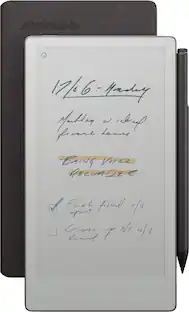
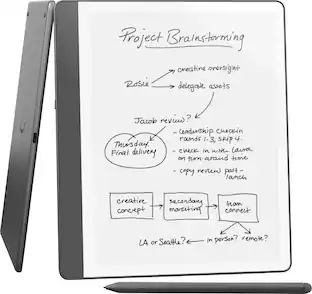
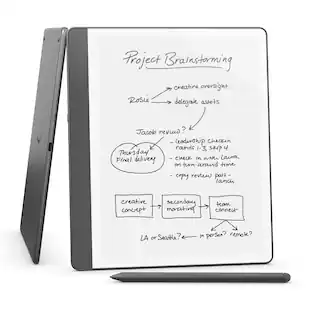
Replace all your notebooks and documents with a tablet that feels just like paper. Experience paper-like writing and reading on our thinnest and lightest design.
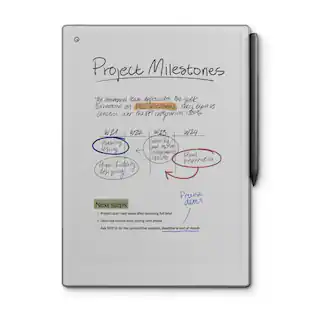
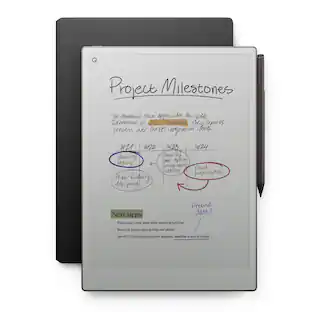
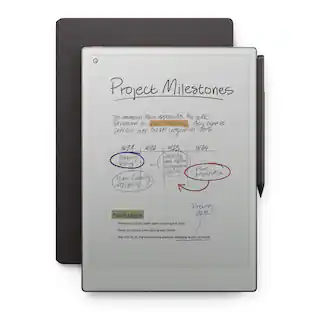
- The Original Paper Tablet: Meet the paper tablet that redefines note-taking, reading, and reviewing documents, with a paper-like writing experience.
- Designed To Help You Focus: Distraction-free by design. No notifications, pop-up ads, or social media. Just you and your thoughts, so you can find the focus to do your best work.
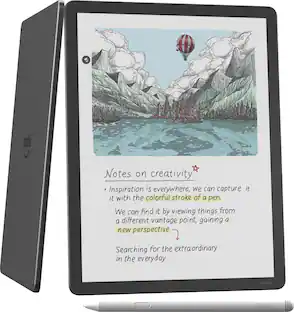
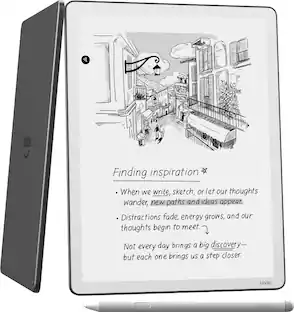
- All Your Notes, Organized: Keep all your handwritten notes, to-do lists, PDFs, ebooks, and sketches organized and in one place — easily accessible on multiple devices and platforms.
- Mobile And Desktop Note-Taking: Create, edit, and organize notes from your smartphone or laptop with the reMarkable apps. Build the workflow that works for you. Enjoy seamless note-taking across devices with unlimited cloud storage and sync with a Connect subscription.*
- Connect Subscription Access: Get access to mobile and desktop note-taking with a Connect subscription.*
- Handwriting Conversion: Make your handwritten notes easy to reuse by converting them into typed text. You can then refine or expand your converted notes with the Type Folio keyboard cover (sold separately), upload them to cloud storage services, or send by email to share them instantly.
- Google Drive, Dropbox, And OneDrive Integration: Access popular cloud storage services right from your paper tablet to improve your workflow. Browse stored files, copy them to your reMarkable, and upload documents directly to your chosen service.
- Take Notes Directly On PDFs: Read and review reports and presentations on an eye-friendly display, and write your thoughts directly onto the page. Signing PDFs and annotating documents has never been easier.
- Send Content To Your reMarkable: Save any web page, Microsoft Word document, or PowerPoint presentation to your paper tablet for when you have time to focus and read in-depth. All it takes is a click with our Read on reMarkable extension.
- Share Your Screen Live: Stream your notes and ideas directly onto a bigger screen. Turn your reMarkable into the perfect digital whiteboard to write, draw, and demonstrate tricky concepts live in meetings.
- An Eye-Friendly Reading Experience: With no backlight or glare, reMarkable lets you comfortably read PDFs and ebooks for hours on end. Get a paper-like reading experience without the need to print a page.
- Two Weeks Of Battery Life: With up to two weeks of battery life and 90 days of standby time, reMarkable is always ready to come out of your bag and get to work.
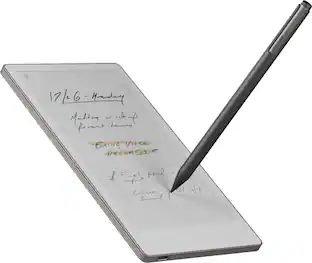
- Marker Plus: An exceptional digital writing instrument with a built-in eraser. Simply flip it upside down to erase, just like a regular pencil. Marker Plus is indispensable to reMarkable’s paper-like experience.
- Connect Subscription: *All new Connect subscribers get a 100-day free trial, at the end of the free trial the subscription automatically renews until cancelled. The current price is $4.99/mo to maintain all your work safely stored, up to date, and ready to use on your paper tablet and in our mobile and desktop apps. Cancel anytime.
Whats Included
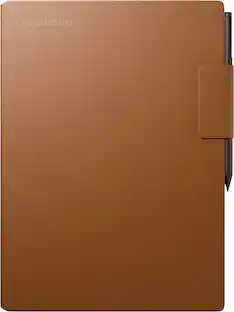
- reMarkable 2 — the paper tablet
- Marker Plus
- 100 Day Free trial Connect Subscription
- 9x spare Marker tips
- USB-A to C cable
Disclaimers
- *All new Connect subscribers get a 100-day free trial, at the end of the free trial the subscription automatically renews until cancelled. The current price is $2.99/mo to maintain all your work safely stored, up to date, and ready to use on your paper tablet and in our mobile and desktop apps. Cancel anytime.
Q: Can I share my screen from this tablet during a meeting?
A: Yes, you can stream your notes and ideas directly onto a bigger screen, making it a digital whiteboard.
Q: How long does the battery last on a single charge?
A: The battery can last for up to two weeks on a single charge.
Q: What is the storage capacity of this tablet?
A: This tablet comes with 8 GB of storage space.
Q: Does this tablet come with a stylus?
A: Yes, the reMarkable 2 comes with a Marker Plus stylus.
Q: Can I convert my handwritten notes to text on this tablet?
A: Yes, the reMarkable 2 allows you to convert your handwritten notes into typed text.
Q: What cloud storage services are compatible with this tablet?
A: The reMarkable 2 is compatible with Google Drive, Dropbox, and OneDrive.
Q: Does this tablet have a backlight?
A: No, the reMarkable 2 does not have a backlight, which makes it easier on the eyes.
Q: Can I view and edit my notes on other devices?
A: Yes, with a Connect subscription, you can view and edit your notes on desktop and mobile apps.