Skip to contentGo to Product Search
Main Content

reMarkable - Paper Pure – 10.3” Paper Tablet Bundle with Marker Plus and Sleeve Folio - Mist Green

Model: RM95A-1002NW
SKU: 6672952
Sold byBest Buy

Customers are saying

Customers appreciate the exceptional build quality and the impressive battery life that lasts for weeks. Users frequently highlight the device's portability and the natural, intuitive feel of the writing experience. While the performance is highly regarded, some users noted that the lack of a backlight is a drawback for this model.

Generated by AI based on customer reviews.
Features
  • Your place to think

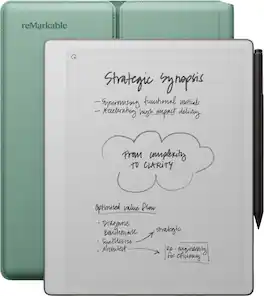
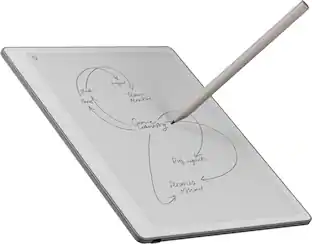
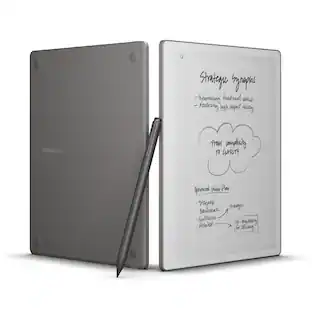
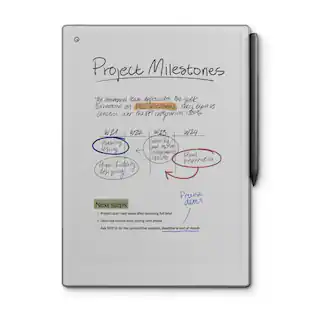
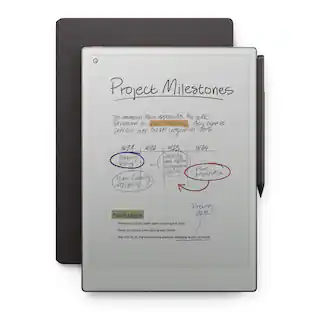
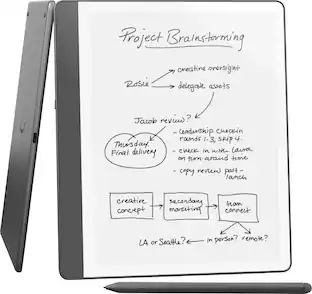
    Just put your pen to paper and take notes, mark up documents, and sketch. With dozens of available note-taking templates, an uncluttered screen, and easy navigation, thoughts can flow without interruption.

  • Smart digital powers

    Edit and improve your ideas, and turn handwritten notes into text. Tags and folders keep your notes and documents organized, so your work is always at your fingertips.

  • Work moves freely

    Use the reMarkable apps and plugins to send web articles, documents, and PDFs from Google Drive, Dropbox, Microsoft Word, and more to your paper tablet. Once you’re finished taking notes, share them directly from your paper tablet via email.

  • Our best black-and-white paper tablet yet

    The third-generation 10.3-inch display is whiter and has more contrast than ever before. Digital ink appears in just 21 ms — faster than the blink of an eye.

  • Marker Plus and Sleeve Folio included

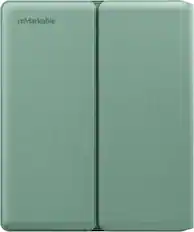
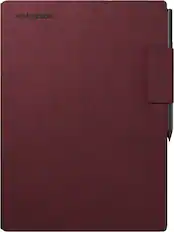
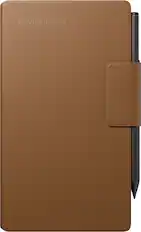
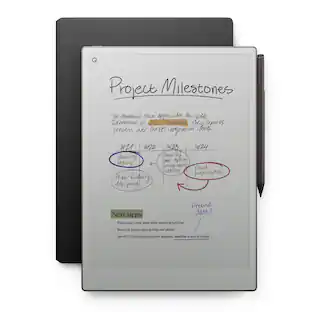
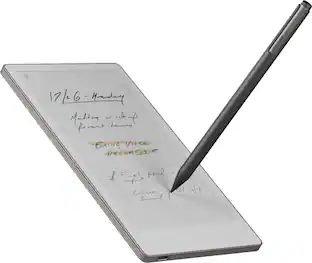
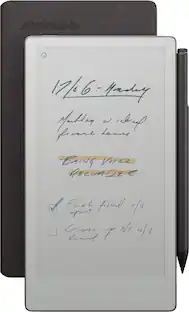
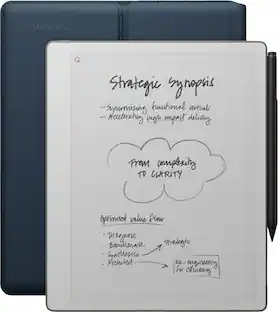
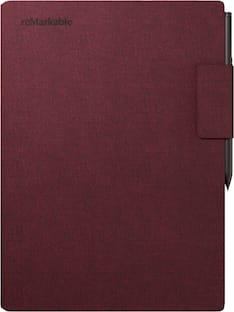
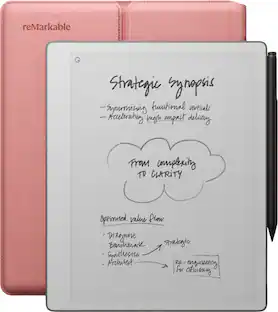
    Our premium pen has a finely textured finish for better grip and a built-in eraser. Writing with it feels just like writing on real paper. It attaches magnetically to the side of reMarkable Paper Pure for easy storage and charging. Sleeve Folio offers wraparound protection for your paper tablet and Marker Plus, and automatically locks your paper tablet.

  • Lightweight and long battery life: reMarkable Paper Pure weighs just 0.79 lb (360 g), or about as much as a good paper notebook. The battery lasts up to three weeks with one charge, letting you focus on work without worrying about power.

  • Connect to your favorite tools: Subscribe to Connect for more benefits and features, like unlimited cloud storage for all your work. You can also search handwritten notes, edit in the reMarkable apps, or share work to apps like Slack and Miro, where AI works in the background to turn handwriting into text.

Specifications
  • Screen Size
    11.8 inches
    Active Area
    10.2
    Total Storage Capacity
    32 gigabytes
    Wireless Connectivity
    Wi-Fi
    Battery Chemistry
    Lithium-ion
Sponsored

Reviews

Rating 4.7 out of 5 stars with 33 reviews

100% would recommend to a friend
Customers are sayingCustomers appreciate the exceptional build quality and the impressive battery life that lasts for weeks. Users frequently highlight the device's portability and the natural, intuitive feel of the writing experience. While the performance is highly regarded, some users noted that the lack of a backlight is a drawback for this model.
This summary was generated by AI based on customer reviews.
  • Build Quality (13)
  • Battery Life (9)
  • Performance (8)
  • Portability (7)
  • Writing Experience (5)
  • Backlight (7)

Customer Images

The vast majority of our reviews come from verified purchases. Reviews from customers may include My Best Buy members, employees, and Tech Insider Network members (as tagged). Select reviewers may receive discounted products, promotional considerations or entries into drawings for honest, helpful reviews.

  • Rated 5 out of 5 stars

    Slim & Battery

    The size and thickness of the Paper Pure notebook is perfect. Not too big to carry around while taking notes for my audits at work and not too small so I’m not turning pages or scrolling down frequently. Battery life is GREAT! Moderate use (2-4 hours a day) is about 2 weeks of battery life maybe more because I’ve never had it go below 30% charge before charging again after two weeks. I would like to see it come with a remarkable made folio instead of the sleeve. I would like the protection of a folio case instead of having to slide in/out the tablet from the sleeve. The sleeve has a very nice build quality to it.

    This review is from reMarkable - Paper Pure – 10.3” Paper Tablet Bundle with Marker Plus and Sleeve Folio - Ocean Blue

    Posted by ToolandtechReviews

  • Rated 5 out of 5 stars

    So very worth the investment

    I've wanted a reMarkable for ages, and am not disappointed at all! I use it both for work and for personal projects, and am able to easily sort and organize my handwritten notes. I can import a PDF to take notes directly, and I can send myself my documents by email or by connecting to my Dropbox or other cloud storage. I literally have used this every day since I got it a month ago. Also, the battery lasts a very long time - it's been almost two weeks since I plugged it in, and it's still at 45% power right now.

    Posted by Veronica

  • Rated 5 out of 5 stars

    Wonderful product!

    Bought it for my daughter who loves writing, she is fascinated with it!

    This review is from reMarkable - Paper Pure – 10.3” Paper Tablet Bundle with Marker Plus and Sleeve Folio - Ocean Blue

    Posted by MARIE

  • Rated 5 out of 5 stars

    Great writing (and reading) experience

    ## Design You can think of the reMarkable Paper Pure as a digital notepad. It has a crisp, e-ink touchscreen that is great for reading, plus you can also markup and highlight text with the included stylus (what they refer to as a "marker"). The matte display has a paper "feel" to it, so writing feels natural when using the stylus. Not only does the display feel like paper, but it also looks like paper as well. The background is white, and the dark e-ink display contrasts nicely against it. Unfortunately, there is no backlight in the Paper Pure, so you will only be able to use it in a well-lit area. The frame of the device is plastic and while it is lightweight, it does feel a little flimsy. However, the bundle version of this tablet includes a semi-rigid carrying case, and there are other 3rd party protective case options available as well. The stylus attaches magnetically to the right side of the Paper Pure for storage and charging. The bundle version of this tablet includes Remarkable's Marker *Plus* which includes an eraser function on one end which saves you from having to manually turn on the erasing function in the software with the regular Marker. The bundle also includes a Sleeve Folio for the Paper Pure. ## Performance The OS and display are responsive and documents and notebooks open quickly so you can get to work. There is some ghosting when scrolling and pinching and zooming, but if you wait a beat the screen typically refreshes to clear any abnormalities. When creating new notebooks on the device, you can choose from a blank page or use a handful of templates as a background, such as lined notebook paper, week planners, and sheet music. Writing on the device feels natural and, as I mentioned, the glass display has a matte finish that provides a paper-like feel as you write. The Paper Pure can also convert handwriting to text and I found it to be quite accurate with my own writings. I sometimes need to read lengthy manuals and technical documentation in the PDF format which I typically do on an iPad, but sometimes (especially after long reading sessions) my eyes prefer an e-ink display. Transferring PDFs to a Kindle typically messes up the formatting, so I've been looking for a larger e-ink solution for PDF reading. The reMarkable Paper Pure does a fair job with PDFs as you can import PDFs in their original format. The resolution of the display is typically enough for most PDF documents, but text-dense documents or documents with a small font may require zooming or using the tablet in landscape mode. You can transfer documents back and forth from the tablet my using reMarkable's website, but some features require a subscription. ## Which features are free and which require a Connect subscription? Free features include: - Reading web articles and eBooks - Transferring/syncing files updated within the past 50 days - Handwriting conversion to typed text - Annotating PDFs - Using the browser extension on your laptop to send PDFs and articles to reMarkable - Retrieving documents from Google Drive, Dropbox, and OneDrive The Connect subscription adds these features: - Unlimited cloud storage and syncing (no 50-day limit) - Viewing and editing your work in the mobile and desktop apps (without the tablet) - Handwriting search - Exclusive templates ## Battery Life The Paper Pure can last about 3 weeks on a single charge, and it recharges with a standard USB-C cable. ## Summary The reMarkable Paper Pure is a digital notepad with a crisp e-ink touchscreen and a stylus for writing and highlighting. It offers a paper-like feel and can convert handwriting to text, but lacks a backlight and the plastic case feels somewhat flimsy. The device includes free features like reading, handwriting conversion, and PDF annotation, with a Connect subscription adding more cloud storage, handwriting search, and templates.

    This review is from reMarkable - Paper Pure – 10.3” Paper Tablet Bundle with Marker Plus and Sleeve Folio - Ocean Blue

    Posted by TechnicallyWell

  • Rated 5 out of 5 stars

    Great for marking up and sharing docs on the fly!

    Really neat notetaking tablet for those who prefer paper and pen. This is my first experience with a “paper” tablet and it honestly took some realigning of my expectations. The reMarkable Paper Pure Tablet has a lot less features than a regular one that runs on Android, iOS, or Windows, but it wasn’t designed for that either. It was built for aiding your workflow and if you’re a person who prefers the freedom and sketchability of a pen or pencil, then you’re in luck! The whole kit comes with a fabric hard shell case, 6 replaceable pen tips, pen, and USB-C charging cable. The pen magnetically docks to the side of the tablet, which is how it charges as well. The tablet charges through a USB-C port and features an amazing 3 weeks of battery life, so unless you’re really careless it’s ready when you need it! But you can be a little clumsy, because the body and screen are made with rugged plastic that’s prepared for day-to-day abuse. And let me tell you, this thing takes drops like a champ! And I appreciate that. The pen feels great in the hand too, with a nice weight and solid grip. It took me a while to realize the “eraser” end of the pen actually works like an eraser on the tablet screen, but I’m sure it was mentioned in the tutorial that I mostly skimmed through. Most of the features are pretty intuitive though and I’m impressed with how well it can read and convert handwriting to typed text. Usage wise, the screen responds quickly and accurately to touches. It feels a little slow on the refresh rate, but this tablet isn’t for playing videos or games, so it’s not a big deal. Everything you create can be tagged by keyword for easy searching later and you can import documents to the tablet by synching with Google Drive, Dropbox, OneDrive, etc.. However, you can only export your files through email unless you pay for the Connect subscription, which I did not do. It does come with a free 50 day trial though, and at just $39.90 for the year it’s probably worth springing for. The Google and Microsoft integrations should make importing and exporting a breeze. And it gains extra abilities like being able to search your notes, unlimited cloud storage, and adding docs directly to your Google or Outlook calendar. There’s actually one more free method to share your docs and that’s through “Screen Share”, which connects through your web browser and acts like a mirror display for the tablet. But even better, because while the tablet screen is black and white the Screen Share output is in color. It was a nice surprise to see, but it’s still weird highlighting notes directly on the tablet, because every highlighter looks like a variation of gray on a black and white screen. I do wish the screen were a little brighter, but I can stare at it all day without getting eye fatigue, so maybe that’s a good thing. Overall, I can’t say that it feels like writing on actual paper, but it’s a great form of “digital paper”. It’s a fantastic alternative for sketching, taking notes, and marking up documents on the fly. A co-worker can send me an ad layout while I’m in the field and I can quickly import it, mark it up and send it back within minutes. I also love that it works in layers so it’s easy to edit through notes and design variations. This kind of tablet isn’t for everyone, but if your workflow requires a lot of marking things up or even if you simply prefer working with a “pen and paper”, I think you’ll love what the reMarkable Paper Pure tablet can do. PROS - Super long battery life (supposedly 3 weeks) - Good at reading/converting handwriting - Background templates are handy - Like that it works in layers - Feels durable - Handy for taking handwriting notes and sketching drawings - Keeps notes organized well - Can import files from Google Drive, Dropbox, and other apps - Can email sketches and notes to self for free - Screenshare works well and in color - Pen works well, feels solid - Screen is easy on the eyes CONS - Need subscription to get best use out of it - Wish it were brighter - No color - Highlighting color is essentially only light gray - Needs to pull out of case to use, can’t just flip case open - Can’t charge in case - Doesn’t feel like writing on paper as claimed

    This review is from reMarkable - Paper Pure – 10.3” Paper Tablet Bundle with Marker Plus and Sleeve Folio - Ocean Blue

    Posted by BIGASN

Compare similar products

reMarkable - Paper Pure – 10.3” Paper Tablet Bundle with Marker Plus and Sleeve Folio - Mist Green
4.7(33)

Close the gap between how you think and work with reMarkable Paper Pure. This paper tablet combines the proven benefits of handwriting with software that simplifies everyday work tasks, like getting your thoughts down on paper, reviewing documents, and staying focused in meetings. Write on a 10.3” display that feels like real paper, then refine your ideas with smart digital powers. It can even connect to cloud storage providers, productivity apps, and more, so work flows freely. And the battery lasts up to three weeks on a single charge, letting you focus on work without worrying about power.
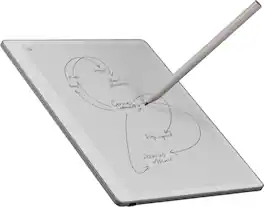
reMarkable - Paper Pro Move - 7.3" Paper Tablet with Marker Plus - Silver
4.4(98)

reMarkable Paper Pro Move: the paper tablet designed for work that happens anytime, anywhere, and with anyone. Be there in the moment while you capture your thoughts on the paper-like color display. With an ultraportable design and two weeks of battery life, it goes wherever work takes you.

reMarkable - Paper Pure – 10.3” Paper Tablet and Marker - Gray
5.0(2)

Close the gap between how you think and work with reMarkable Paper Pure. This paper tablet combines the proven benefits of handwriting with software that simplifies everyday work tasks, like getting your thoughts down on paper, reviewing documents, and staying focused in meetings. Write on a 10.3” display that feels like real paper, then refine your ideas with smart digital powers. It can even connect to cloud storage providers, productivity apps, and more, so work flows freely. And the battery lasts up to three weeks on a single charge, letting you focus on work without worrying about power.
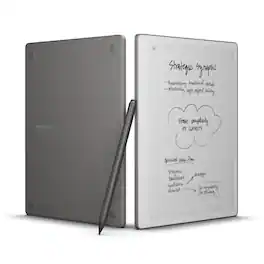
reMarkable - Paper Pure – 10.3” Paper Tablet Bundle with Marker Plus and Sleeve Folio - Ocean Blue
4.7(33)

Close the gap between how you think and work with reMarkable Paper Pure. This paper tablet combines the proven benefits of handwriting with software that simplifies everyday work tasks, like getting your thoughts down on paper, reviewing documents, and staying focused in meetings. Write on a 10.3” display that feels like real paper, then refine your ideas with smart digital powers. It can even connect to cloud storage providers, productivity apps, and more, so work flows freely. And the battery lasts up to three weeks on a single charge, letting you focus on work without worrying about power.

Pros for reMarkable - Paper Pure – 10.3” Paper Tablet Bundle with Marker Plus and Sleeve Folio - Mist Green
Build Quality, Battery Life, Performance, Portability, Writing ExperiencePortability, Writing Experience, Overall Performance, Size, WeightThere were no pros for this productBuild Quality, Battery Life, Performance, Portability, Writing Experience
Cons for reMarkable - Paper Pure – 10.3” Paper Tablet Bundle with Marker Plus and Sleeve Folio - Mist Green
BacklightBattery LifeThere were no cons for this productBacklight

Specs

Questions & Answers
  • Is the pen and Pen accessories a part of the bundle package?

    Yes the pen and sleeve are included if you get the bundle.

    Answered by RPGenie
  • Does BestBuy offer trade-in credit for an older remarkable?

    Remarkable 2 as of this time

    Answered by RPGenie
  • Will the remarkable 2 leather case i have work with the pure or will you release one for it ? And how much storage the pure have comparing to the 2 ? Thanks

    Hi Christian! The reMarkable 2 Folios aren't compatible with the reMarkable Paper Pure. The Paper Pure has a different design and is only compatible with its dedicated Sleeve Folio. In terms of storage, the reMarkable Paper Pure comes with 32 GB of internal storage, compared to 8 GB on the reMarkable 2.

    Answered by remarkable Team
  • Is there any idea what day this will be available

  • Any idea when these will be in stock?

Ask a question
No content
Sponsored

Finance Options

My Best Buy® Credit Card
Choose a benefit:Or
Buy Now, Pay Later
Lease to own

Special Offers

Included with Purchase