Rating 4.3 out of 5 stars with 3540 reviews
4.3- Ease of use (623)
- Size (229)
- Design (197)
- Installation (162)
- Performance (147)
- Timer (63)
- Heating (47)
- Button Quality (32)
- Door (32)
- Instructions (24)
Customer Images
The vast majority of our reviews come from verified purchases. Reviews from customers may include My Best Buy members, employees, and Tech Insider Network members (as tagged). Select reviewers may receive discounted products, promotional considerations or entries into drawings for honest, helpful reviews.
- Rated 4 out of 5 stars
Feature-loaded but beware of hot door handle
Purchased this microwave to coordinate with a Samsung black stainless gas cooktop and black stainless wall oven. It replaced a 14-year-old, perfectly functioning GE stainless steel microwave. The included installation instructions are pretty minimal, but the included wall templates were helpful as the attachment points did not match the GE that was removed. New holes had to be drilled for the two screws that secure the top of the microwave to the bottom of the cabinet. Once installed, as many others have mentioned, the instructions state to press the CLOCK button, however, there is no button labeled CLOCK. I had to search on Samsung.com for the user manual as one is not included in the box. In the online user manual it provides greater detail about the features, including instructions to press the power level button to set the time. A few dislikes: first, the timer cannot be used when the microwave is in use, and vice versa. Every other microwave I’ve ever owned allowed the timer to be used while the microwave was in use. Second, coming from the GE and other brands, I was looking for a Time Cook button, however, the online manual indicates you just enter the time you wish to cook the item and then press the start button. The third issue I noticed almost immediately, is that if the cooktop below is being used, the microwave handle and bottom of the microwave become scorching hot. I found that out the hard way when I grabbed the handle to open the door while a pot was cooking on the cooktop. This never occurred with the previous stainless steel GE. I’m not sure if it’s the black stainless material that is the contributing factor, but in all honesty this could be a very serious safety hazard, especially if you have younger kids. I noticed this with the oven door as well as it was still hot to the touch two hours after cooking for only 20 minutes at 425 degrees. Again, this didn’t happen with the stainless steel GE appliances we replaced. Lastly, the top and bottom of the unit are made out of very thin stamped metal and several areas, including the door on top to the fan unit, were dented or creased when I took it out of the box. It wasn’t too big a deal as it was easy to bend it back into shape, but just something to note. This was also the case with various parts on the Samsung oven we purchased. Overall, it’s a very attractive microwave with a large number of features. I hope it lasts as long as the GE it replaced.
This review is from Samsung - 1.9 Cu. Ft. Over-the-Range Microwave with Sensor Cook - Black Stainless Steel
Posted by AM27
- Rated 4 out of 5 stars
Samsung Microwave
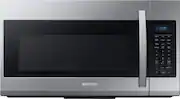
Samsung Microwave is performing as expected. Only issue (what I rated it only 4 stars) is the control panel buttons are somewhat unresponsive when selecting them. Heats well and efficient. Plenty of space for food items. Installed unit by myself. Followed installation instructions and template. Had no issues during installation. Although I installed by myeself, I would recommend two people (would make the job even easier) Outside of microwave has a glossy black color with a bluish ceramic interior. Front door is almost like a black mirror (see reflection in photo).
This review is from Samsung - 1.9 Cu. Ft. Over-the-Range Microwave with Sensor Cook - Black
Posted by Darkglow
- Rated 4 out of 5 stars
Upgrade Adjustments
This review is limited due to the fact that the microwave has only been in use for a month or so. This replaced a white Whirlpool. Back in the 80’s the white was the rage. Now I prefer the stainless steel look. The inside of this microwave is a lovely blue reminding me of blue pots of old my grandmother used. The only thing I have found so far is preference. The old white microwave we replaced had a 30 second button that you pushed once and it cooked for 30 seconds. Additional pushes gave you 30 second increases. This Samsung button is only the amount of time. You still have to push the start button for starting. Granted, it’s only an additional step, but we all miss this feature from the upscale white one that finally wouldn’t heat. It looks lovely. Everyone notices it. It runs without much noise or skill of the user. If you read the booklet that comes with it, you should know quickly how things work. It’s a quick read. Many diss Samsung products, but we don’t buy appliances or electronics anymore without extended warranties. I have used many Samsung products and they have proven to be dependable for many years and may outlast the relationships in the home by today’s moral standards. When you divorce or go your separate ways this microwave will still be running strong.
Posted by Apledo
- Rated 5 out of 5 stars
Highly recommend
My top of the line Kitchenaid microwave died. I like this new one more and it is half the price. It matches my Kitchenaid over close enough. It is quieter. It is easy to clean the outside as advertised. I read complaints about the interior being hard to clean because it is dark. It is not white inside, but is the blue color of an oven interior with a light. I find it easy to see and clean. It was important to me that it had a fan with more than one speed. This has four speeds. Obviously, the highest speed is noisy. The lowest speed is pretty quiet. I cannot speak to the undersurface light as this is something I do not use. However, if I did, I appreciated the information provided from others about a cooler LED replacement option. I like having the control panel on the side as I wanted a door that was not long. There are lots of options, easy to read and use (unless you're trying to use it in the dark, not backlit, but I've never seen one that is). The one complaint that I saw repeated was about setting the clock and, yes, it is pretty ridiculous. The guide that comes with the oven says to "press the clock button." There is no clock button! If you download the online manual (and srsly, who does that) there are clear instructions. I read the instructions provided by another reviewer (thank you) and wrote them down and put them in a kitchen cabinet because I knew that the next time the power went out and I had to reset the clock, I would not remember. Here are the instructions to set the clock. 1. Press and hold power level button for 3 seconds. 2. Use the # buttons to enter the time. 3. Press the power level button again. 4. Use the power level button to select AM/PM. 5. Take a pic or note of instructions if your memory is like mine (looks like a collander on a CT scan). Lastly, installation. I am lucky enough to have a very handy son-in-law who installed it. It came with a good template. He had to adjust the cutout in the upper cabinet a bit as my old microwave was a bit different, but that was expected. Other than that, he had no problem installing it. He was able to use the same hanger on the back wall.
Posted by PatriciaM
- Rated 5 out of 5 stars
Just Nuke It
It’s pretty good size, and in a standard kitchen it does leave a bit less room between the bottom of the microwave and the oven. But not so much that’s it’s really an issue. It works great, and I like the size of the unit. It’s a bit tricky to set the clock. I had to find a YouTube video. But once you figured it out it was easy. Very powerful, easy to clean, and it’s done very well for us.
Posted by MrsKeef