Rating 4.3 out of 5 stars with 173 reviews
4.3- Picture Quality (32)
- Refresh Rate (28)
- Desk Space (27)
- Design (10)
- Ease of use (7)
- Brightness (6)
- Speakers (5)
- Price (4)
Customer Images
The vast majority of our reviews come from verified purchases. Reviews from customers may include My Best Buy members, employees, and Tech Insider Network members (as tagged). Select reviewers may receive discounted products, promotional considerations or entries into drawings for honest, helpful reviews.
- Rated 5 out of 5 stars
Try it
I was hesitant for a long time rather to get this monitor or not. Then I heard about freesync update so I pulled the trigger. This is a gaming monitor despite what Samsung or youtubers label it as. I'm getting smooth frames on my 5700xt and the graphics looks insane and having the extra desk space is a plus. Get it while it's on sale
Posted by Crews89
- Rated 4 out of 5 stars
Really good monitor
I bought 4 of these, 2 for me and 2 for my wife. I use them for content creation and gaming. I really like them. Despite the response time, gaming is very good on them. I suggest you take the time to upgrade the firmware on these because they don't fully support FreeSync without an update. I really like being able to push my monitors back against the wall and have all this space on my desk and still be able to use them. I just wish that you could swivel them left and right. Having two of these is great but they have to be flat and side by side, which means if you don't sit in the middle of your desk, you will have a hard time looking at one of the monitors. 1440p gaming is underrated. I wish more monitors were 144hz AND 1440p. The bigger 32" version was tempting with the 4k resolution but the 60hz refresh rate made me go with the 27".
Posted by David
- Rated 4 out of 5 stars
Great looking. Having a deep desk would be best
Already a pixel showing. Mounting is litterally a vise style and some of it is pretty thick. Had to cut the backing of the desk and tried un bolting the bottom vise and re screwed into another ready to go screw hole. But the twist part of the vise was against the desk in a different place. It's mounted but if it needs turned it moves mounting also. No side to side monitor adjustment. Looks good
Posted by Dave
- Rated 4 out of 5 stars
Great value for what it is
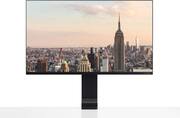
Is monitor is really designed to Save desk space with a desk mounting mechanism that goes into the side of a desk. That being said it's this is really an excellent monitor for what it is, the 27in 1440p 144 Hertz display which is quite unheard of at this price range. I was able to pick it up at $220 openbox but I think that even at $300 or around that is still a pretty good deal. But the monitor does have a specific use case though because it has to be mounted to a table I actually had to cut my table so that it could work. Most desks should work no problem though it's just worth looking beforehand. The monitor mounts are extremely sturdy both in the way it mounts to the actual screen itself and the way the mount screws into the table it's very substantial. The bezels actually really thin on the screen itself and it has kind of an off black extremely dark gray color to it that generally blends in with any color in a room. I did a lot of research looking at monitors and there is nothing at this price range even in the $300 range at 1440p that has anywhere close to 144 Hertz refresh rate. The colors on the screen are pretty good too there's going to be no HD on this price range at least for a 1 year. This monitor really only has three downsides the first downside is that only has two inputs. The second is the lack if a touch screen. The last is that theres no variable refresh rate technology. The mini DisplayPort is kind of a useless input and most people will just buy a converter. And the HDMI input is nice but this monitor is really missing a USB type c port. It would have been awesome and I mean I would have paid an extra $50 to have a USBC dock built right into it where I could hook up all of my my laptop with just one cable have it charge and power board and mouse. This matter really should have been a touchscreen its ability to come down and almost lay flat like a surface desktop could have expanded its use cases and too many different applications for 3D design to just ease of use with Windows 10. Or if it had a USB c port and a touchscreen you could just hook up your phone or chromebook right in and use as a bigger screen that would have been awesome. The lack of variable refresh rate technology really perplexes me here as because it's hotter than 144 Hertz monitor it's so good for gaming with a ok response time and if it had the variable refresh rate capabilities be great for console gaming as well as lower powered pcs at 1440p. There's a great review on this online explain the response times of this monitor. Ultimately this Monitor does a lot of things really well the colors on it are beautiful it's an amazing typical Samsung display with really vibrant colors it looks like it's just a cut down version one of their TVs when video is playing. of course it lacks HDR but nothing's going to actually to be able to display HDR in this price range. if you're looking to save space on your desk I highly recommend you get this monitor you won't regret it the bessels and modern design look so nice. Just keep in mind that for gaming it might not be as good as the more expensive monitors. And that it lacks a touch screen and only has basically an HDMI in that you'll have to really buy a dongle for it if you want to use it with anything USBC which is like an extra 20 30 40 50 dollars.
Posted by PrinceWilliam
- Rated 1 out of 5 stars
Great monitor but don't buy it here
Bought the monitor for full price but it seems like it's a used product. The monitor didn't even come with screws when it's supposed to. Monitor has problems too like screen problems.
Posted by Flashsnaps