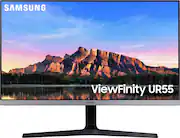
Rating 4.6 out of 5 stars with 3283 reviews
4.6- Picture Quality (1450)
- Color (203)
- Price (174)
- HDR (125)
- Ease of use (111)
- Refresh Rate (101)
- Stand (94)
- Speakers (62)
- VESA Mount (61)
- Input Switching (20)
Customer Images
The vast majority of our reviews come from verified purchases. Reviews from customers may include My Best Buy members, employees, and Tech Insider Network members (as tagged). Select reviewers may receive discounted products, promotional considerations or entries into drawings for honest, helpful reviews.
- Rated 5 out of 5 stars
Almost Perfect
It was love at first sight, and after sitting in front of them for 10 hours a day for the past few weeks, I'm very happy with my purchase. So here are the pros - size and 4K resolution are standouts; the detail, color quality, brightness, are wonderful. Since I spend most of my time staring at text (documents, code, email, slack) the eyestrain reduction has been very welcome (see images - the slight tint in color is because of this). I was fortunate to be able to get two of them to setup an office environment at home, and at this time I'd say they are almost perfect. So the only thing I can say is that the controls (its a direction switch at the base of the screen below the Samsung logo) can be a bit finicky when you are just starting to use it. Things like turning them off can be a bit tricky if you have no inputs, as the monitors auto detect sources and can present options based on that. But once you figure that out, its simple to use. That really the only thing I've found and that me nitpicking. One important lesson I've learned thought is not so much about the monitor, but about using 4K, especially multiple 4K monitors on an older laptop: You need an appropriate 4K Dock to push 4K content to all devices without issue. I have two laptops - one for work (a 2019 Dell Precision 7730 with Xeon processor) and my personal (a 2015 HP Omen 17t-W200 with Core i7 and and UHD screen) that I've connect the monitors to and while the newer Dell can push 4K to both monitors without any issue, my HP started stuttering and lagging just connecting one. After some checks, I found that the integrated graphics cards needed to be configured to use my NVIDIA card as primary or offload some of the processing to the Dock. I purchased the WAVLINK USB-C Dual 4K universal docking station (Model UG69PD2) with E-mark chip and it supported all three screens at 4K@ 60Hz from both devices without issues. It also supports Mac and has a built in 100W power to the laptop and devices (if your device supports it). If you are having issues with refresh of you purchase this monitor, I highly getting a dock. It'll provide a lot of flexibility and expandability for you.
Posted by KevinInMD
- Rated 5 out of 5 stars
Crisp and Bright!
I purchased this monitor as an upgrade to an older, smaller monitor to improve a home office experience and it does not disappoint! The large clear screen works perfectly for reading text and large spread sheets and when used with Windows 10 the “snap” feature is as good as using a two monitor set up. Having two HDMI inputs is extremely versatile. I use one as a dedicated input for my HP ENVY laptop, and the other as variable Input between a Nintendo Switch Dock, Microsoft Surface, and XBox One S console - and they all work perfectly on this monitor. A nice bonus feature is eye saver mode which ups the sepia tones to reduce eye fatigue - this is great if you’ve ever spent 8+ hours in Microsoft Excel! The Xbox One S autodetected the use of 4K And HDR and I was pleasantly surprised with the color range and default settings right out of the box. I didn’t even change them for gaming! The monitor itself is very attractive and the semi bezel-less design is really striking when the monitor is on. Really makes the monitor look huge when displaying content. The lack of built in speakers is maybe the only downside for me, but with HDMI pass through and a dedicated 3.5mm audio jack on the back of the monitor you can set up one set of speakers with no hassle and have it apply to all inputs which is a great feature. I use this monitor with a set of desktop Logitech MX speakers and it works perfectly with no loss of audio quality that I can detect. Overall this is a great purchase and I would recommend this monitor to anyone looking for a large, bright and clear image for work or play alike.
Posted by MLavallee
- Rated 4 out of 5 stars
tip for macbook pro M1 users
Bought this as a monitor for my Macbook Pro M1. When i hooked it up, the mouse seemed a bit laggy and turns out that the included HDMI cable only supports 4k at 30HZ. Bought a DVI to a usb c cable and tried it that way and was able to get 60hz at native 4k which was a very noticeable difference. The picture quality is very good and the hdr function is great! The only complain that i would have is the stand which extends more than it needs to in the back and it doesn't make it ideal for narrow desks.
Posted by HAYG
- Rated 5 out of 5 stars
THE best monitor I’ve ever owned
I’m super finicky when it comes to monitors. Backlight bleed, stuck pixels, ips glow, refresh rate, response time, Gsync, Freesync, IPS, VA, TN, CRT! Bleh bleh bleh.. This is by far the best Monitor I’ve ever owned! I’m a gamer but a graphics snob more than anything.. Pros: The colors are top notch, the IPs glow is the lowest I’ve ever seen on a monitor, backlight bleed is almost non existent, 4K and 28inch makes ppi of 160+! the picture super sharp, quality control seems to be in check! No stuck or dead pixels on mine, Freesync works great with Nvidia even though it doesn’t have compatible sticker, the response time is great! At 60hz I get very minimal ghosting which is insane! Idk how Samsung did it, and HDR isn’t bad at all! Not amazing but Bright enough. Cons: Stand isn’t great, You can only tilt. That’s it! But I got a monitor arm. I LOVE THIS MONITOR!!!!!
Posted by UnrealNeal
- Rated 4 out of 5 stars
If you have a Mac, read this (one flaw)
Before I get into the problem with this display, I have to first say it’s the best monitor I’ve ever owned. 4K looks incredible on 28”. It looks super premium and matches well with my Mac in my workspace. - I had limited desk space and I prefer this hands down over having two different 1080p screens in the small area. With that said, one major issue I had with this monitor is something I’m seeing repeated a lot. And that’s the issue with the screen going black with working with a Mac. I own a 2019 16” MacBook Pro, and my job actually sent me the same exact Mac to be my work computer. I have a multi port adapter I use for both Macs which gives me access to a keyboard and mouse and to the monitor by flipping it from one MacBook to the other. I’ve switched the plug ins a few times a day since I’ve owned this monitor. I got hit with the black screen issue recently, but I’ve found a way to “fix” the issue that is really odd and points more towards a Mac issue itself. - To fix it, I have to make sure the laptop is plugged into a power source before connecting the external monitor -and- even if I do that, when I switch computers I have to unplug the hdmi cable and plug it back in (Mac side not from back). I think the Mac does something where it alters it’s resolution or refresh rate when not plugged into a charger and the monitor kicks it off of the page. I would still rate this monitor 5 stars, but the part of this issue that the monitor owns is that it doesn’t have a very...um... intuitive way to switch between which hdmi port is being used. No matter what you set it to; it just jumps off of the page based on what gave the last input. Don’t expect to comfortably use two different computers at the same time on it. But with those very annoying issues out of the way, I still feel like this is a great buy especially for the sale price. You will not regret how it looks
Posted by JMWL