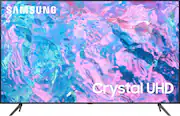
Rating 4.7 out of 5 stars with 2884 reviews
4.7- Picture Quality (1613)
- Ease of use (359)
- Price (165)
- TV Quality (132)
- Color (96)
- Remote Control (125)
- Volume (17)
Customer Images
The vast majority of our reviews come from verified purchases. Reviews from customers may include My Best Buy members, employees, and Tech Insider Network members (as tagged). Select reviewers may receive discounted products, promotional considerations or entries into drawings for honest, helpful reviews.
- Rated 4 out of 5 stars
A big upgrade from 2011
This TV is definitely a big upgrade from my smaller Samsung TV that I bought in 2011 when I was in college. While my wife was back in Indonesia for the holidays, her older sister bought the same exact model for her parents so I had to get their opinion before I buy mine. The quality of the image is top notch after adjusting the colors. The only console that I connected is my Nintendo Switch, I’m definitely enjoying so I’m excited to plug my PS5 and Xbox. I’m actually an IT professional so I was able to plug my customers PCs and the computers that I built for them without disconnecting my monitor from my computer. Thats a huge plus since this is a major investment for my work. The sound, a sound bar is recommended, although I already have one for my gaming pc. However, it’s still sounds good while watching Ahsoka and my other Star Wars shows on Disney +. Surprisingly, this TV is super light weight and thin so it made my mom laugh when she saw it. However, my parents do love on how I made the right purchase. I must say, as a tech guy, I’m kind of disappointed that the remote is not that great. I setup the TV using my iPhone so I have to use my phone to control the sound. I never as a 42 year old man would see that I would have to use a phone to adjust the volume. Yes the setup process was easy because of my IT experience but not all people are tech friendly, especially the older generation. I worked very hard for my TV since I came a long way since 2011, looking forward to test out my gaming consoles but in my personal opinion, the older remote control was better back in the day.
Posted by Atlfab
- Rated 5 out of 5 stars
Best buy best deal
I brought this TV because I already have a Samsung TV and I love samsung's products. It was easy set up. The color of bright an easy on the eyes. I had this in my bedroom. It's not too big. It's not too small. I would recommend Samsung TV to anyone also I love that but I get Samsung channels. I don't have cable. So I did buy An antenna. Since I already had a Samsung TV to set up with easy. Because it disconnected with my Other T v and I didn't have to really do anything. The remote also controls my other Samsung TV. So when I lose that remote? I can always have that all the one.
Posted by CarolynG
- Rated 5 out of 5 stars
Satisfied, Customer
I am very happy and satisfied with my new 43 inch Samsung TV. The Samsung is a great product and the picture quality is great. The sound is good and the TV was reasonable priced among the other products of TVs at Best Buy’s. The customer service representative was very helpful and knowledgeable about the product. The store was clean and the weight was not long to purchase the TV. I would highly recommend the Samsung product when buying a new TV. The Samsung TV was a much better purchase for me considering the fact that I had a Vizio TV that did not last three years and was very dissatisfied with the Vizio product. All in all it was a great purchase, and I would buy more Samsung products in the future.
- Rated 5 out of 5 stars
Nice Surprise
Amazing clean and clear Quality. It looks even more amazing mounted onto my wall. I love the view from my bed when watching my favorite programs or playing my games. I especially like the features where you can adjust the picture quality to better suit your viewing needs. Another added bonus is the fact you can sync your phone to your Samsung tv through your samsung phone. I was actually impressed that i could add the tv remote to my phone. One feature that i will need to explore further is the game zone....so many different new things to learn. I dont regret this purchase. There's so much to explore on this television and just when you may think youve got everything covered you find something else that you didnt notice. Im taking my time learning more about the features included. My only complaint is the tiny remote which can be a bit confusing. It will take me some time to adjust to it. But overall im glad i decided on this particular model
Posted by MurielL
- Rated 4 out of 5 stars
Took off a star for the remote
The TV is great. The size is perfect for the bedroom. The picture is amazing. The set up and pairing with the soundbar was easy. Great quality for a nice price. The only problem? The remote. I despise the remote. Not only is it hard to read (and impossible to read by TV light), I can't control the sound with it. The volume button either mutes or takes me to the Accessibility menu. No louder or quieter. Just mute. If it was the same remote that came with the TU609T I bought last year, this would be a 5-star review. Thankfully, and even though this is a SmartTV, I still plan to use my FireStick and that controls the TV with less hassle.
Posted by TracyT