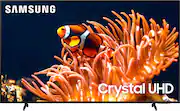
Rating 4.7 out of 5 stars with 191 reviews
4.7- Picture Quality (122)
- Ease of use (13)
- Color (7)
- Price (6)
- Features (3)
- Remote Control (6)
- Backlight (4)
- HDMI Ports (3)
Customer Images
The vast majority of our reviews come from verified purchases. Reviews from customers may include My Best Buy members, employees, and Tech Insider Network members (as tagged). Select reviewers may receive discounted products, promotional considerations or entries into drawings for honest, helpful reviews.
- Rated 5 out of 5 stars
Excellent Quality
Superior easy set up . Perfect TV size for a small living room . Colors are crystal clear ! Thank you Samsung for the great product!
Posted by Lynn
- Rated 5 out of 5 stars
Great TV we love our Sony
This is a great TV we have it in our bedroom. Good price point for the quality. We truly enjoy this TV. We have now upgraded our our living room TV to a Sony you.
Posted by Spenfam
- Rated 5 out of 5 stars
Samsung 86 inch screen
The price and Quality of this product is absolutely incredible. I highly recommend this for anyone looking for an 86 inch TV.
Posted by KevinR
- Rated 4 out of 5 stars
The picture quality looks great and super slim!
Happy with everything for the price. Only dislike is tizen os
Posted by LuisC
- Rated 5 out of 5 stars
Wonderful
Great value, easily mountable and lots of apps and features!
Posted by AlejandrotA