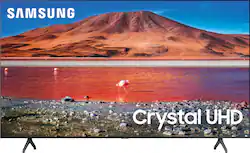
Improve your viewing experience with this 55-inch Samsung smart TV. The variety of applications offer easy access to content on popular streaming services, and the intuitive interface makes finding your favorite shows simple. Boasting native 4K resolution and advanced HDR technology, this Samsung smart TV enriches your movie nights with stunningly detailed visuals and lifelike colors.
Q: Can you tell me what the distance is between the feet of the 55” tv?
A: Hi Duchess, the leg width on the 55TU7000 is 37.5". ^Gina
Q: What is the main difference between the 7000 and 8000?
A: Hello Mms4951, The TU7000 introduces our Crystal Display which gives you crystal-clear colors that are fine-tuned to deliver a naturally crisp and vivid picture, and our Crystal UHD Processor, which brings stunning clarity to everything you already watch and powerfully upscales 4K to ensure that you always get life-like 4K resolution no matter the source. When stepping up to the TU8000, you will have all the benefits of Crystal UHD, and will also gain Ambient Mode and built-in Voice Assistants (Amazon Alexa, Bixby, Google Assistant) with a Voice button on your OneRemote. The TU8000 also offers one Composive (AV) input, and an additional HDMI and USB port. ^Celina
A: Hi Larry! Yes, you can use both TV and Bluetooth device audio simultaneously on the TU7000. When this function is active, you can set the volume of the Bluetooth headphones higher than the volume of the TV speaker. First, make sure your Bluetooth headphones are paired. Press HOME on your TU7000 remote. Then go to Settings > General > Accessibility > Multi-output Audio. Find the device you'd like to use. If you need assistance or have questions, please call us at 1-800-SAMSUNG, available 8AM - 12AM EST, 7 days a week. ^Tim
Q: Is this TV compatible with Disney+
A: Quedtion, you can download the Disney+ app from your TV's built-in App Store! ^Gina
A: Hi John! Yes, you can connect your Samsung Smart TV to your exterior roof antenna. ^Gina
Q: Can I use my Roku stick with this tv?
A: It is a smart TV. The Roku is built in. No need for a Roku stick.
Q: hi is there a picture in picture feature on this model?
A: Hi there, the TU7000 Series does not have PIP (or split-screen). Split-screen capability to view two different content side-by-side is available starting from our QLED Q60T Series and up using our Multi View feature. For example, you can view media from different sources, such as an app, Blu-ray player, or game console, on the main left screen, while also mirroring your phone to the smaller screen. Multi View provides you with endless possibilities for splitting screens and viewing several types of content at the same time. ^Gina
Q: How does the screen look at an angel of from the sides?
A: Hi Bruce, the TU7000 utilizes a matte finish to help diminish some unwanted glare; however, when stepping up to our Q60T model, you will gain our new Dual LED Technology which allows the TV to more accurately balance color and brightness than conventional Edge Lighting arrangements. Samsung TVs with Dual LED also produce a wider viewing angle, making it better for everybody watching. Check out the Q60T at Best Buy: https://www.bestbuy.com/site/samsung-55-class-q60t-series-4k-uhd-tv-smart-led-with-hdr/6401755.p?skuId=6401755 ^Gina